 Barat Ovidiu
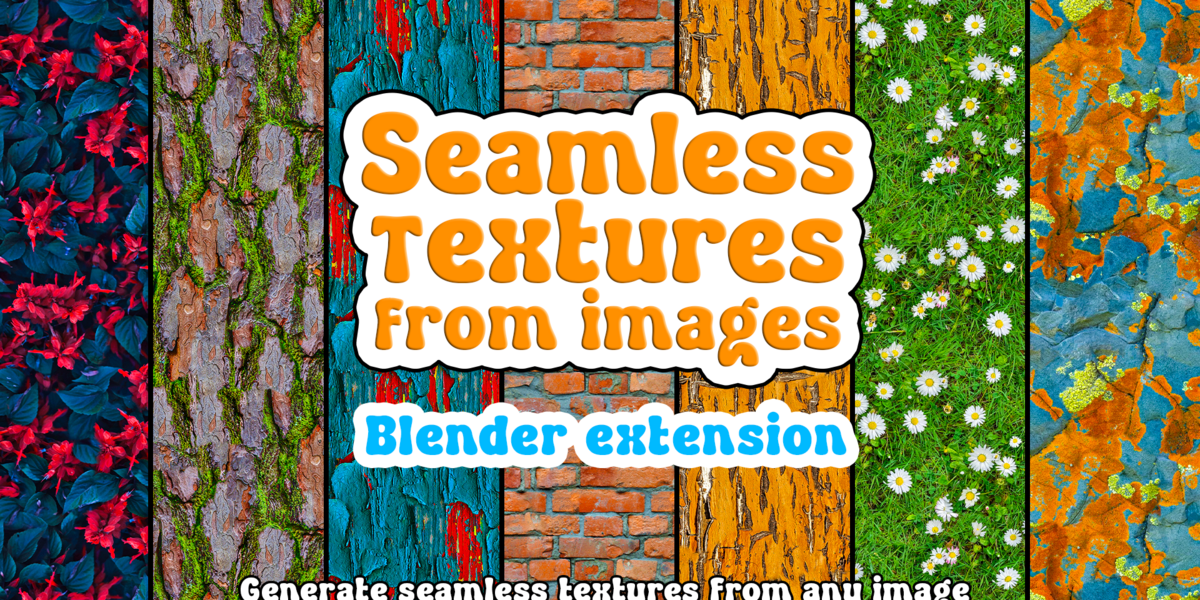
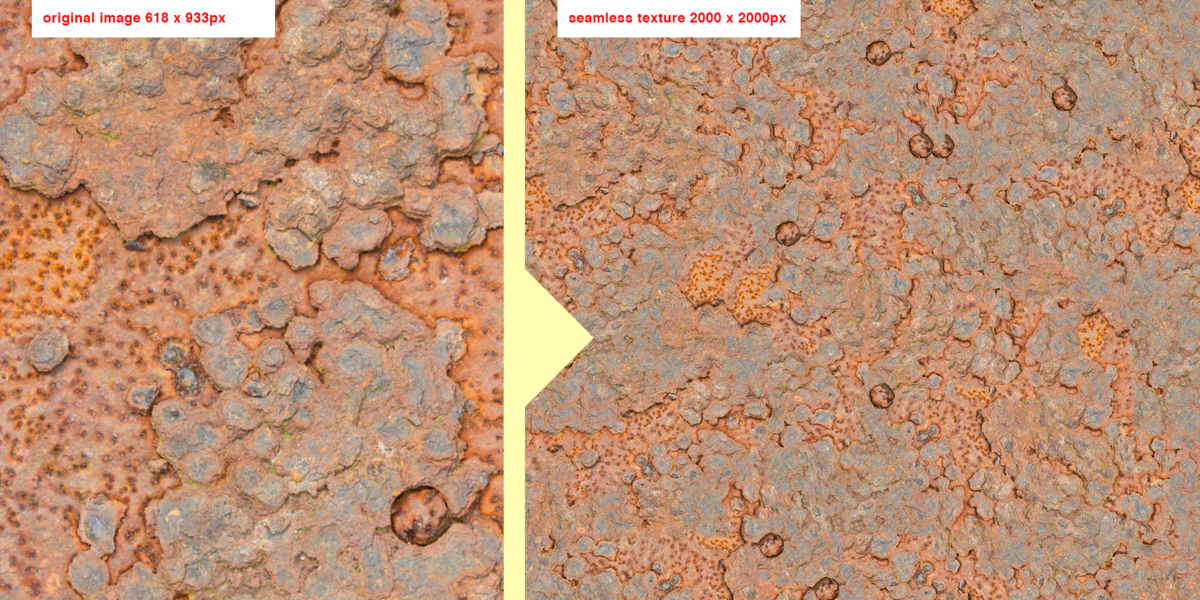
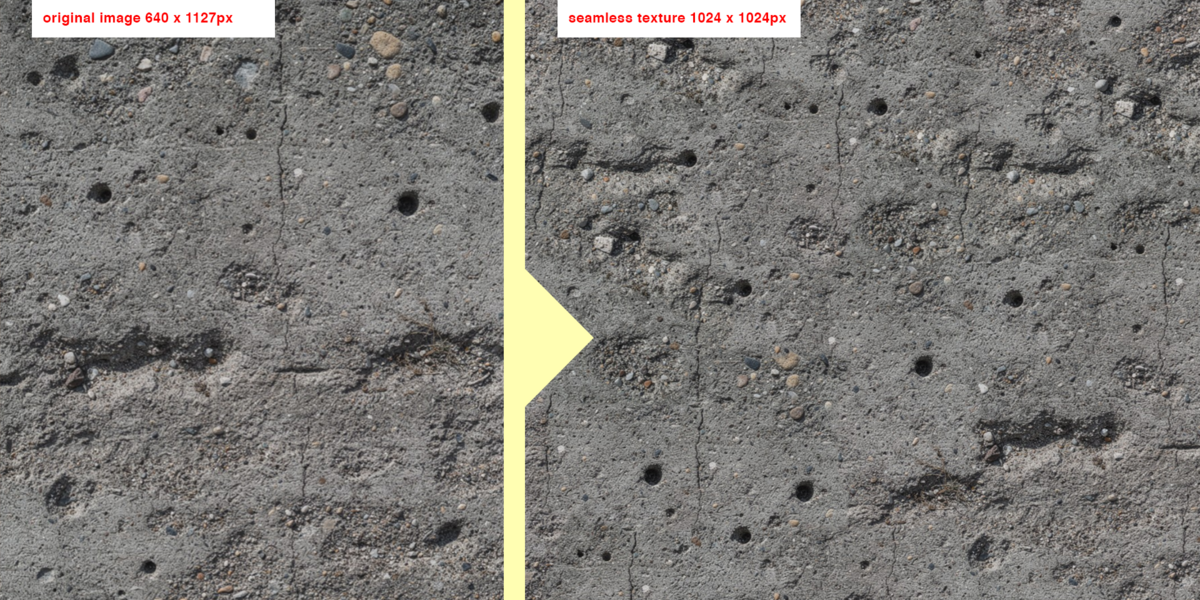
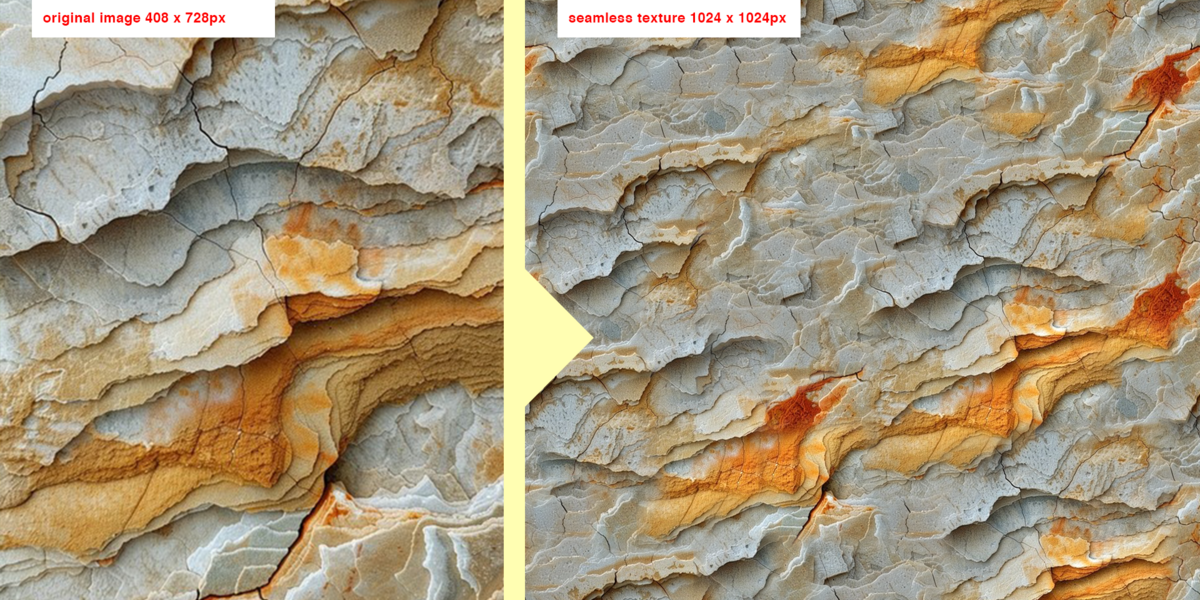
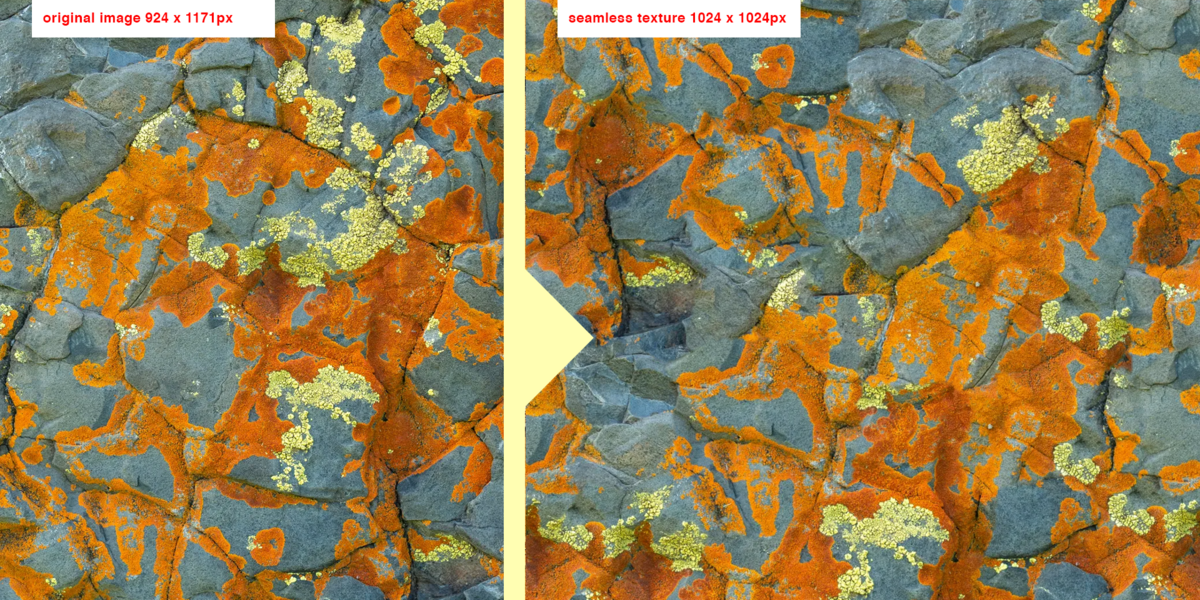
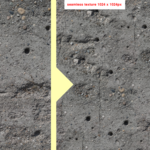
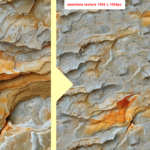
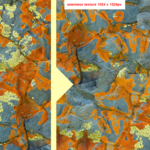
SeamTexQ turns any image into a seamless, tileable texture directly inside Blender's Shader Editor.
FREE VERSION AVAILABLE ON GUMROAD
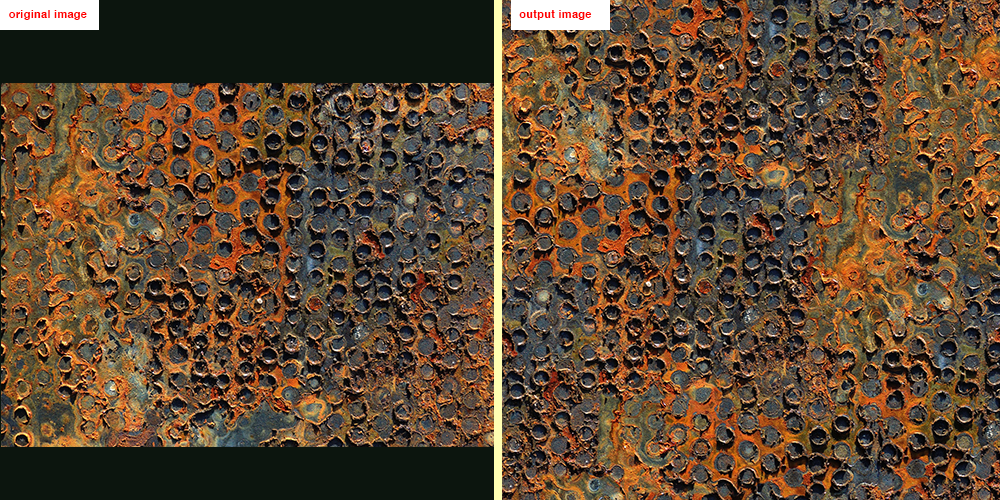
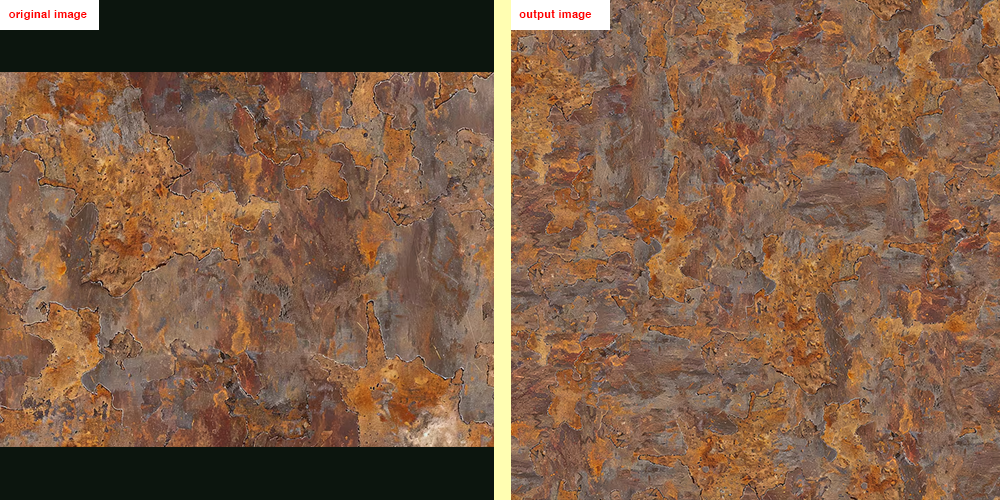
Simply add the node, choose a source image, and generate. SeamTexQ analyzes your image, extracts and rearranges patches, and joins them like a puzzle to create a naturally tileable texture with minimal visible repetition.
No other software or manual texture editing required. Just connect, generate, and use.
How to install?
In blender go to Edit > Preferences > Add-ons > Install from disk, then select the file you downloaded.
How to use ?
Step 1: Create a new plane > add a new material and look for the "SeamTexQ" node.
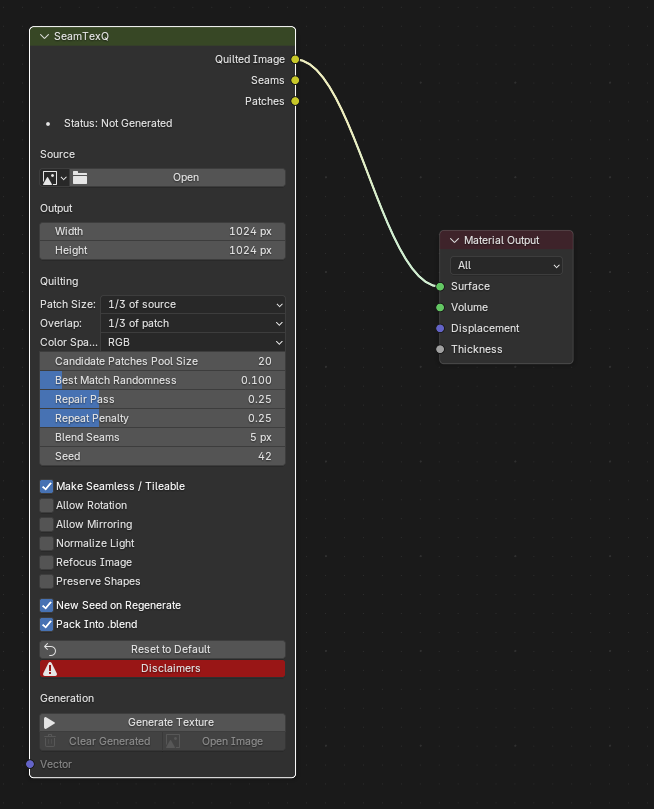
Step 2: Click Open to select the source image. This is the image that will be used to generate the texture
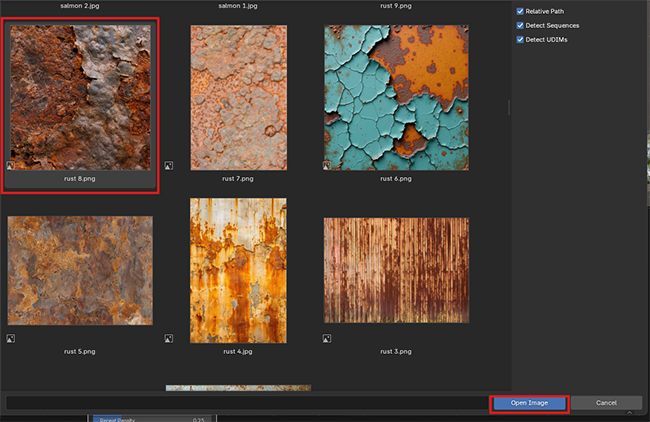
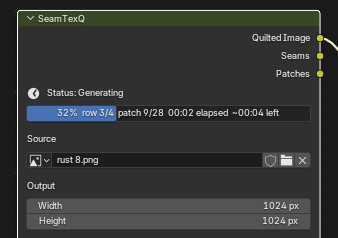
Stept 3: Click Generate Texture and wait for the process to finish. I recommend starting with the default settings, as they are optimized for most textures.
Examples:
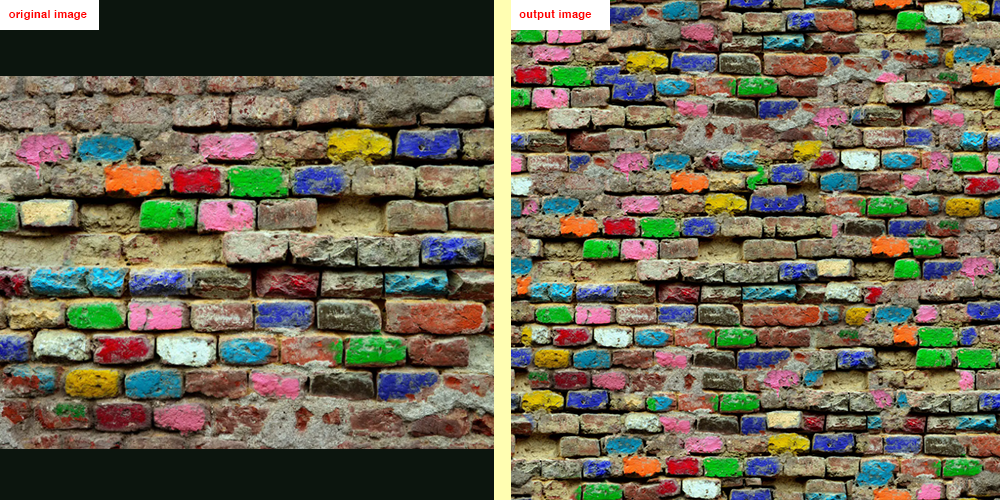
Settings explained:
Source Image: The picture the texture is built from.
Width / Height: The size of the new texture in pixels (default 1024).
Patch Size: How big each "puzzle" piece is based on the source image size.
Overlap: how much neighbouring patches overlap, as a share of the patch. More overlap gives smoother joins but takes longer.
Candidate Patches Pool Size (1–20): how many good matches are kept to choose from for each spot.
Best Match Randomness (0–1): 0 always takes the best match but may create visible repetition. Higher values add variety but make seams more visible.
Repair Pass (0–1): after the first pass, the patches with the worst joins are picked again. Higher means cleaner seams and slower generation.
Repeat Penalty (0–1): discourages reusing the same part of the source, which reduces visible repetition.
Blend Seams: fades the two patches into each other over this many pixels, so the seam is softer.
Seed: the random number behind the patch choices. The same seed gives the same result.
Make Seamless / Tileable: Opposite edges are built to match, so the texture repeats without a visible seam.
Allow Rotation: Allows patches to rotate when matching. This adds more variety to the generated texture but significantly increases generation time.
Allow Mirroring: lets patches be flipped horizontally, vertically or both, to add more variation.
Normalize Light: Evens out the lighting in images with soft shadows or a vignette effect.
Preview Corrected Image lets you see the effect before generating the texture.
Refocus Image : sharpens out-of-focus areas of the source before building.
Preview Refocused Image shows the effect.
Preserve Shapes
Use this for bricks, tiles or paving, where you want the individual shapes preserved as much as possible. The addon finds the stones and joints first, then tries to follow the contour of the shapes.
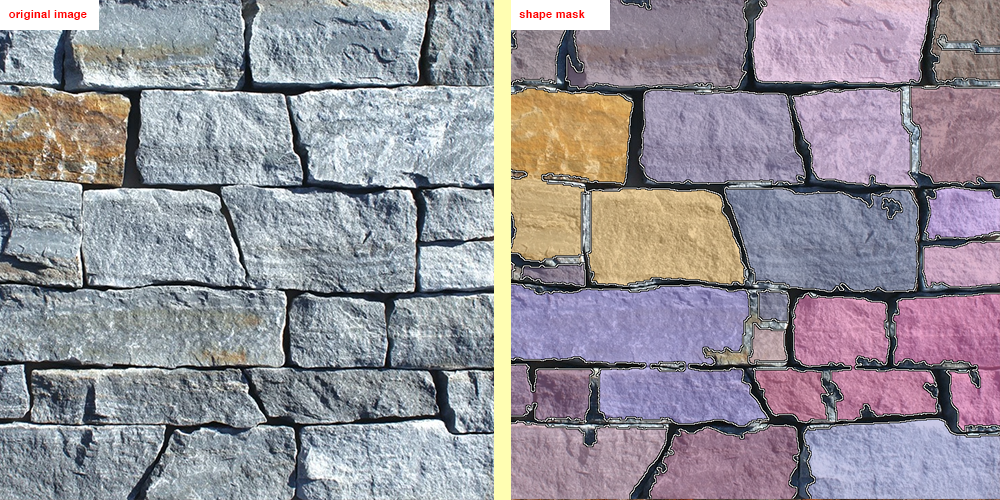
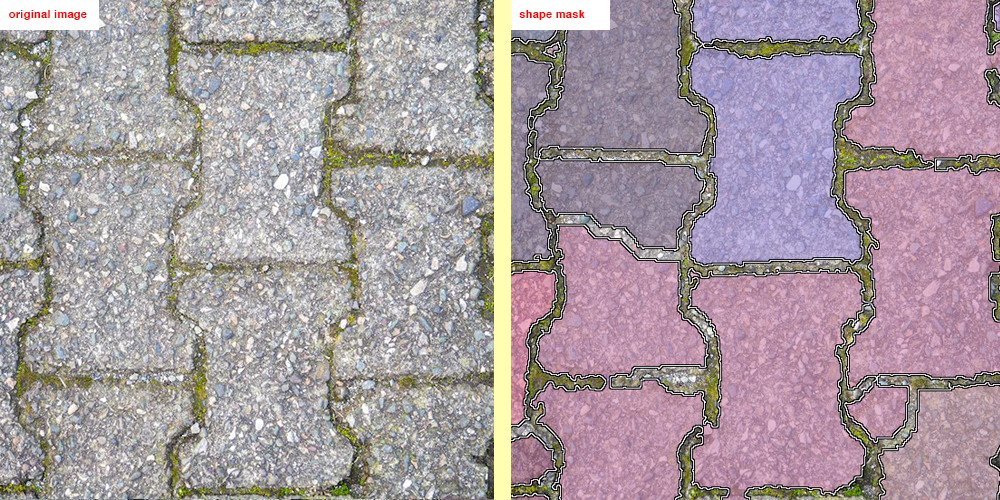
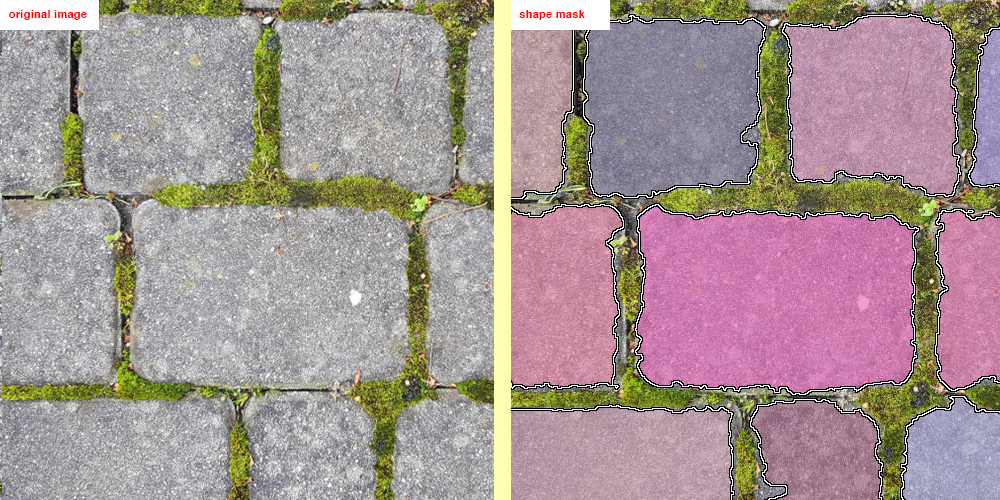
Turn it on, then use Preview Shape Mask to check what it found. Each tile gets a random colour, and the outline is drawn on top.
This setting isn't perfect, so you may need to experiment with the different modes to get the best results for your image.
Detection: Lets you choose between four different detection modes. Each mode uses a different technique to identify shapes, such as bricks or pavement stones, and separate them into individual patches.
Strength (1–10): how strongly the detected shapes are followed. 1 is a gentle hint, 10 is as far as possible.
Shape mask examples:
Recommendation: In many cases, you can get better results simply by changing the seed. Try generating a few versions with different random seeds before adjusting any other settings.
What to expect
It rearranges your pixels. The result is made only from pieces of your source image, so it looks like your source but can’t contain anything new.
Quality varies. Different seeds give different results, and some are better than others. Try Regenerate a few times and keep the best.
Tuning is part of the process. Depending on your source image, you may need to experiment with the settings until you get the results you're looking for.
Generation takes time. Large outputs, large sources, small patches, big overlaps, rotation, mirroring, Repair Pass and Preserve Shapes all add to it.