 To The Grid Studio


Set Opacity - Window Transparency for Blender
STOP ALT-TABBING. START CREATING.
You're sculpting something. The reference is open in PureRef and you need to check them... Alt-Tab. Back to Blender, Alt-Tab again to check , etc. You've lost your flow or you can have PureRef on top losing a lot of space (if you work with one monitor or your laptop for example)
Set Opacity solves this.
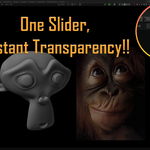
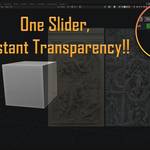
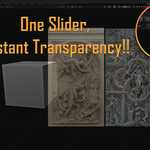
Make Blender's window transparent and see your references, mood boards, or concept art underneath while you work. Inspired by ZBrush's legendary see-through feature, now available in Blender.
WHAT IT DOES
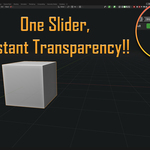
One slider in your viewport header. Drag left to make Blender transparent (down to 50%). Drag right to make it opaque again. That's it.
No complicated settings. No configuration. Just instant access to everything behind your Blender window while you sculpt, model, animate or texture.
PERFECT FOR
- Character Artists - Keep reference sheets visible while sculpting facial features
- Environment Artists - Compare your blockout with concept art in real-time
- Texture Artists - See material references without switching windows
- Concept Modelers - Match proportions with sketches underneath
- Anyone who uses references constantly
KEY FEATURES
✓ Simple opacity slider - One control, always visible in viewport header ✓ 50-100% range - Enough transparency to see through, never lose your window ✓ Instant response - Changes apply immediately as you drag ✓ Zero setup - Works right after installation ✓ Lightweight - No performance impact on your scene ✓ Multi-window support - Each Main Window has independent opacity (v1.1+)
Download it. Use it. Get back to creating.