Shelf Filler
 Milad_Kambari



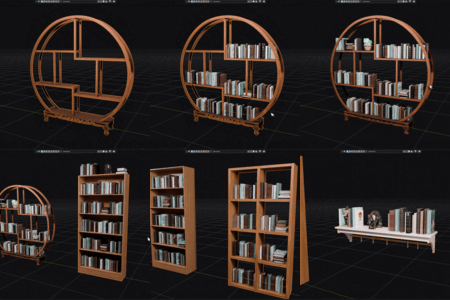
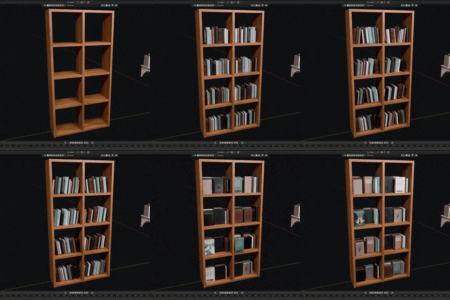
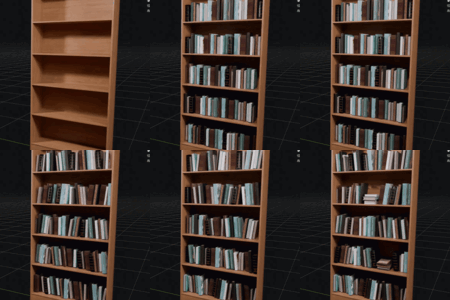
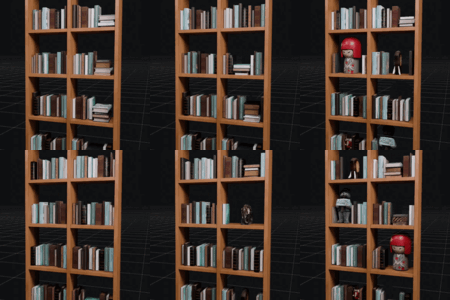
Will it change my original book models?
No. Only copies are placed on the shelf; your source objects are never moved or modified.
Can I add decoratives like figurines or plants between the books?
Yes. Add them to the Decorative list and choose what percent of levels get decoratives and how many books sit between each one.
How do I fill more than one shelf without the books jumping to the new shelf?
Fill the first shelf, press Apply to bake it in place, then select the next shelf and press START. The source models never move and applied books stay put.
The books on one side look too small. Why?
An older build mistakenly used a neighboring shelf as a ceiling. The current version only treats a surface as a ceiling when it is actually above that compartment, so open-top areas keep full-height books. Make sure you are on the latest version (remove the old add-on, restart Blender, then install the new file).
My books are crossing over the shelf dividers. How do I fix it?
Lower the "Compartment gap" value in General settings so the divider is detected as a separation. If two separate units are being merged into one, raise the value instead.
Can I use several different book models at once?
Yes. Add as many models as you like. Each book is oriented and scaled from its own axes, so different models all stand correctly and uniformly. A built-in "bag" system spreads them evenly with no repeating pattern and no back-to-back duplicates.
Does it work with any bookshelf, or only a specific model?
Any shelf mesh works. The addon automatically detects each level and each separate compartment, so straight shelves, divided shelves, and multi-compartment units are all supported.
Which Blender versions are supported?
Blender 3.6 and above. It has been tested on Blender 4.x and 5.x.
$8
Have questions about this product?
Login to message
| Sales | 30+ |
| Published | 4 months ago |
| Blender Version | 4.2 - 5.2 |
| Render Engine Used | Cycles, Eevee |
| License | GPL |
Discover more products like this
environment bookshelf blender addon props game environment set dressing book filler b3d Interior automation ArchViz scatter shelf filler books Library