Shibuya
 Nimikko


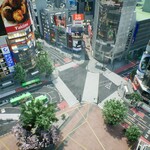
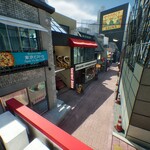
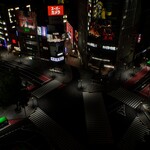
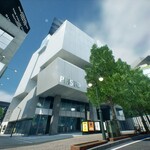
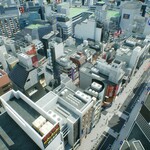
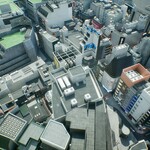
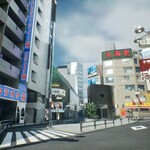
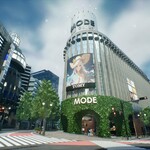
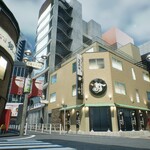
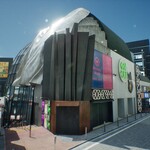
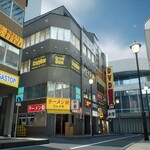
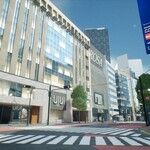
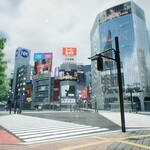
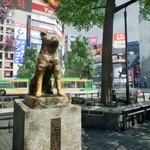
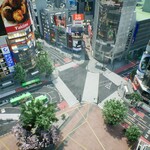
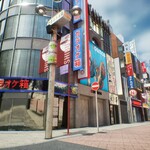
SHIBUYA 3D ENVIRONMENT
====================
OPTIONAL SETUP FOR SEPERATE METALNESS; ROUGHNESS & AO TEXTURES
--------------
1. TEXTURE SEPARATION
The textures are provided in a packed format to save storage space. You must separate them before use.
a) Install ImageMagick:
- Windows: Download from https://imagemagick.org/script/download.php#windows
- macOS: Run "brew install imagemagick" (requires Homebrew)
- Linux: Run "sudo apt-get install imagemagick" (Ubuntu/Debian) or equivalent for your distribution
b) Navigate to the textures folder
c) Run the separation script:
./SeperateRoughessMetalnessAmbientOcclusion.sh
This will extract individual roughness, metalness, and ambient occlusion texture files.
2. 3DS MAX TEXTURE ASSIGNMENT (if using 3ds Max)
After completing texture separation:
a) Open 3ds Max
b) Go to MAXScript → Run Script
c) Select and execute "assign_textures.ms"
This script will automatically assign the separated metalness and roughness textures to your materials.
IMPORTANT: Run the texture separation script BEFORE executing the 3ds Max script.
For questions or issues, please refer to the documentation or contact support.
Have questions about this product?
Login to message
| Published | over 1 year ago |
| Blender Version | 4.2 - 4.4 |
| Misc Data | Uvs-Unwrapped, Normal-Mapped, Textured |
| License | Creative Commons |
