 Blender.Fun


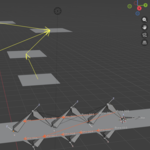
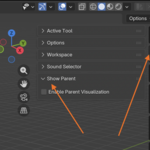
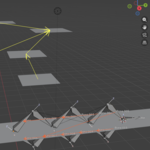
Show Parent — See parent relationships at a glance.
Tired of hunting through complex scenes to find who’s parented to what? Show Parent draws yellow arrows for object parents and blue arrows for bone parents directly in the 3D Viewport. It also optionally displays camera‑facing start markers (billboard circles) with adjustable size and colors — perfect for rigging, cleanup, and debugging your scenes.
- Features: Instant visual parent arrows, bone/object modes, only‑selected filter, start point billboard, size & color controls.
- How to use: Install → enable the add‑on → View3D → Sidebar → Tool → Show Parent — toggle options as needed.
Try Show Parent and speed up your Blender workflow
Tutorial:
