 Matthias Patscheider
Stop wasting time on setting up collisions!
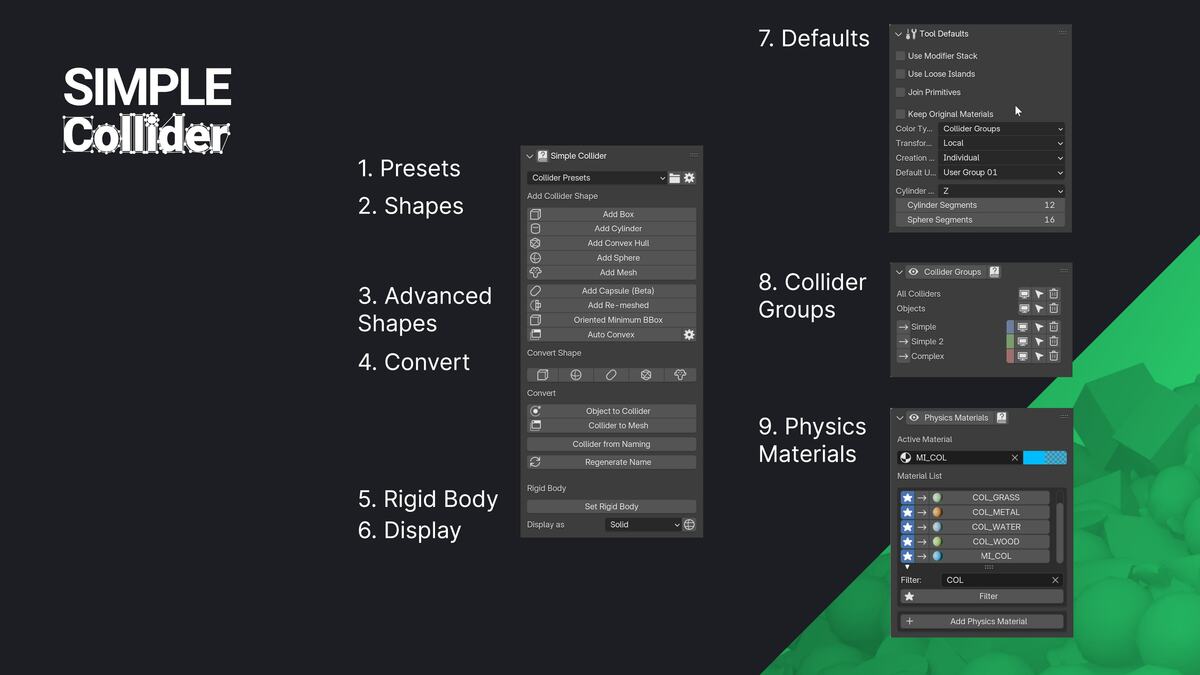
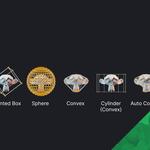
Simple Collider makes creating physics colliders for games fast and straightforward. It supports common collider types like Box, Sphere, Capsule, Convex, and Mesh as well as complex operations like Auto Convex decomposition and Oriented Bound Box generation. Simple Collider is made to work with game engines like UE, Unity, and Godot.
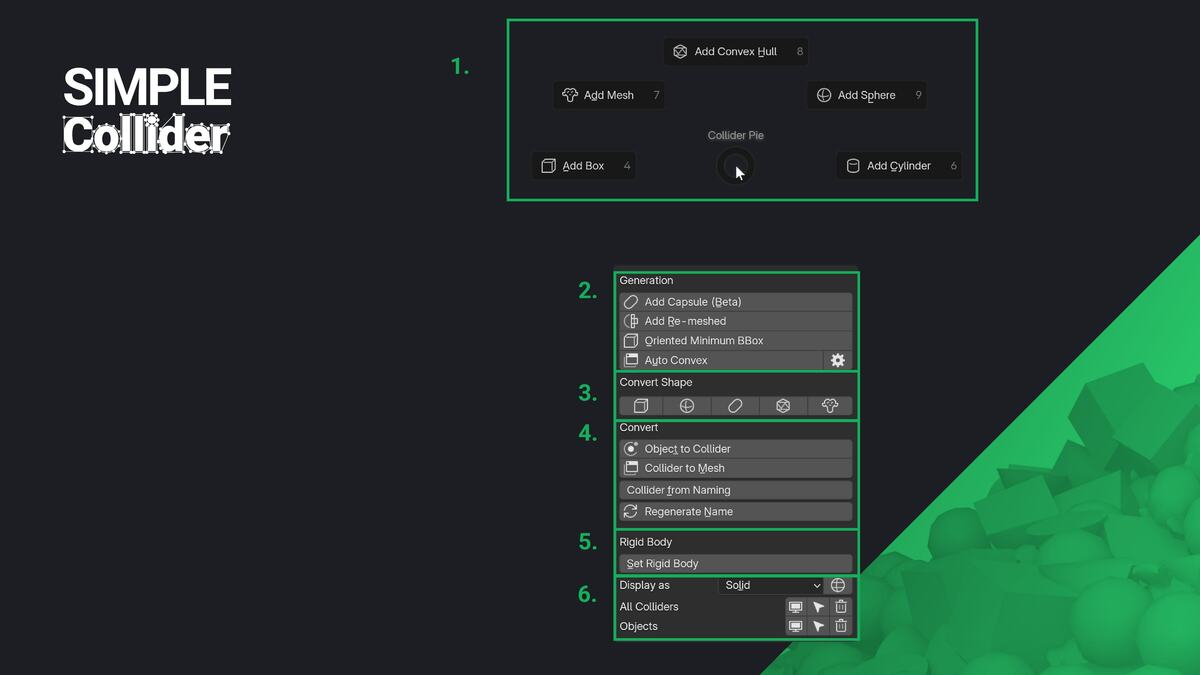
The addon's simple user experience and UI lets you adjust colliders directly in the 3D Viewport, making it easy to see and control what you're doing. You can create colliders in Object or Edit-mode, for entire selections or specific parts of a mesh. Plus, you can choose to work with pre- or post-modifier mesh data, giving you the flexibility and speed you need.
Video
Feature Overview
- Quick and simple creation of collider objects.
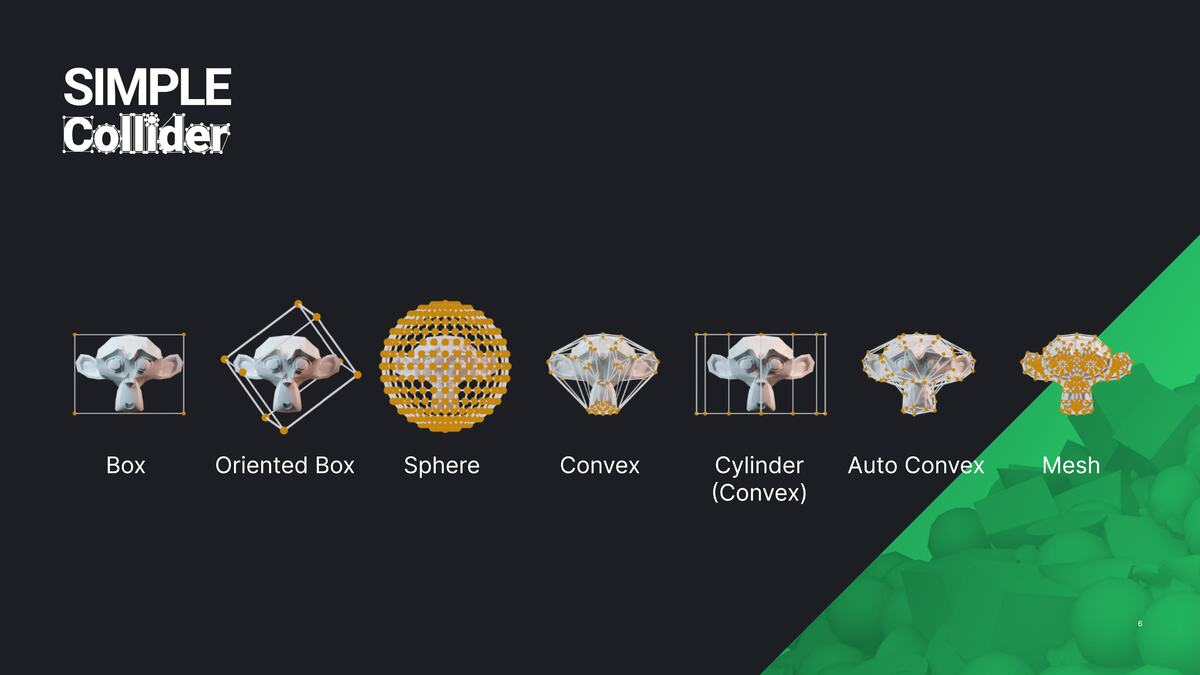
- Support for Sphere, Box, Capsule, Convex, Convex Cylinder, K-DOP, Re-Meshed and Mesh shapes.
- Support for Oriented Minimum Bounding Box generation, an automatically oriented box collider to have the lowest volume possible.
- Auto convex decomposition for complex shapes using the V-HACD library — available on Windows, Linux, and macOS (including Apple Silicon / ARM64).
- Support for Object- and Edit-mode, including multi-object Edit-mode.
- Define creation space: Choose between generating colliders in Local or Global Space.
- Create colliders per individual object, around the entire selection, or based on loose parts.
- Custom colliders can be used in engines like UE4-5, Unity, Godot, and other engines with a flexible naming scheme.
- Support for Edit mode selection. Create collision only surrounding the selected geometry of each object, with multi-edit and modifier stack support.
- Support for creating world-aligned and object-aligned collisions for primitive collider types like Boxes, Cylinders, and Capsules.
- Create colliders based on pre or post-modifier stack mesh data.
- Adjust creation settings directly from the 3D Viewport, allowing for real-time user input during collider generation.
- Flexible naming options to support different engine and pipeline needs.
- Robust preset system: Select and switch between presets for different game engines, and easily exchange these presets. Pin a preset to load it automatically on startup.
- Rename colliders based on the current preset.
- Convert Mesh to Collider, Collider to Mesh, or Collider to Empty — convert collider mesh objects to Blender Empty objects using primitive display types, for engines that support lightweight empty-based collision.
- Collider organization: Manage visibility, selection, and deletion using collider groups.
- Assign and organize materials for use as physics materials in engines.
Why Simple Collider?
Simple Collider removes the biggest obstacle to creating colliders in Blender—its lack of specialized tools. This addon makes the process much faster and easier, combining the speed and convenience of in-engine tools with the power and flexibility of Blender.
Here's why Simple Collider stands out:
- More control: Create colliders in Blender with full control over shape, size and complexity - useful for all kind of assets.
- Faster compound colliders: Generate multiple colliders for one asset quickly using Object and Edit-mode selections.
- Engine compatibility: Not all engines have powerful collider tools—Simple Collider fills that gap.
- Convenience: Handle assets and colliders in one application, updating both as needed.
Corporate Customers
Simple Collider is trusted by professional studios and used in production pipelines at companies including:
Testimonials
What other artists from the games industry say about Simple Collider:
"This addon is a must-have. It takes all the hassle and tedious work out of creating custom collision. So fast and easy to use, and it even takes care of naming and parenting with support for custom prefixes."
Richard Court, Principal Environment Artist at Studio Gobo
"This is something that a lot of people overlook on how much time it can take up on a project. With its intuitive interface and support for complex shapes, it's impressive how quickly you can get usable results."
Jeremiah Estrellado, Associate Art Director & Founder of The Dinusty Empire
"I am a huge fan of addons that reduce the steps and amount of clicks it takes me to do menial tasks. This addon is one of those. Its simple and clean and will save a lot of time for anyone making collision meshes in Blender for use in game engines like Unreal Engine. I wish I had this addon a lot sooner!"
Michael Kinsey, Senior Shader Technical Director at Thats No Moon Entertainment
"I have been lucky enough to be able to try Simple Collider in the past months and I can tell you that it became directly one of my favorite and most used add-ons. Everything is just so simple and powerful. Now I can create collisions in a matter of seconds for any assets or modular kit and spend all this extra saved time on more creative and fulfilling tasks!"
Jérémy Cerisy, Senior Environment Artist at Remedy Entertainment
"Making collisions is often the most annoying part of the art pipeline. I think anyone working in real-time 3D deserves to get through this moment the proper way. That's what this addon allows."
Arthur Chamerois, 3D Artist at Playdead
"This addon was extremely useful and made creating collisions quick and efficient. The entire modeling team used it and were able to pick it up very quickly."
A couple of quotes from our modeling team:
- "Simple Collider has proven to be an indispensable tool for our workflow, making it easy to create and manage colliders to meet our needs. The pie menu and Oriented Minimum Bounding Box have been absurdly helpful!"
- "I love that if you have multiple objects selected, you can create colliders for all of them at the same time. This speeds up the process a lot."
Mike Reese, VP of Asset Production at KitBash3D
Supported Shapes
Simple Collider supports a wide variety of collision shapes. Here's an overview of each type and when to use it.

Box Collider
Box colliders are simple, efficient, and cover a wide range of use-cases.
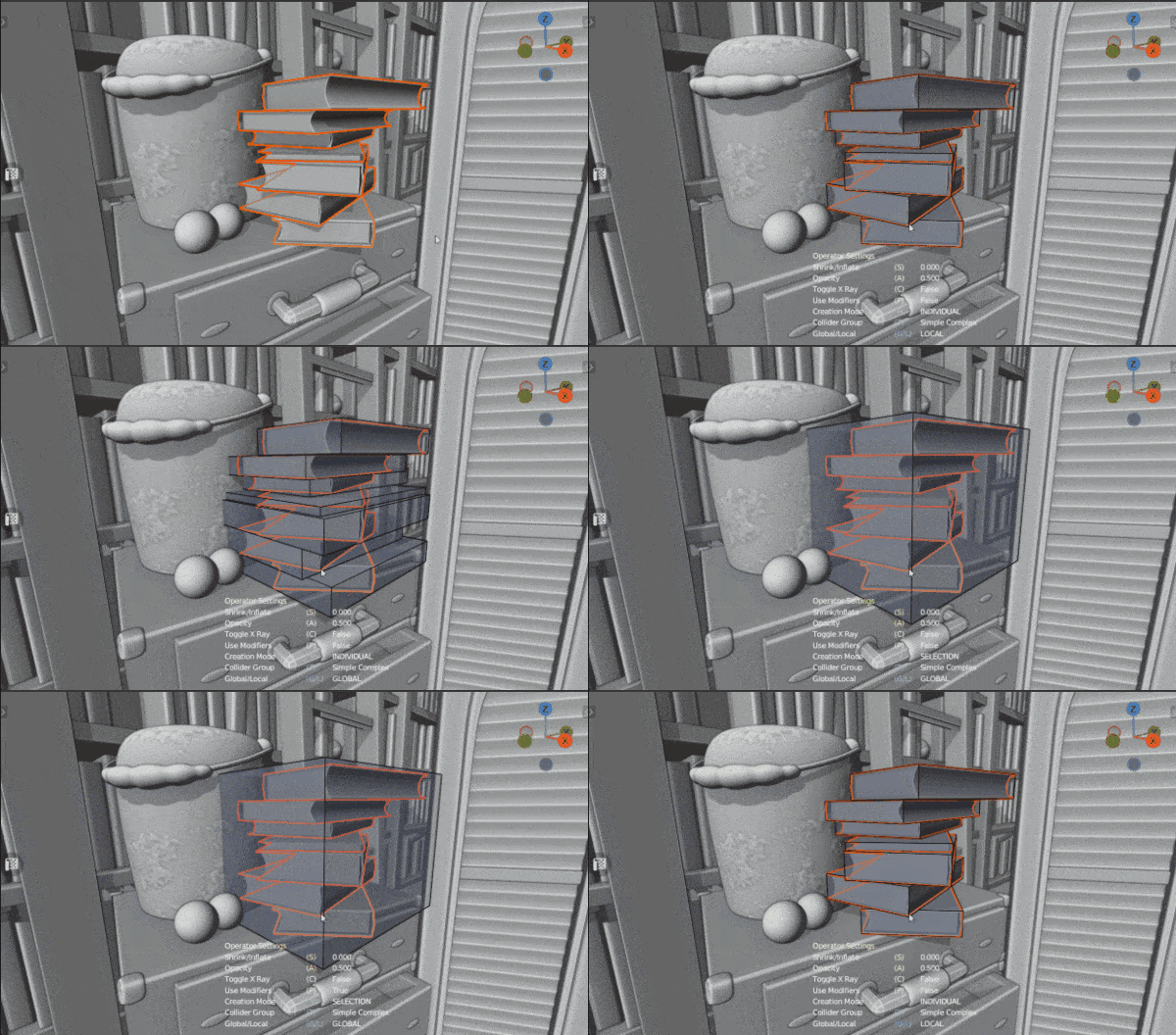 Scene by Glenn Melenhorst
Sphere Collider
Sphere colliders are the most efficient Collision shape. Sphere collisions are usually represented by a mathematical description (location and radius) rather than polygons. The sphere meshes created by the addon are intended as a visual representation. Sphere collisions will become more expensive if they are imported as convex shapes or mesh shapes.
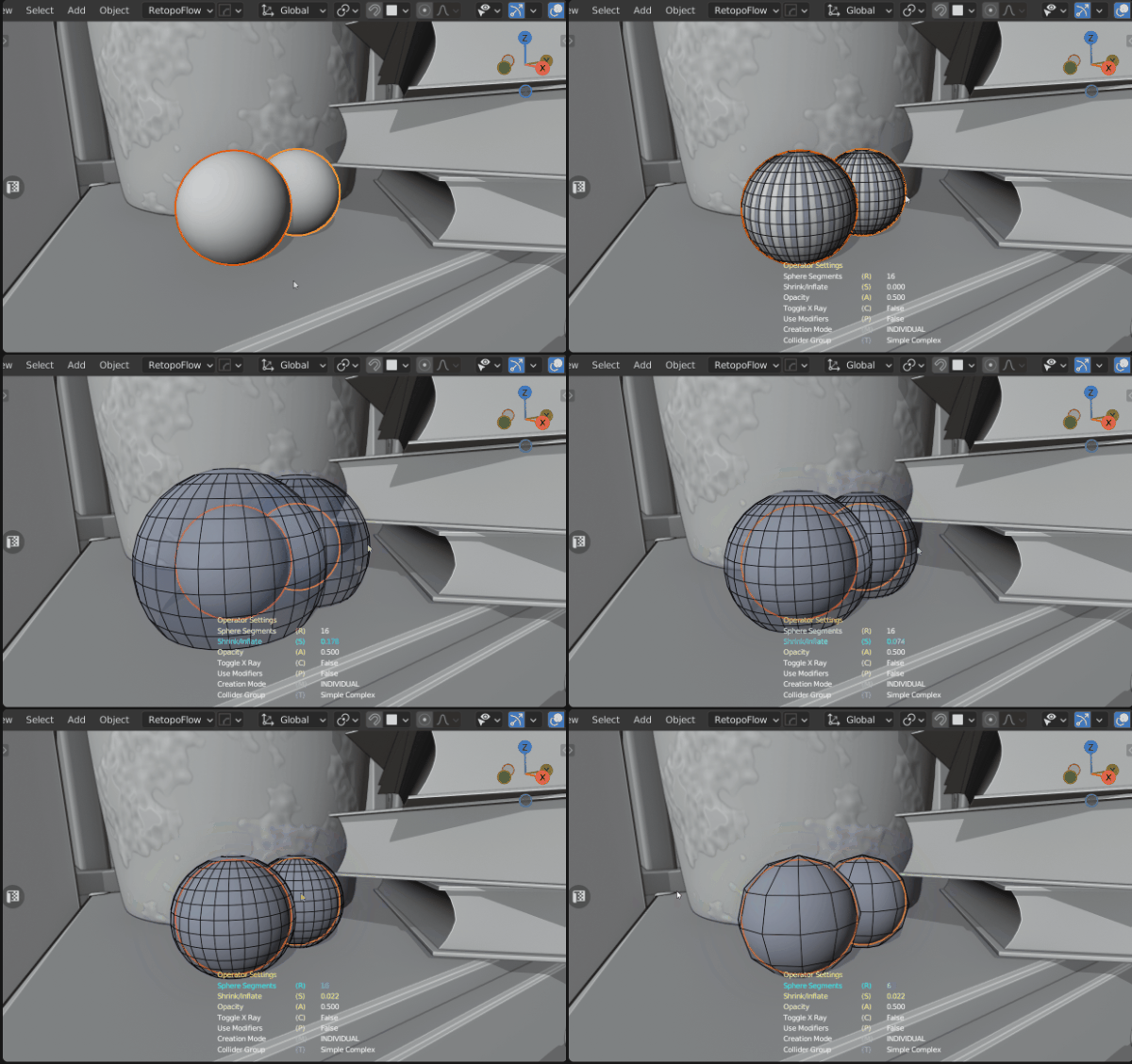
Scene by Glenn Melenhorst
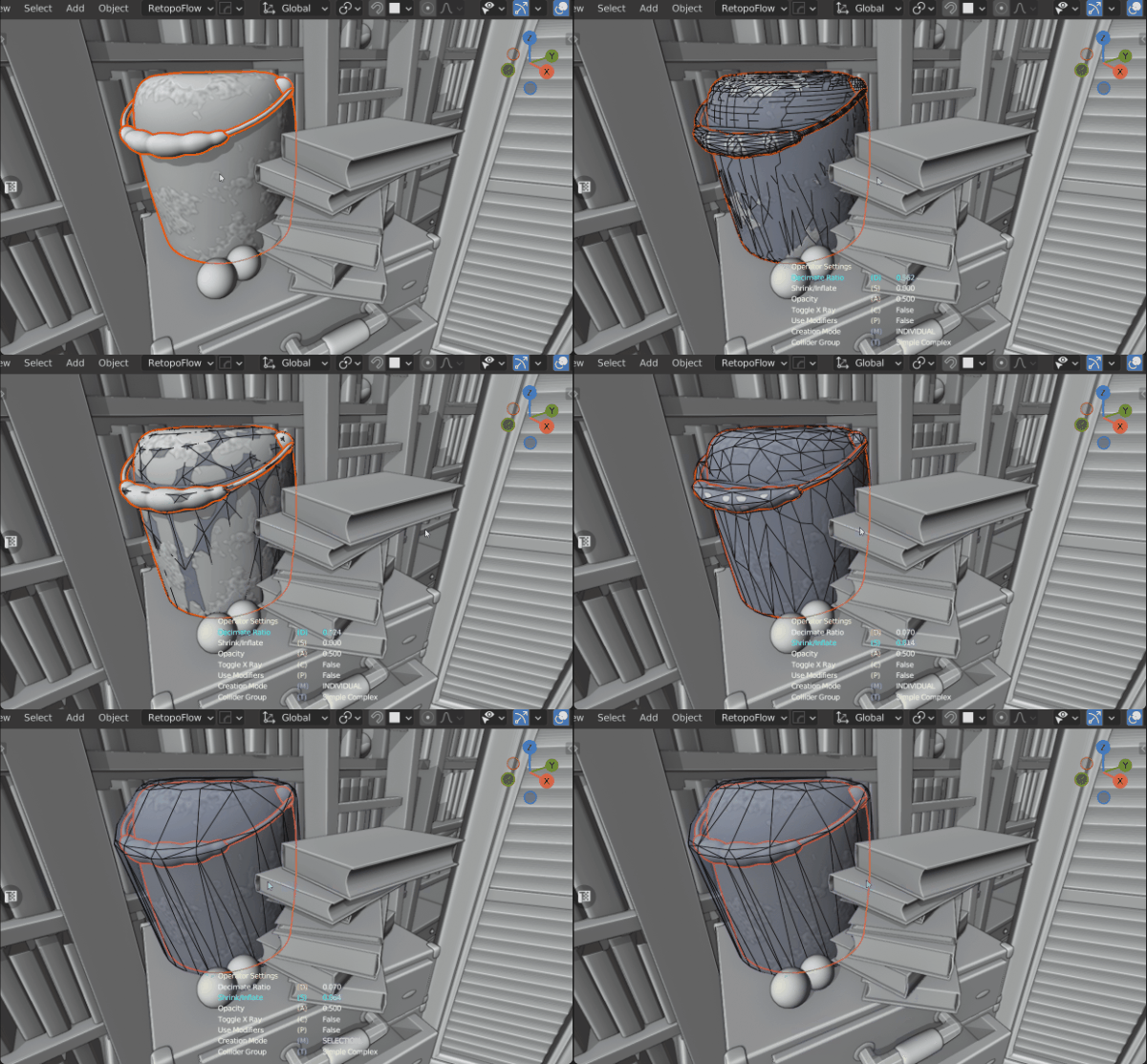
Convex Collider
Convex shapes are versatile while being efficient. They can be used to represent most objects, especially for engines that don't support triangle mesh collisions
Scene by Glenn Melenhorst
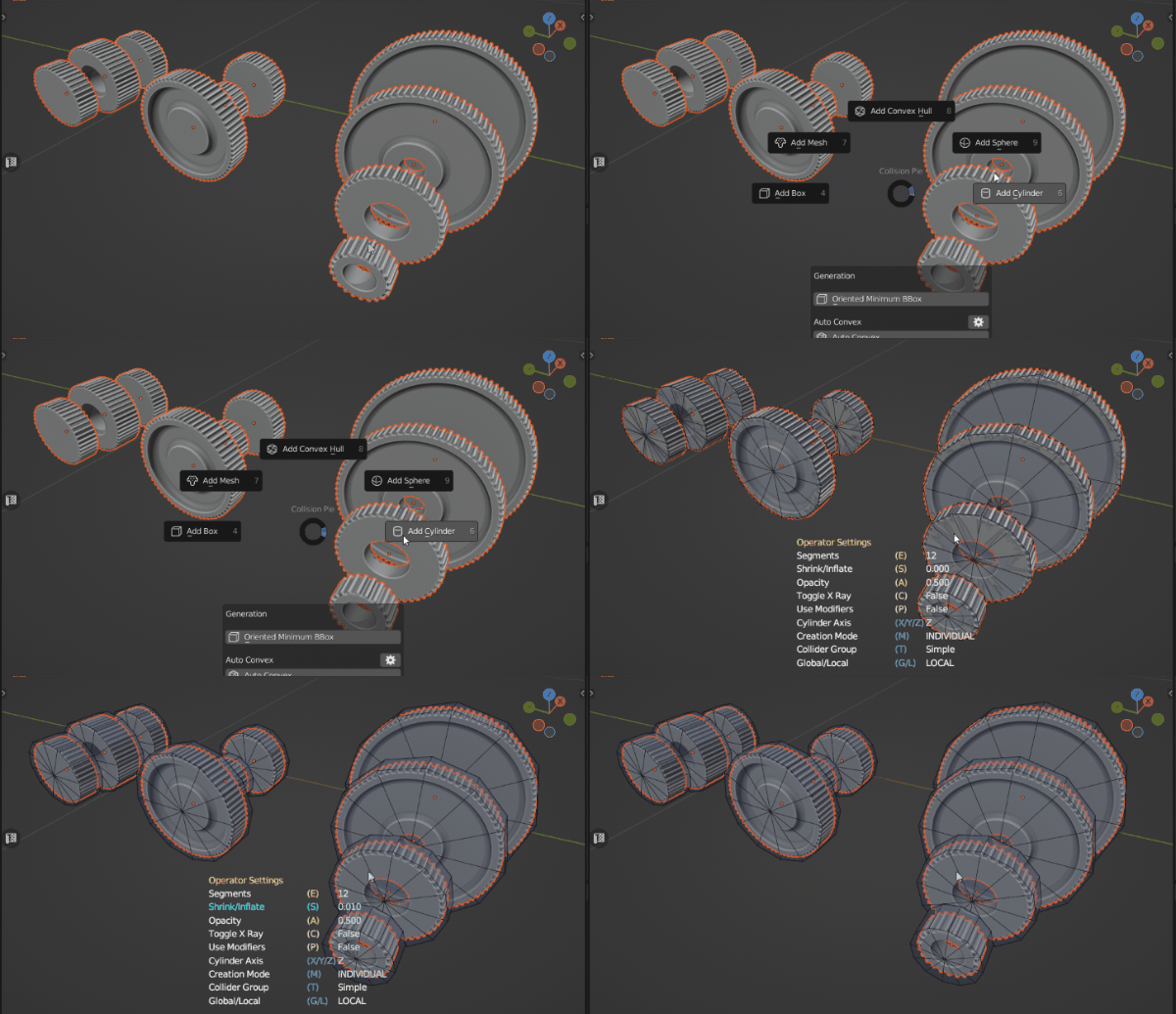
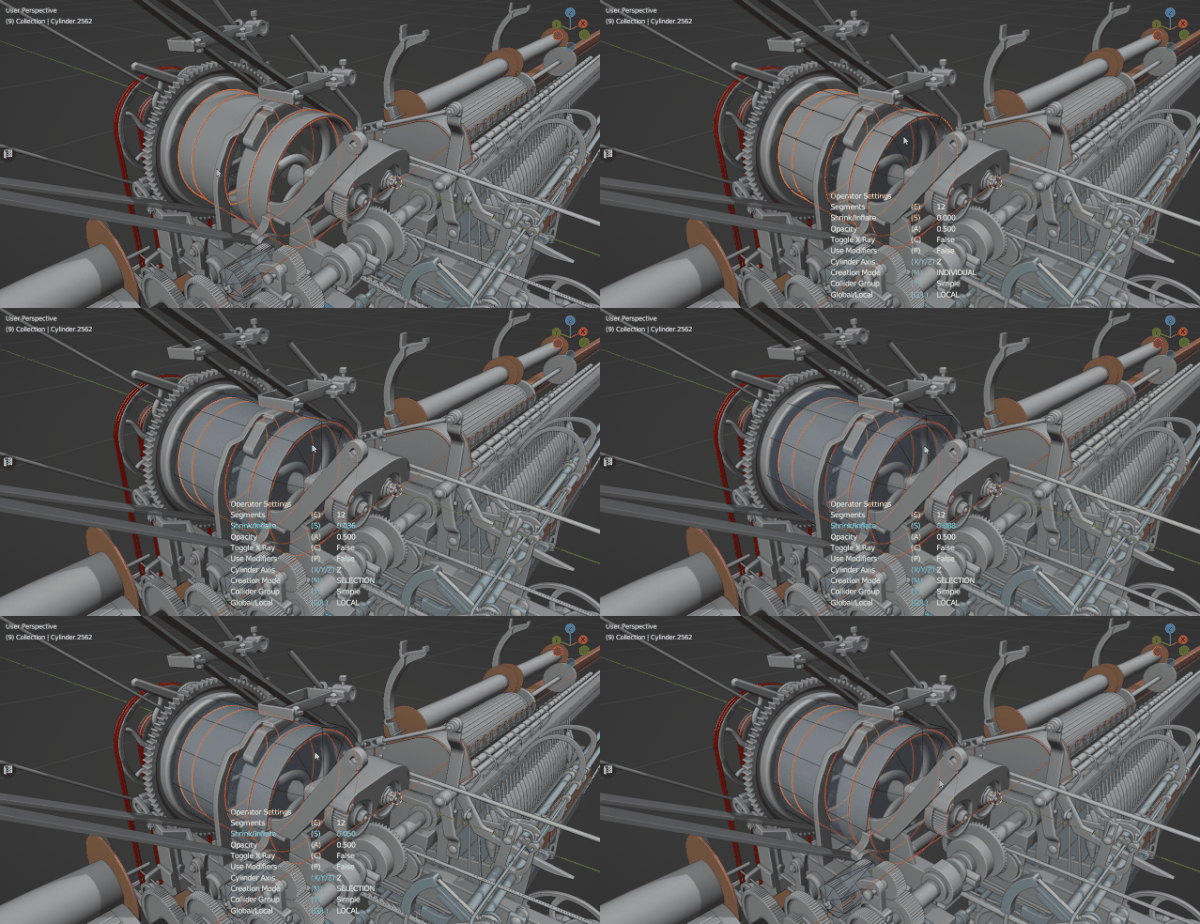
Convex (Cylindrical) Collider
There is no special cylindrical collision shape. This is only a tool to help create a clean cylindrical convex shape. Cylindrical shapes are very common shapes, especially in manmade structures. Physics engines will interpret them as simple convex colliders.
Capsule Collider
Capsule colliders are a simple and efficient type to describe the collider of an object. Due to their efficiency they are often used to create the colliders of characters.
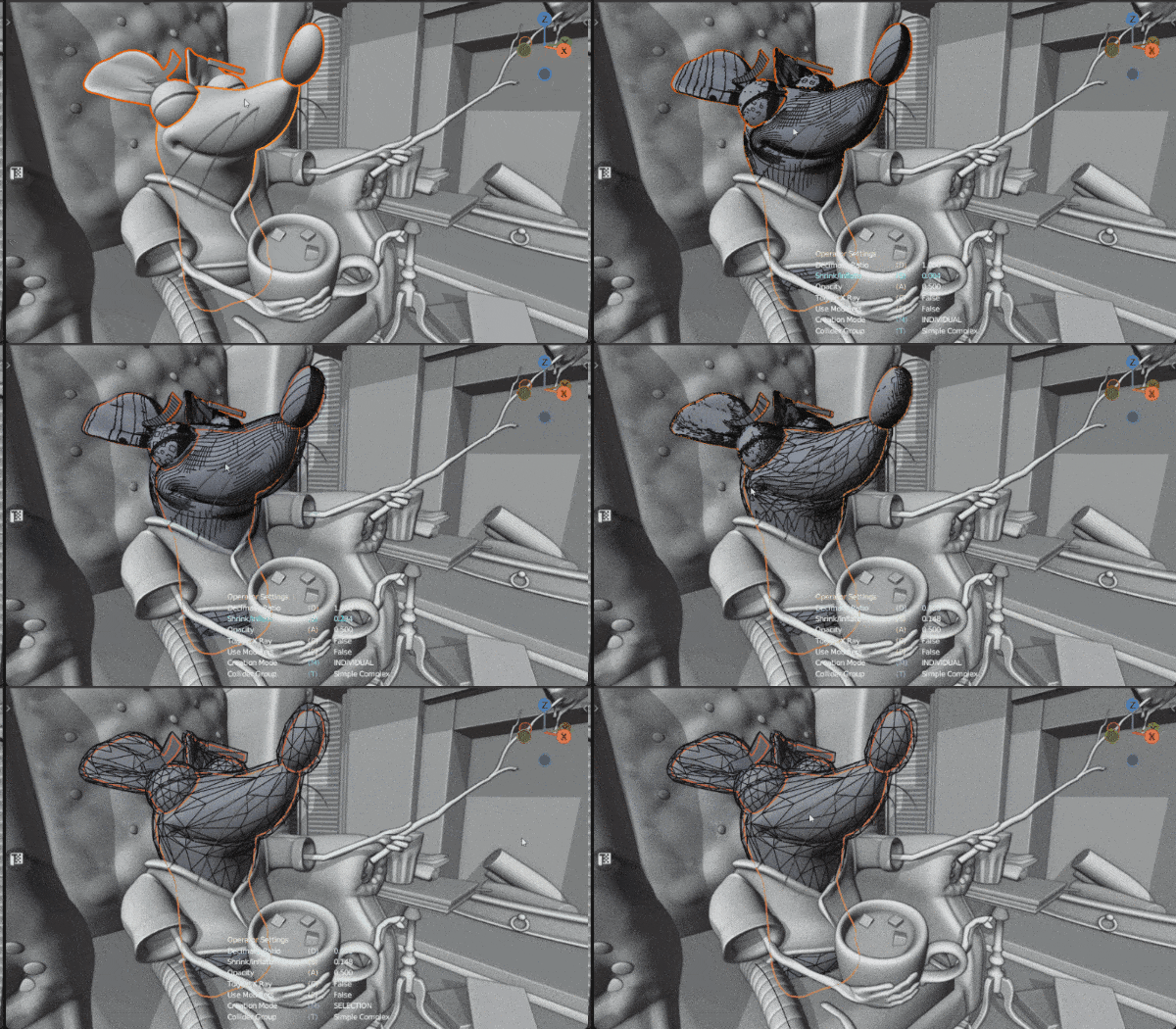
Mesh Collider
Mesh Collisions are the most complex collider shape to compute for a physics engine. Use them carefully, minimize the triangle count as much as possible and use them (only) for static objects.
Scene by Glenn Melenhorst
Oriented Minimum Box Collider
Oriented Minimum Box Colliders are automatically oriented boxes with the smallest size possible. The computation is more complex and may be slow for meshes with a high vertex count. The output mesh is the same as regular box colliders, and it's indistinguishable to the engine how it was created.
The implementation is based on Code from Iyad Ahmed. Iyad was so kind and gave me permission of using it.
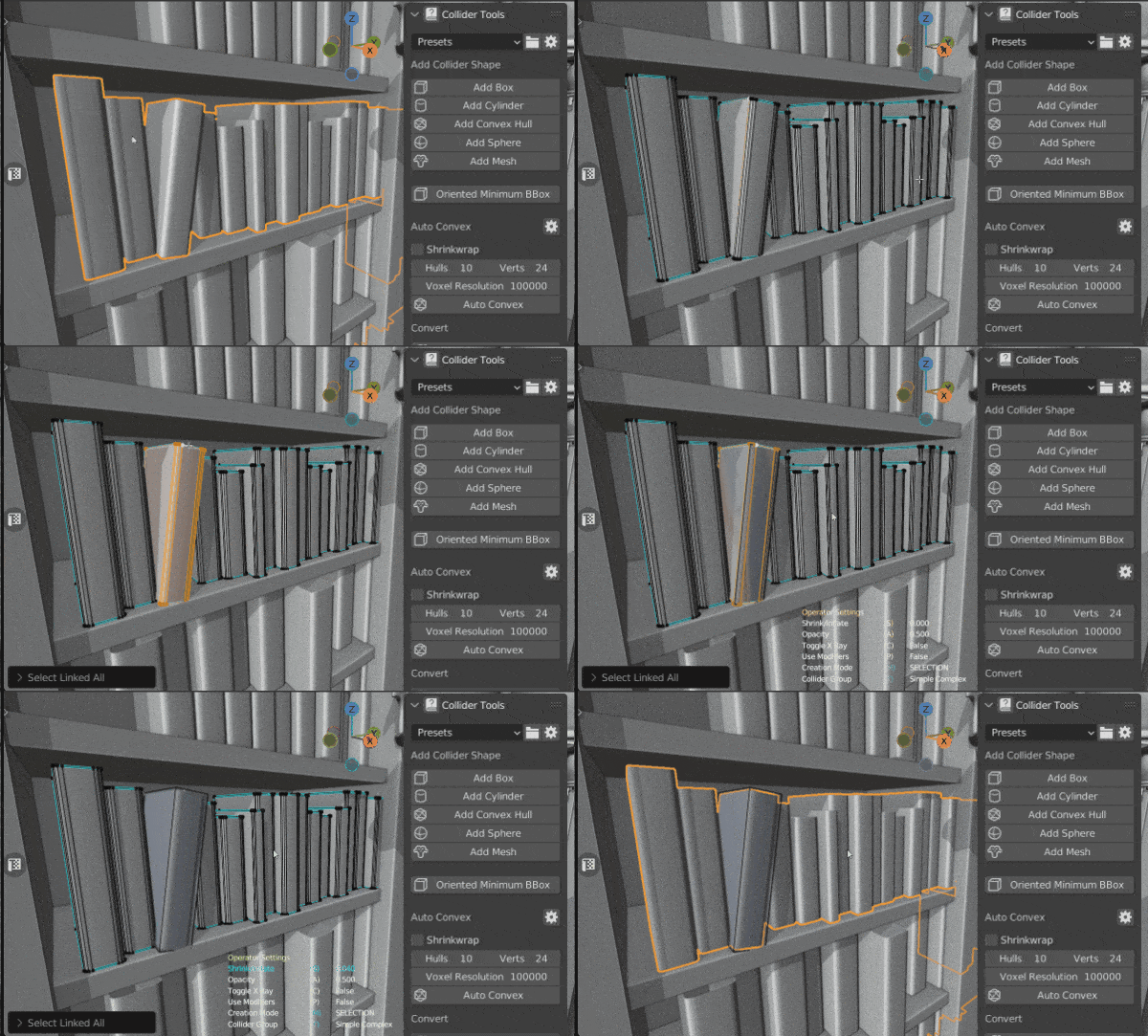
Scene by Glenn Melenhorst
Re-Meshed Collider
Re-Meshed Colliders employ a voxelation process on the target mesh prior to generating the collider mesh. This proves advantageous when dealing with intricate objects composed of numerous intersecting parts, resulting in excessive and unnecessary geometry. By implementing this technique, interior faces are effectively eliminated. When coupled with decimation, this approach yields final collider meshes that are more efficient compared to conventional mesh colliders, which rely on the unaltered target mesh.
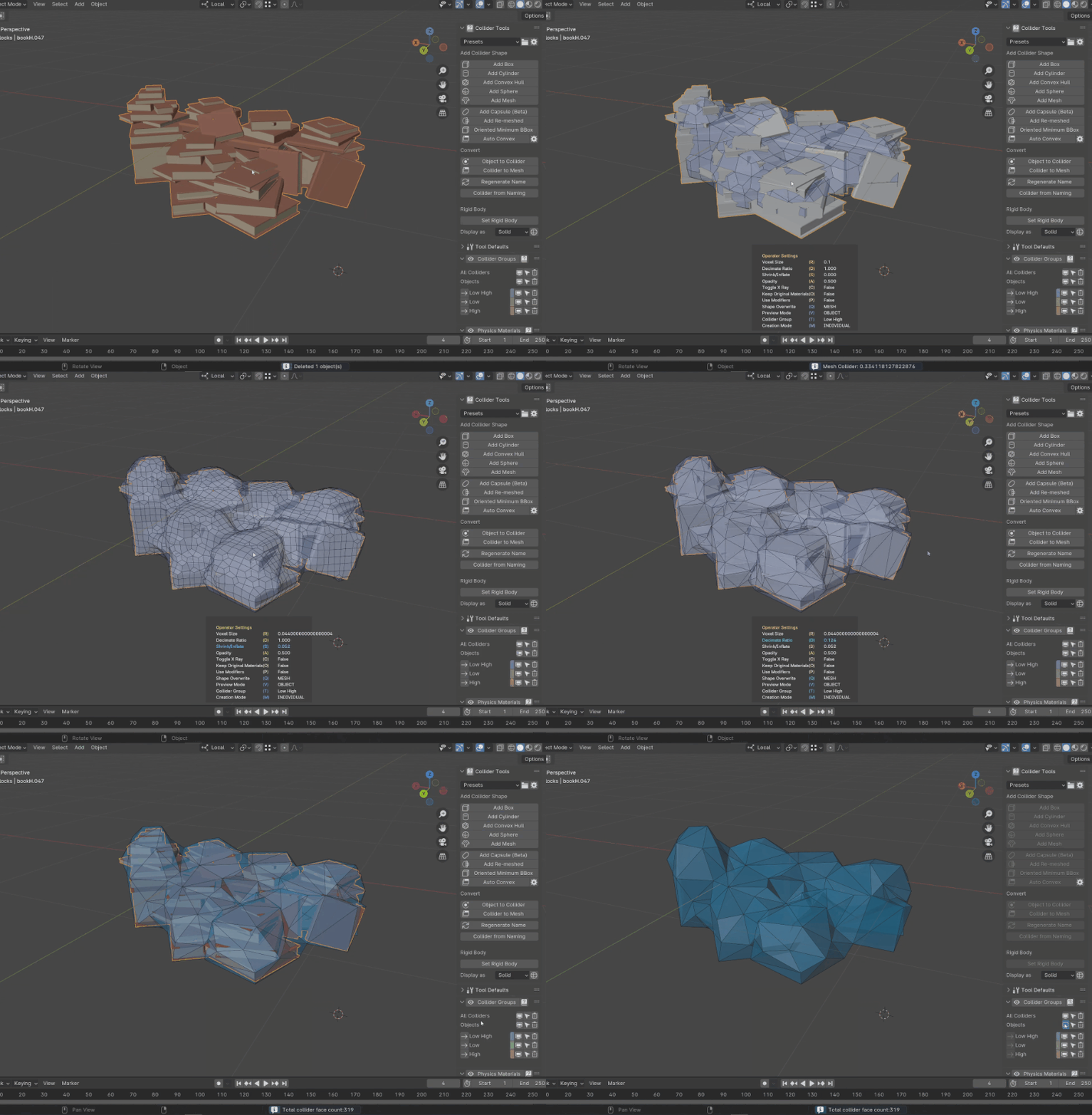
Scene by Glenn Melenhorst
K-DOP Collider
K-DOP (Discrete Oriented Polytope) colliders offer a tighter fit than a simple bounding box while remaining more efficient than a full convex hull. Simple Collider supports 14-DOP and 18-DOP slab configurations, making them ideal for objects with a predictable silhouette that benefit from a closer approximation than a box but don't need full convex detail.
Convert
You can convert any mesh to be a collider as well as any collider to be a regular mesh object.
Mesh to Collider
You can convert any mesh object to be a collider. The conversion applies the same properties as to other collisions created with the operators from above. The objects will be renamed, added to the collision collection, and can be hidden/selected as all the other colliders.
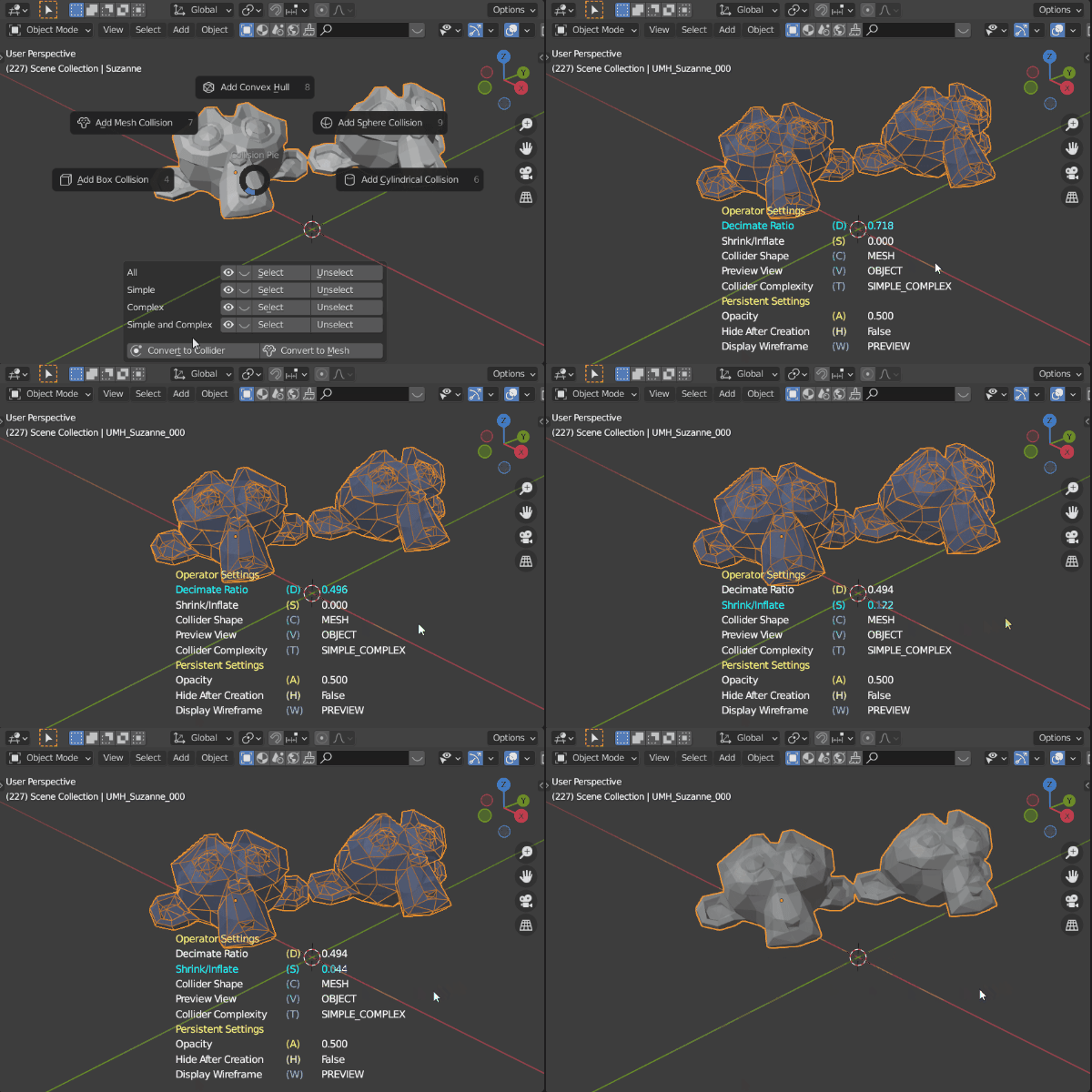
Collider to Mesh
Collider to Mesh will remove all the collider-specific properties and materials. Convert to Mesh opens a pop-up window to set the new object name and to assign another material.
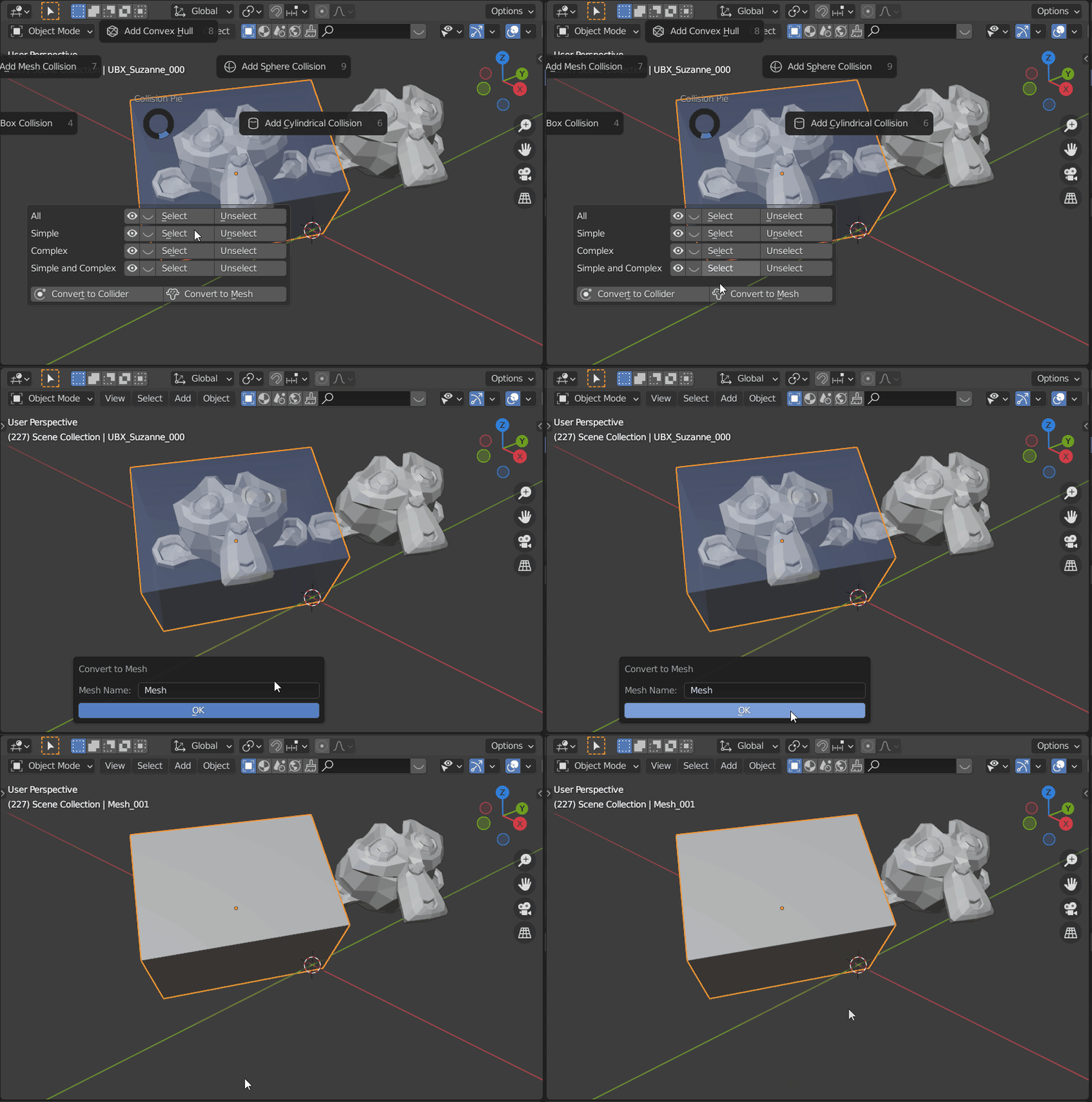
Convert to Empty
Convert collider mesh objects to Blender Empty objects using primitive display types (cube, sphere, etc.). Useful for engines that support lightweight empty-based collision rather than mesh-based colliders.
Regenerate Name
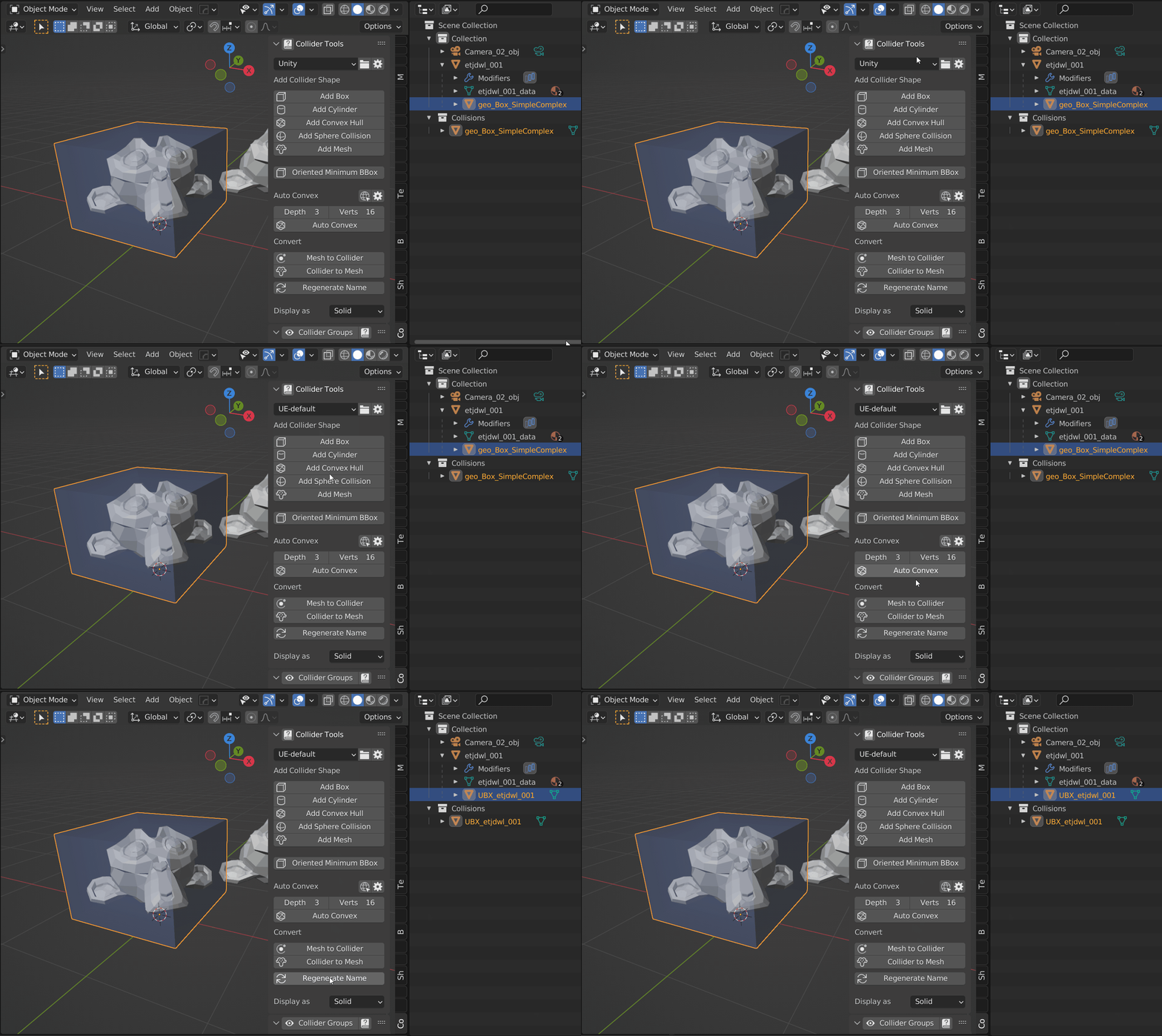
Regenerate collider names based on the active preset.
Shape Creation
Create colliders directly from your selection — in Object mode, Edit mode, or multi-object Edit mode. Simple Collider adapts to how you work, whether you need a single collider for one object or compound colliders across an entire selection.
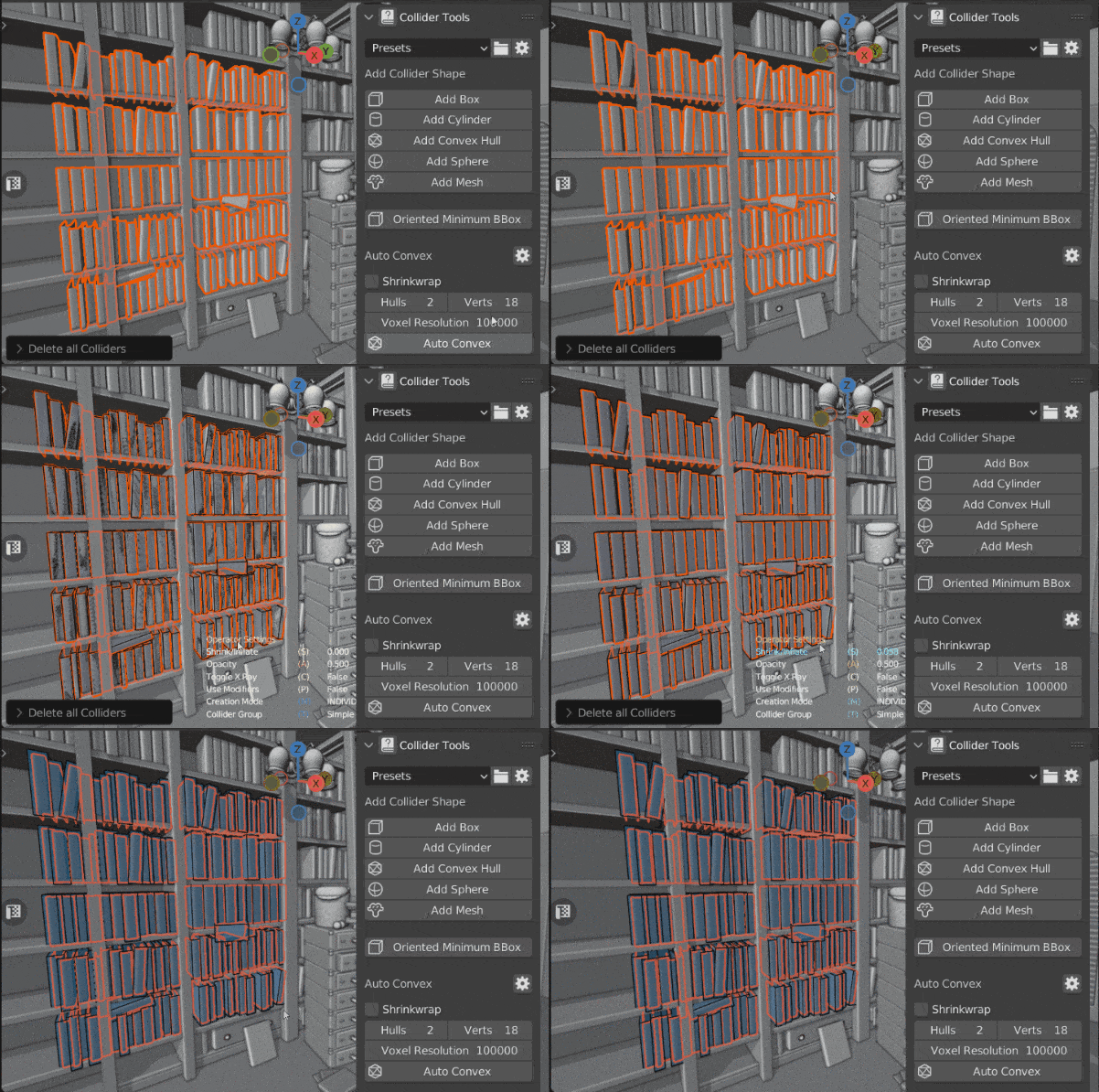
Scene by Glenn Melenhorst
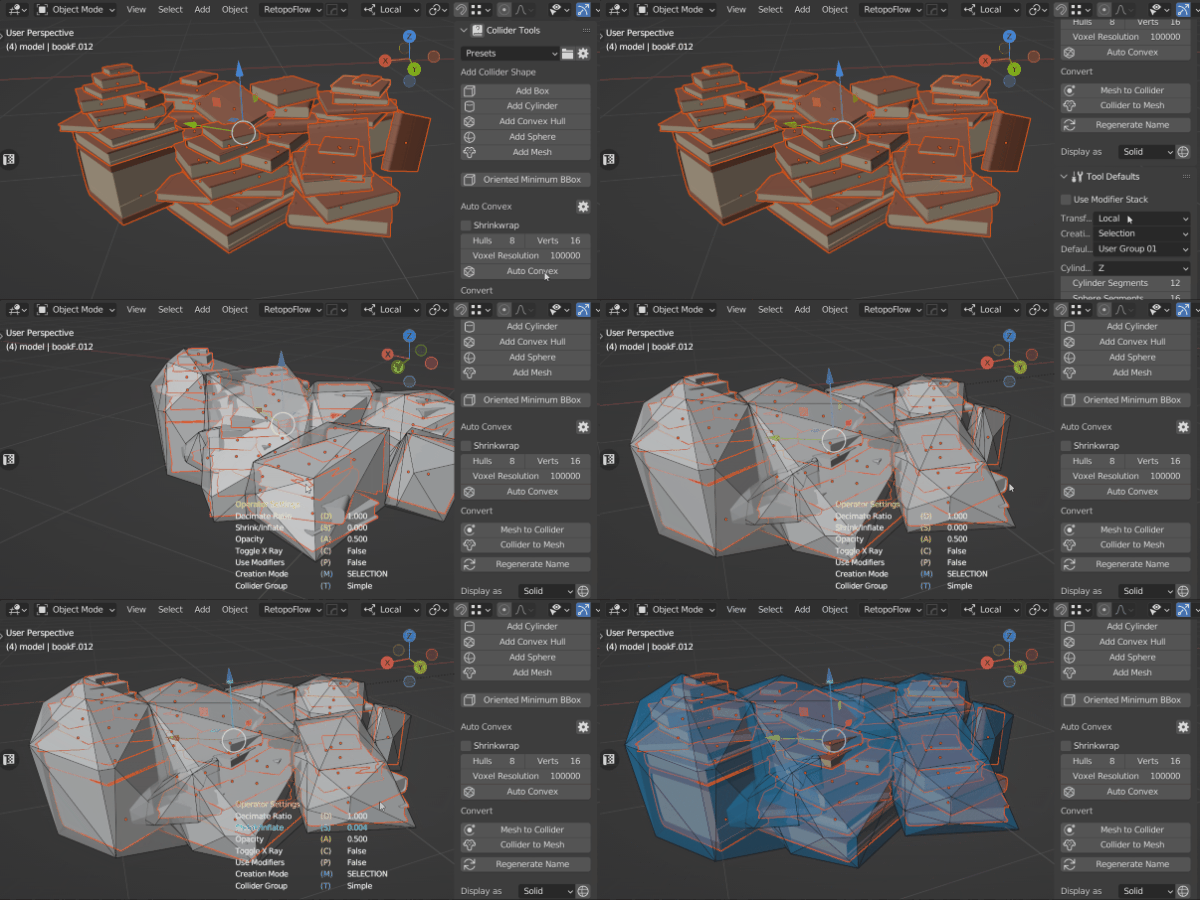
Generate collider per object. Scene by Glenn Melenhorst
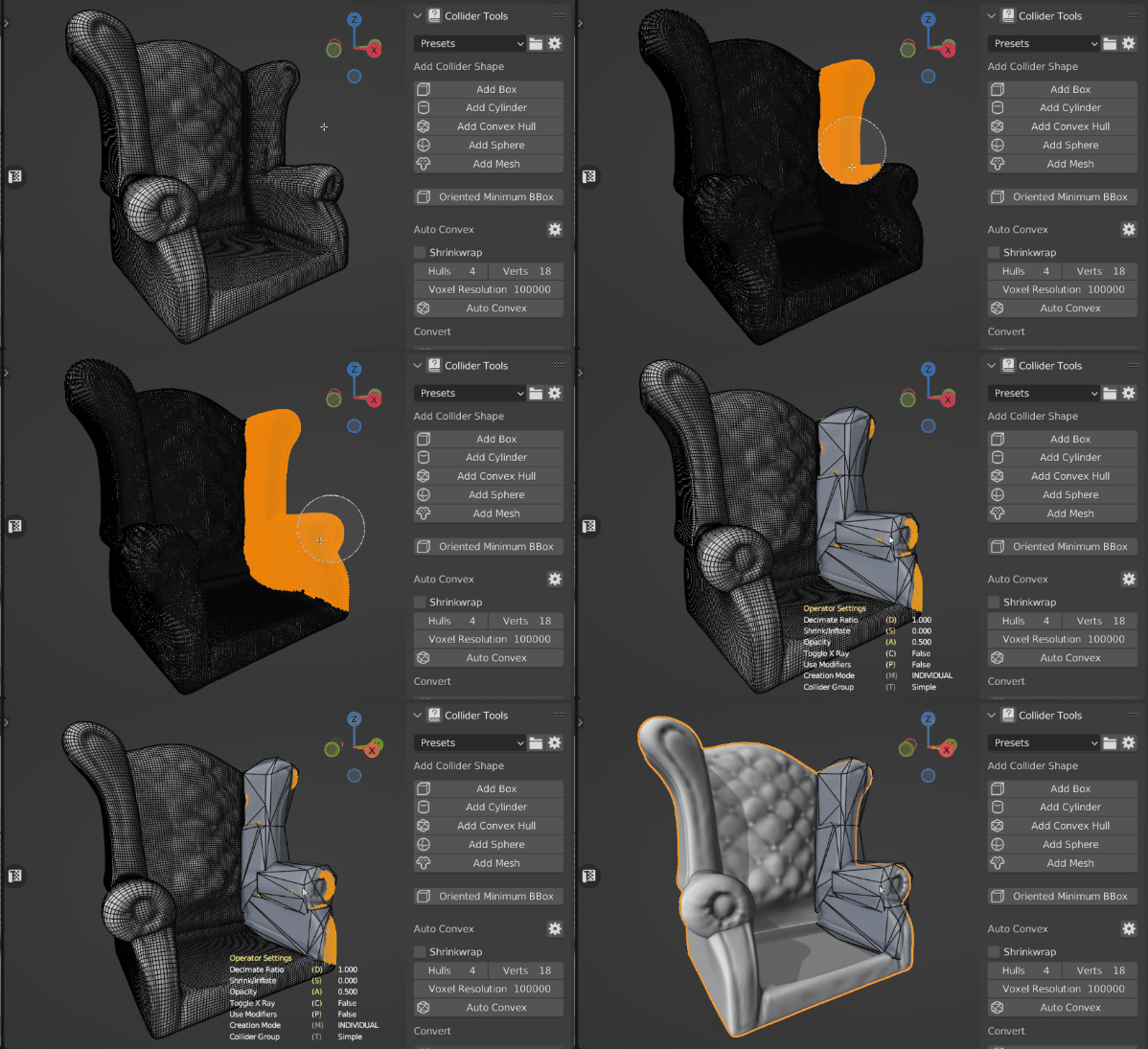
Generate collider based on the Edit Mode selection. Scene by Carlo Bergonzini
Auto Convex Shape
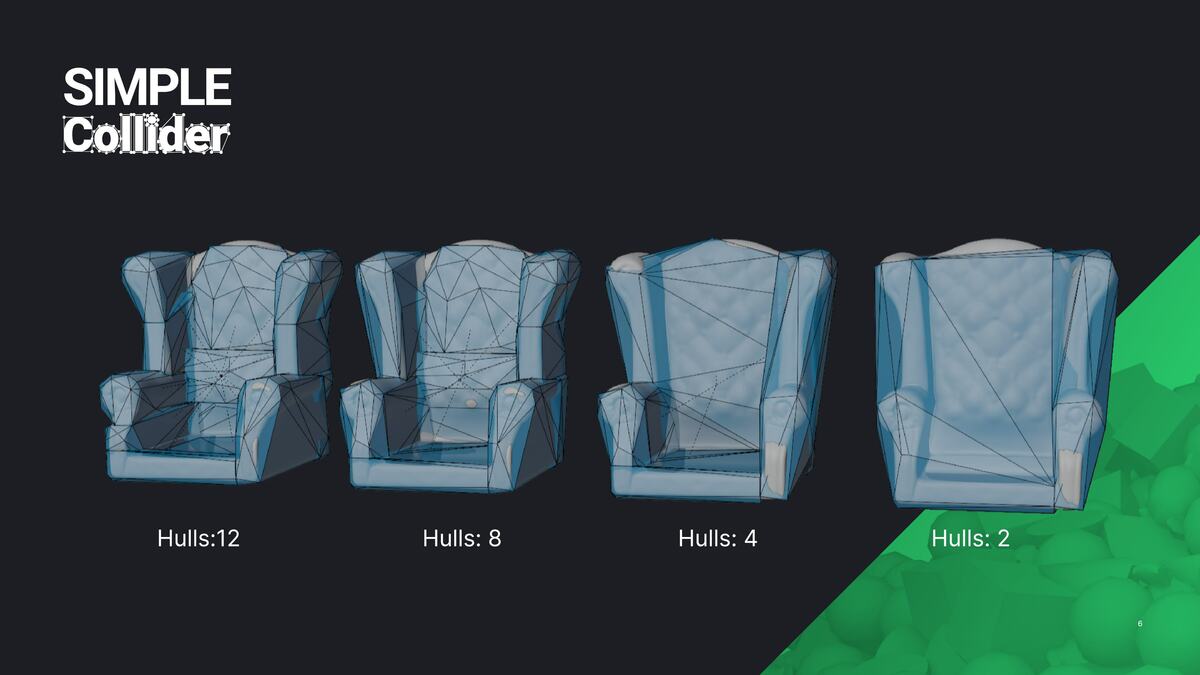
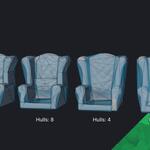
Auto Convex is a helpful tool for generating convex colliders of a complex mesh. It works well for complex, organic shapes, like rocks, statues, rubble and debris. It is not the magic one click solution for each asset but a helpful tool especially for organic assets!
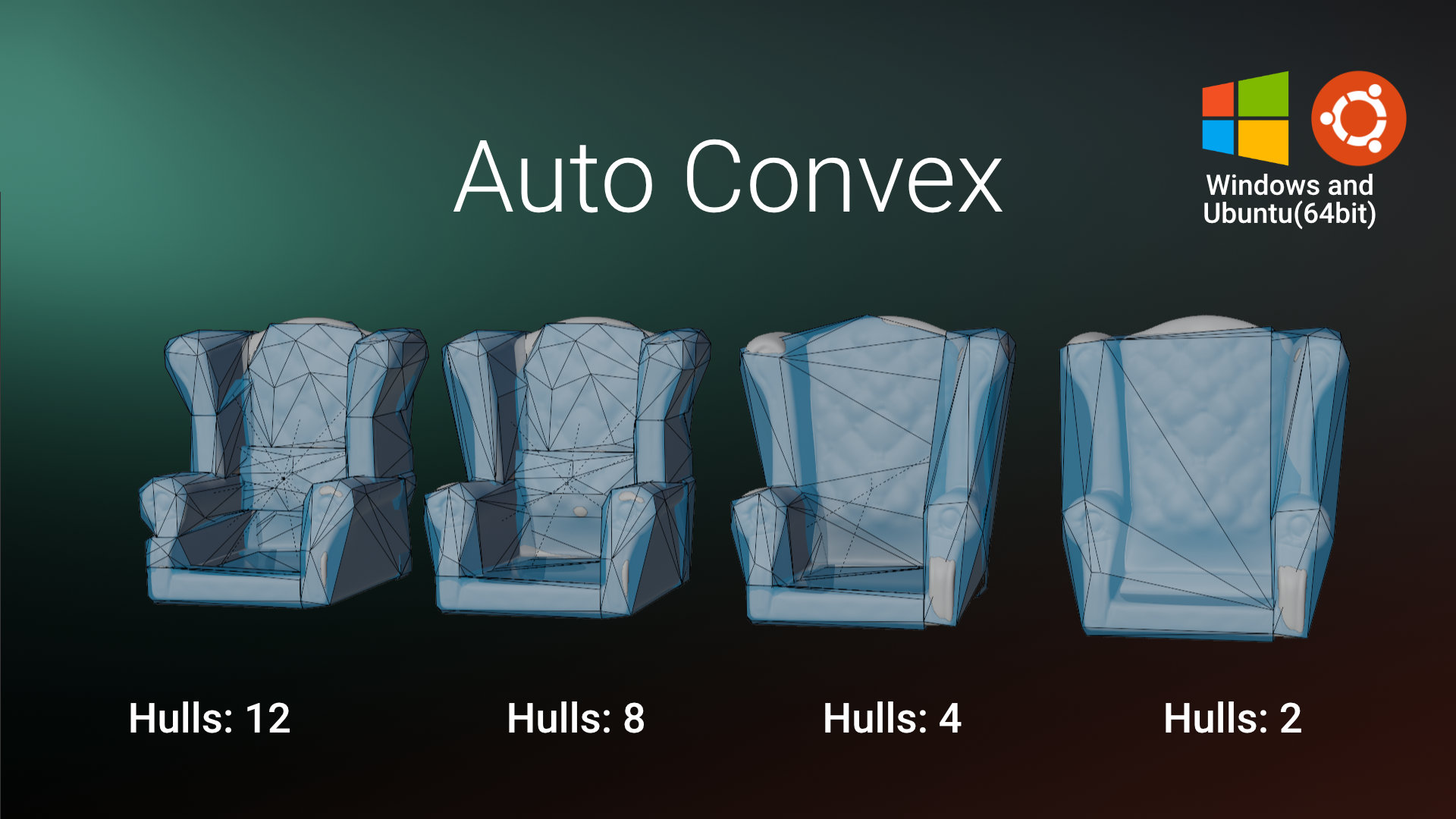
Scene by Glenn Melenhorst
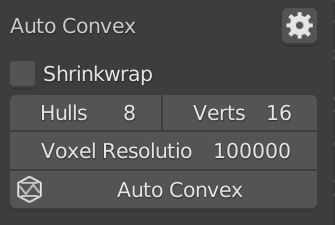
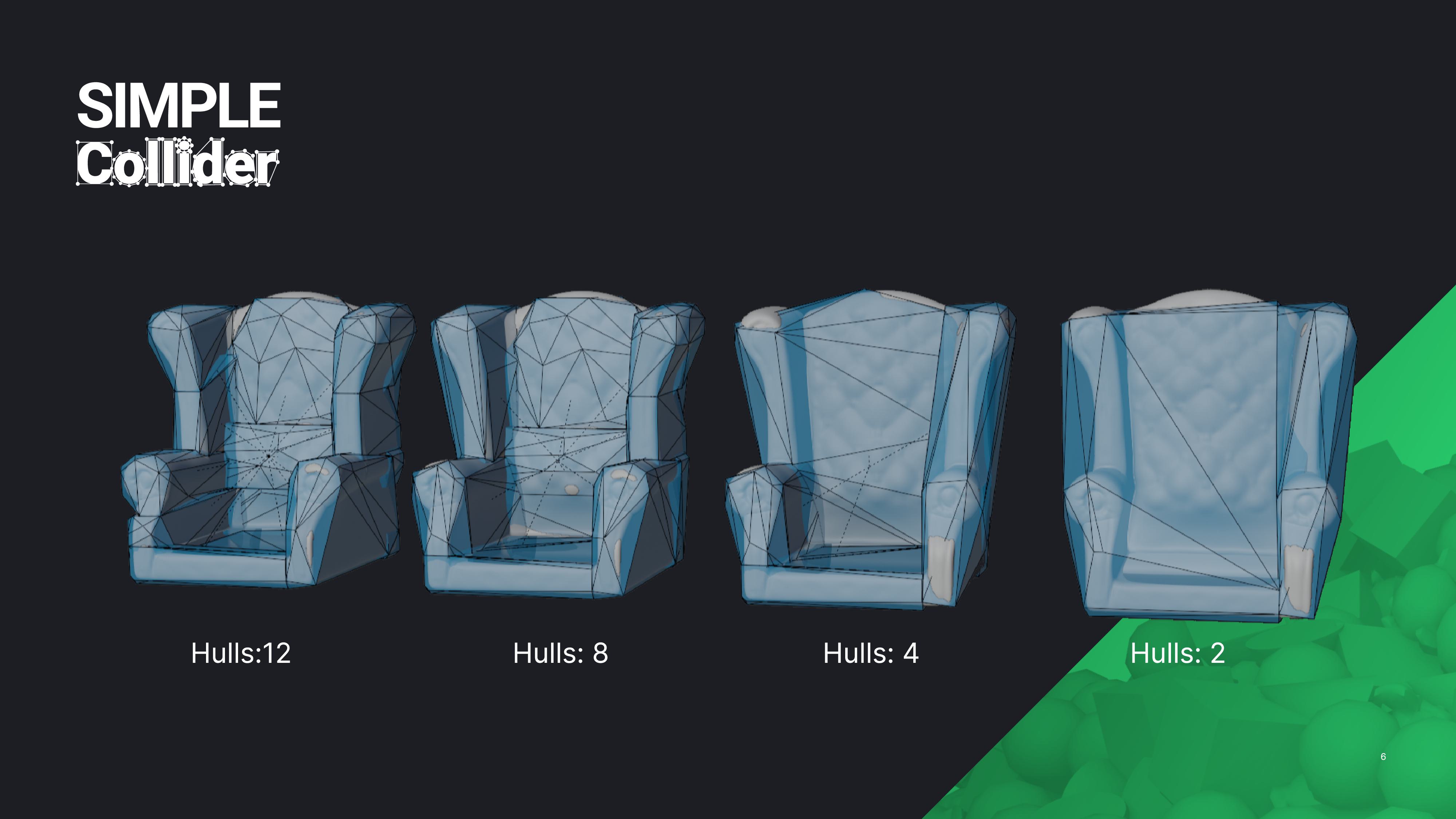
The Simple Collider addon covers only the blender side of creating collisions. It does not provide any special importers for 3rd party game engines.
Naming Presets
Simple Collider supports naming presets saved as simple .py files on the file system. You can save naming settings, quickly toggle them when working on different projects or engines, and share the preset files with colleagues. It ships with the following presets:
- UE-default (read-only)
- Unity (read-only)
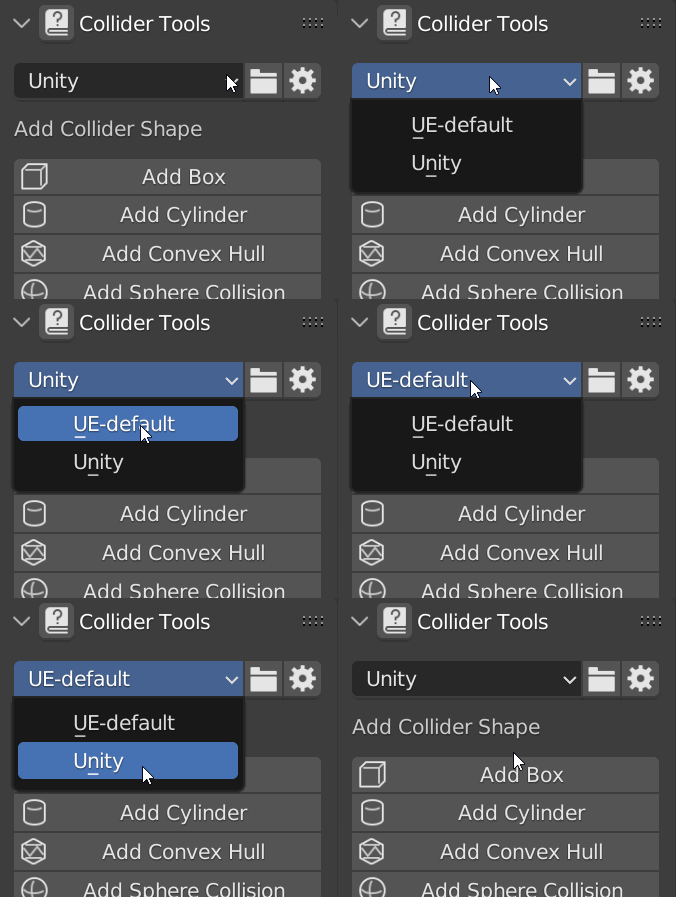
Presets can be created and deleted. You can change a preset by creating a preset with the same name. 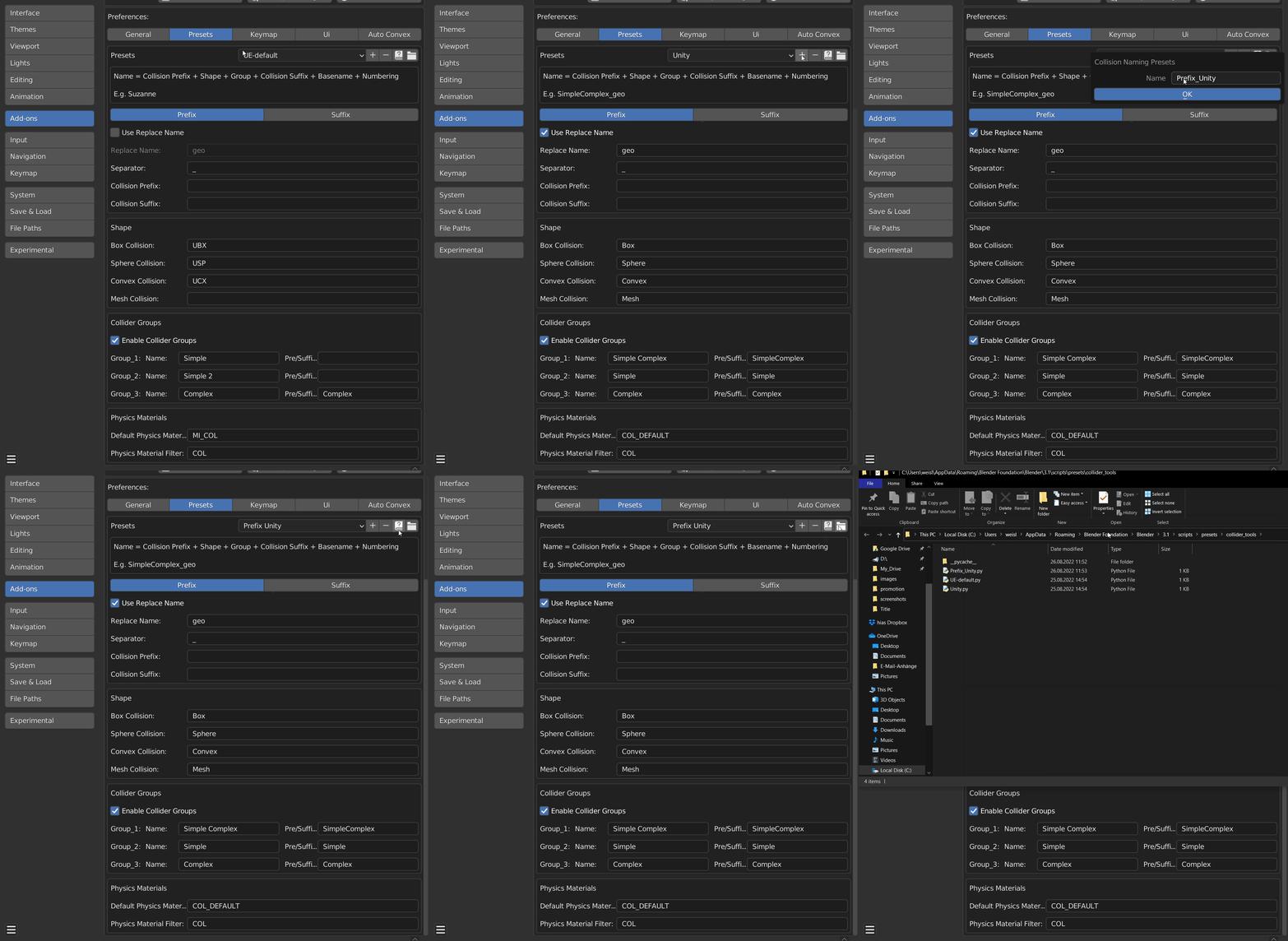
Unreal Engine
UE4 and UE5 support the import of Simple and partially Complex collisions.
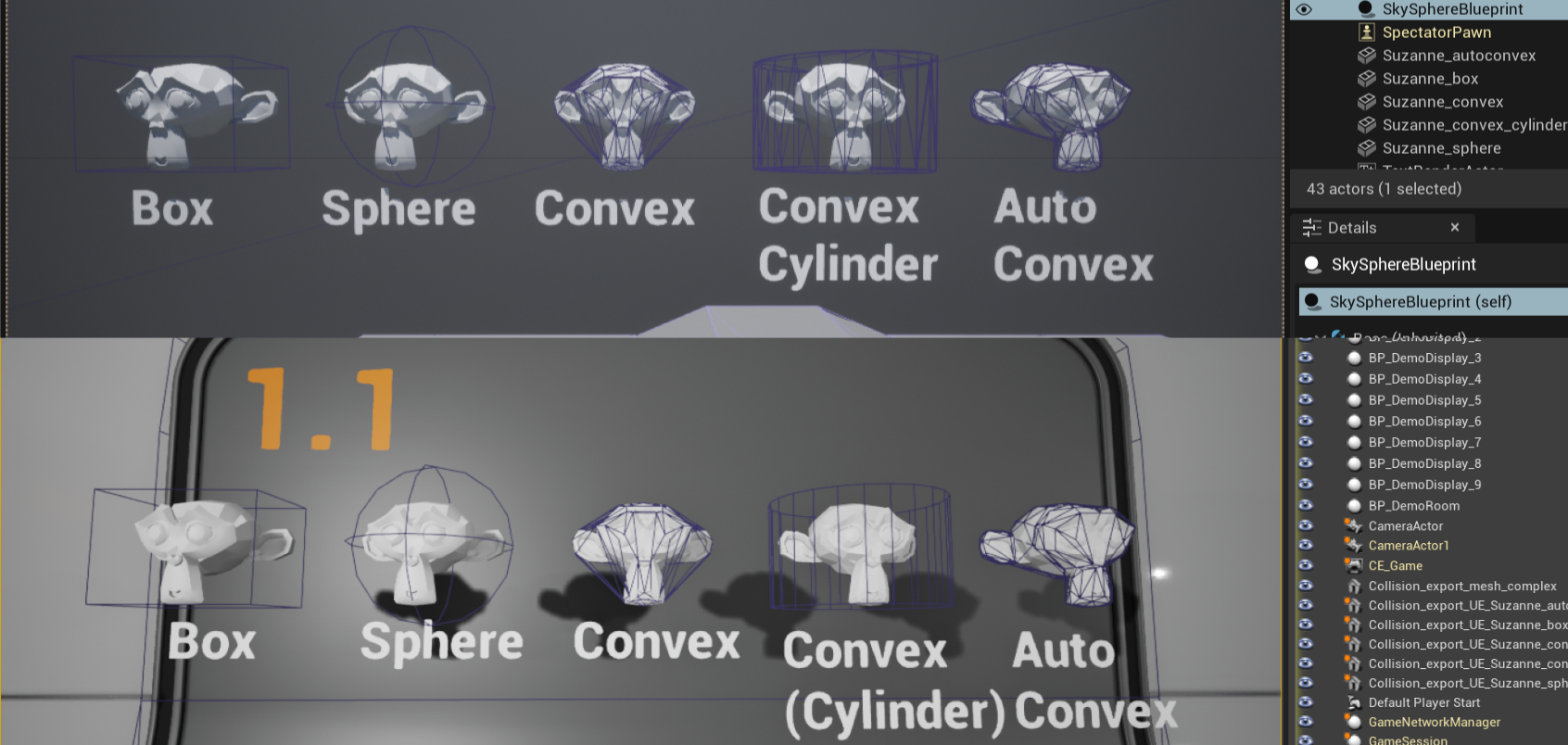 Supported Simple Collision shapes imported to UE4 and UE5.
Unity
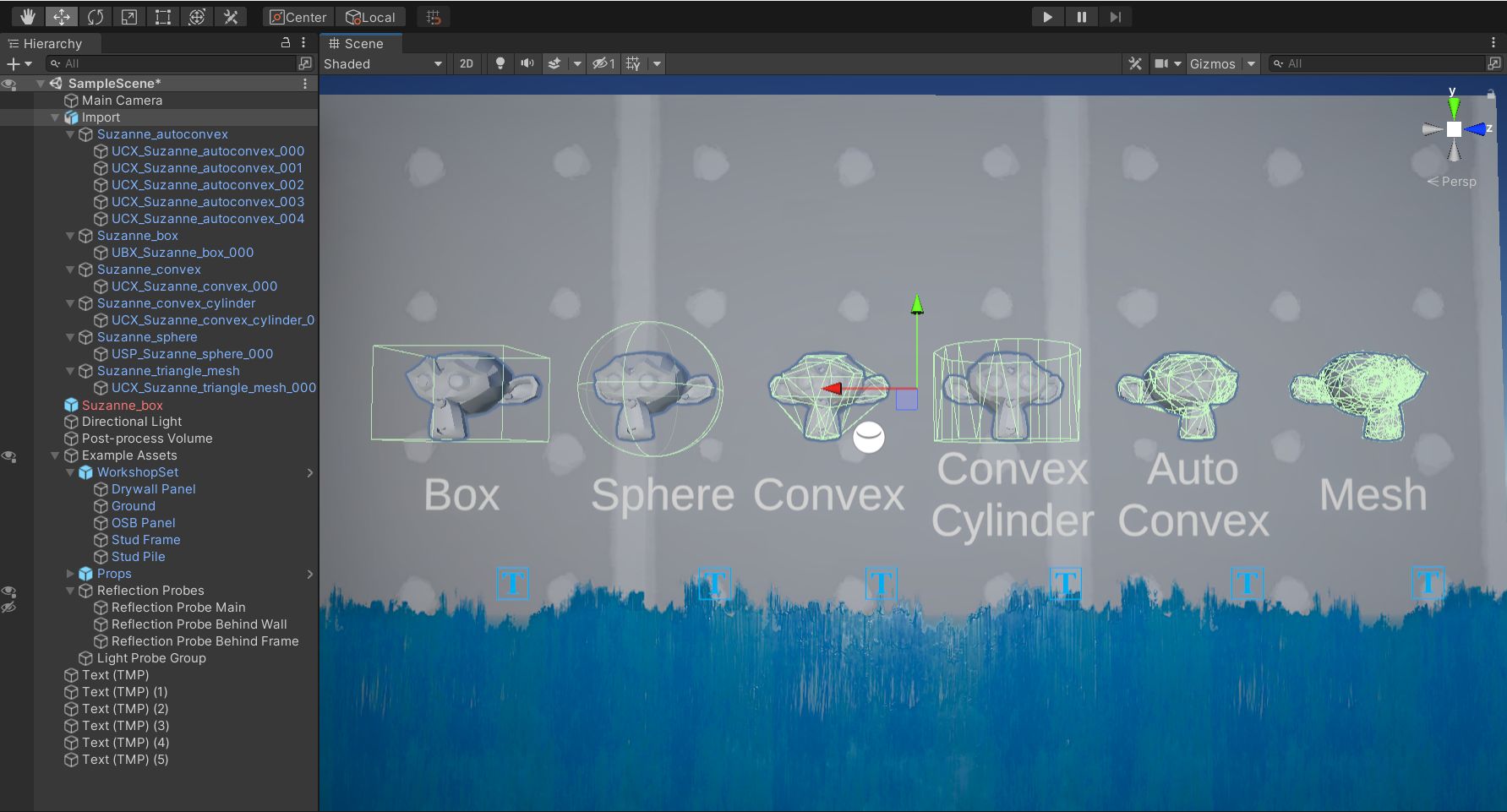
Unity's collider setup is simple once your meshes are named correctly. Simple Collider handles the naming — the Unity Guide covers the rest.
Godot
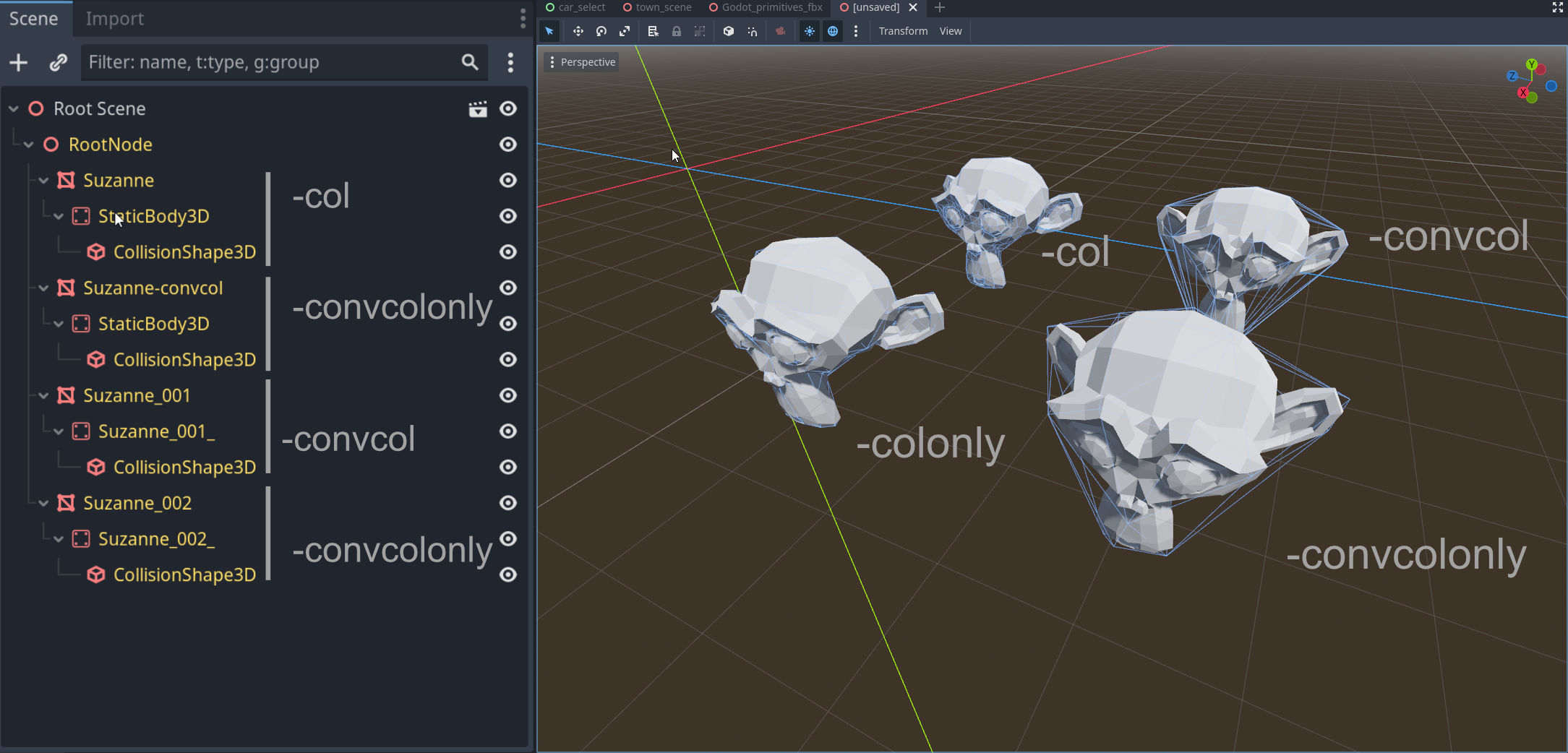
Simple Collider supports Godot's import hint system, automatically naming colliders with the correct suffixes (-colonly, -convcolonly) so Godot detects them on import.
Why Trust Simple Collider?
I've spent over a decade refining workflows for real-time engines. My tools are used and trusted by thousands of artists and studios worldwide.

- Simple Renaming (50,000+ users)
- Simple Export
- Simple Camera Manager
Get Simple Collider
Simple Collider handles the entire collision workflow in Blender — so you can stay focused on the asset, not the setup. Actively trusted by many indies and studios like KitBash3D and Remedy Entertainment.