 Matthias Patscheider


Simple Camera Manager
One panel. Every camera. Full control.
Simple Camera Manager centralizes your camera settings, batch rendering, and quick switching — all from the 3D View.
Feature Overview
- Centralized Camera View: See all your cameras in one place for easy management.
- Camera List Sorting & Filtering: Sort the camera list by Active First, Collection, Focal Length, Render Slot, Resolution, or Background Image. Filter by visible-only or render-selected cameras.
- Settings Overview: View and adjust camera settings in a spreadsheet-style panel.
- Batch Rendering: Render multiple static cameras with different settings within Blender, with visible progress in the render view.
- Dolly Zoom: Interactively perform a dolly zoom, where the camera moves closer or further from the subject while adjusting the zoom angle to keep the subject the same size.
- Focal Length & Resolution Presets: Quickly apply common focal lengths and resolutions from preset selectors in the pie menu and N-Panel.
- Quick Camera Switching: Switch between cameras using hotkeys (default: Ctrl + Shift + Arrow Left/Right) or through the addon panels.
- Custom Resolutions: Assign unique resolutions to each camera. Use the Resolution Overwrite toggle per camera to prevent unwanted resolution changes when switching.
- Render Slots: Assign different render slots to cameras to prevent overwriting renders.
- Camera Management: Quickly lock/unlock all camera transformations and organize cameras into collections for better management.
- Passepartout Overlay: Camera frames are tinted blue for locked cameras and red for viewport-linked cameras — instantly see the status of each camera in the viewport. Colors are customizable in preferences.
- Background Image Control: Adjust background image settings directly from the 3D View, including toggling visibility, adjusting opacity, and changing render order. Set camera resolution based on the background image.
- Visual Settings: Assign different world materials to each camera and adjust exposure values to compensate for lighting differences.
- Customizable Hotkeys: Personalize hotkeys in the addon preferences for a tailored workflow. Works on Windows, macOS, and Linux.
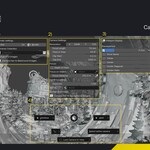
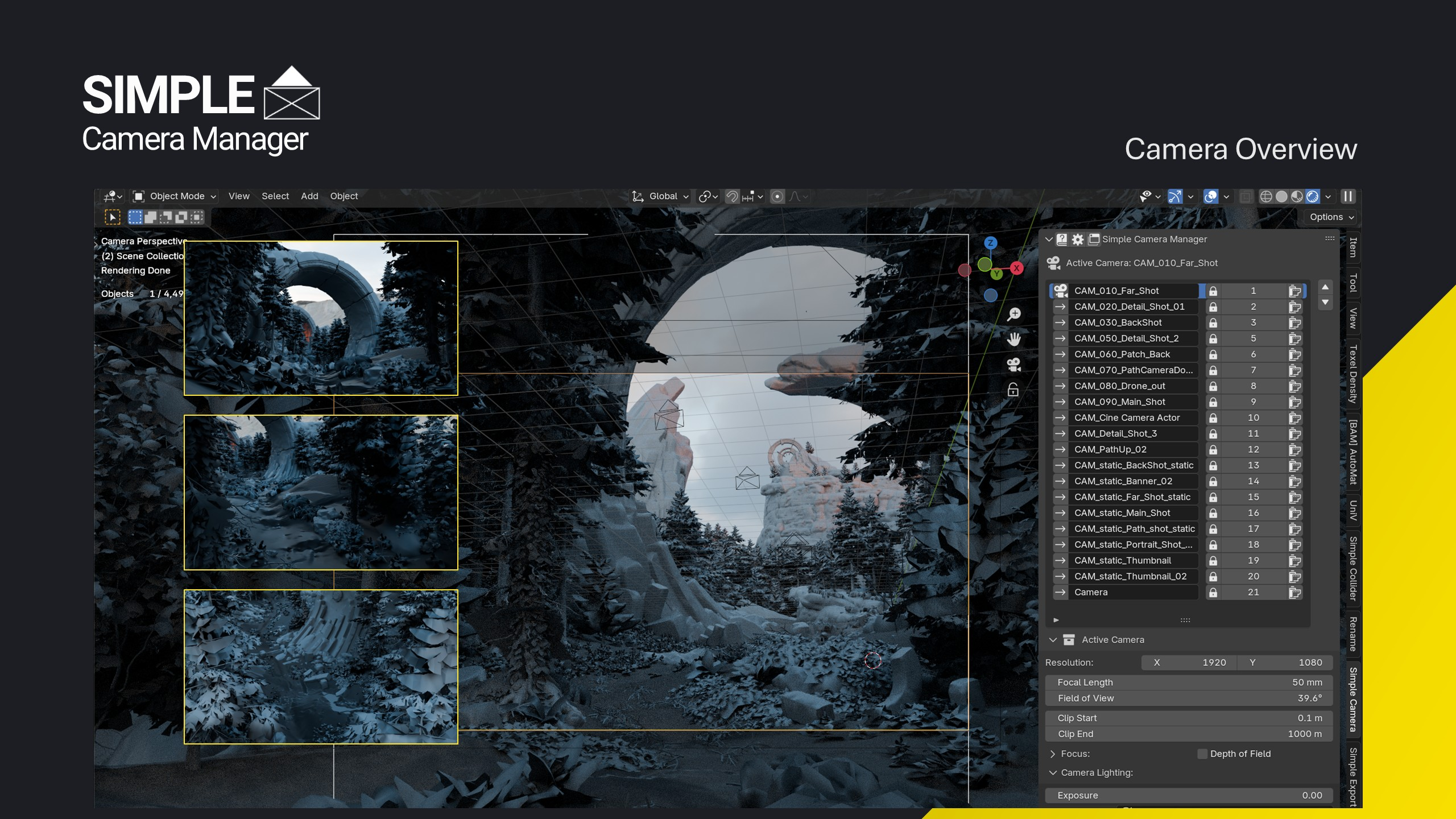 Camera Overview — Easily toggle between cameras from the N Panel.
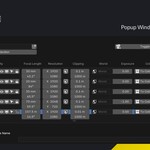
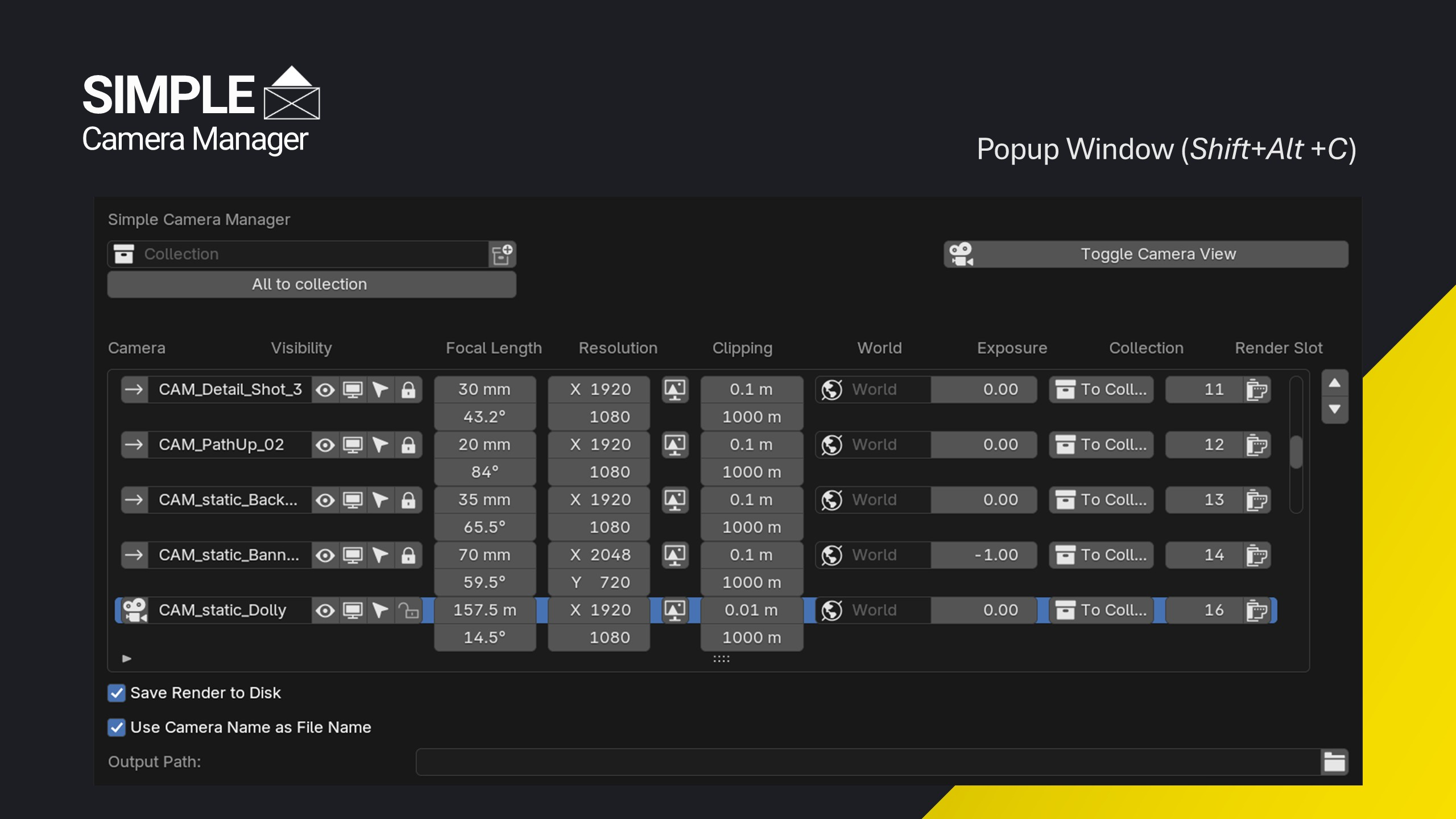 The Camera Popup Window providing an overview of all cameras in the scene and the most important settings at a glance.
Use Cases
- Present Your Work: When working in productions or with clients, quickly present your work by setting up different cameras, adjusting their settings, and batch rendering them to showcase various angles and views efficiently.
- Marketing Materials: Create tailored content for different social media platforms or marketing needs by setting unique resolutions for each camera. Render headers, thumbnails, and other marketing materials all at once to save time and effort.
- Modeling from Reference Images: Originally developed from scripts to organize background images, this addon is perfect for modeling from real-world photos. Cotton Spinning Mule Artwork.
- Discover Optimal Camera Shots: Utilize the Dolly Zoom feature to easily find and define dynamic and engaging shots. Experiment with different camera movements and angles to enhance your scene's visual storytelling.
- Architectural Visualization: Set up multiple cameras to showcase different views of architectural models. Adjust settings and render slots to create a comprehensive portfolio of interior and exterior shots.
What Users Say
"Great addon, does everything I need without too much fluff."
Patrik Pulkkinen, Concept Artist at Remedy Entertainment
"This is the best addon for managing cameras I have found. Well worth the price! 5 stars."
— Ken Kellett
Why Trust Simple Camera Manager?
I've spent over a decade refining workflows for real-time engines, and my tools — Simple Renaming, Simple Collider, and Simple Camera Manager — are used and trusted by thousands of artists and studios worldwide.
- Simple Renaming (50,000+ users)
- Simple Collider (500+ users)
- Simple Export
Top Features in Action
1. Custom Camera Resolutions
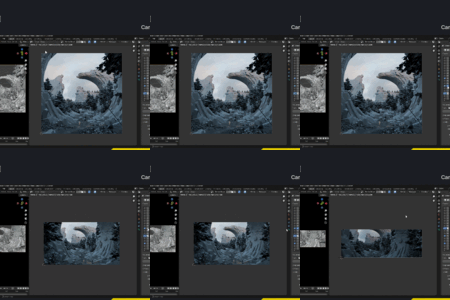
Assign unique resolutions to each camera for tailored rendering outputs.
- Per-Camera Settings: Unlike Blender's default scene-based resolution settings, assign resolutions directly to each camera.
- Efficient Workflow: Adjust settings easily for different purposes without manually changing the scene settings each time.
- Versatile Outputs: Ideal for creating content tailored to various platforms or needs, such as social media posts, marketing materials, or detailed renders.

2. Batch Render Cameras
Render multiple static cameras with different settings in one go. This saves time by allowing you to set up various camera angles and render them all at once. Unlike other addons, you can watch each rendering happen in real time — no waiting until the end to see the results.
- Custom Solution: Doesn't rely on misusing stereoscopic settings or camera markers.
- Unique Settings per Camera: Each camera can have different resolutions, exposure settings, and more.
- Uses Current Scene Frame: The batch render uses the current scene frame for all cameras.

3. Assign Render Slots to Cameras
By default, Blender writes every render to the same slot — silently overwriting your last render every time, regardless of which camera triggered it. Simple Camera Manager lets you assign a dedicated render slot to each camera, so every shot is preserved. Switch cameras, render, and compare shots side by side without losing previous results from other cameras.

4. Interactive Dolly Zoom
Perform a dolly zoom to keep the subject size consistent while adjusting the camera's distance and zoom. This helps in finding the best focal length for your render.
- Reference Plane Gizmo: Use a gizmo in the 3D space to define the reference plane that should always stay in focus.
- Hotkey Controls: Use the hotkeys of the modal operator to adjust the dolly zoom based on either the distance or the focal length.


5. Recreating Real-World Objects and Scenes with Background Images
Use and manage viewport background images to recreate real-world objects and scenes. Quickly toggle between cameras, adjust image opacity in the viewport, and use the dolly zoom to match the camera's focal length with the image's focal length.
- Quick Camera Switch: Use a shortcut to toggle between different image planes with varying resolutions.
- Adjust Opacity: Easily adjust image opacity in the viewport using the Pie menu to compare your model with the reference image.
- Match Focal Length: Use the dolly zoom to precisely match the camera's focal length with the image reference.
Project Link: Cotton Spinning Mule Modeling


Get Simple Camera Manager
Grab Simple Camera Manager and take full control of your camera workflow. Actively maintained and improved based on your feedback.