Hydrocallis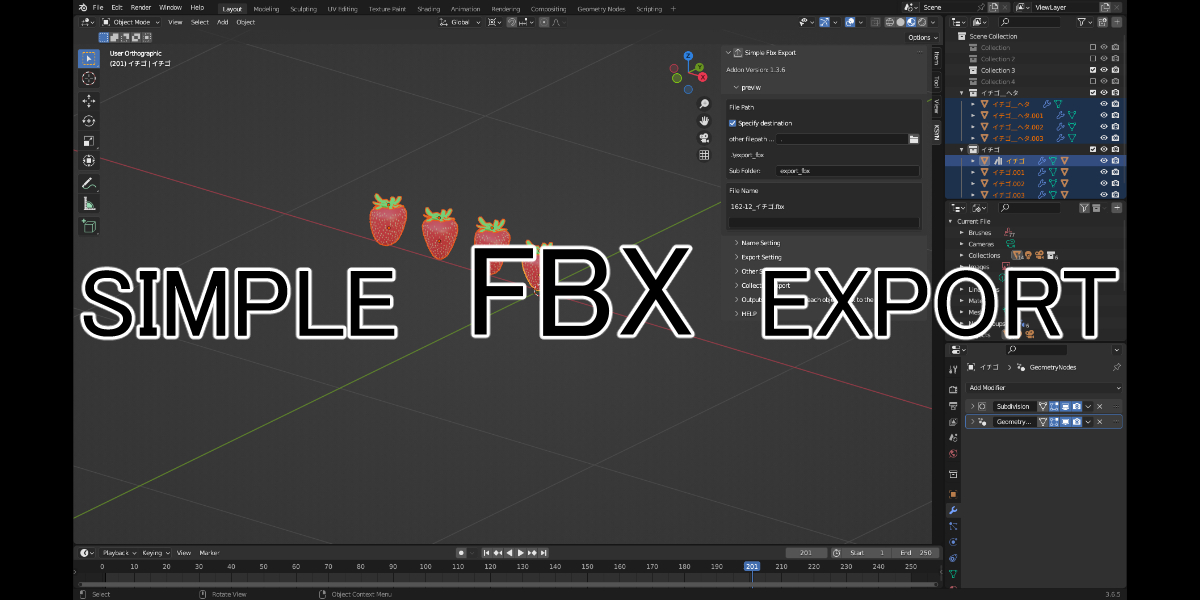

SIMPLE FBX EXPORT documentation
Main (notable) features of this add-on
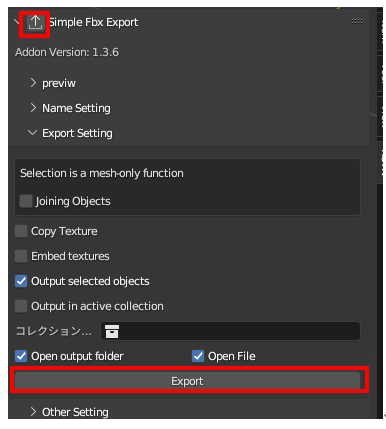
You can output FBX with your favorite output name with one touch.
Click here for the one-touch button.
There are buttons in the header panel.
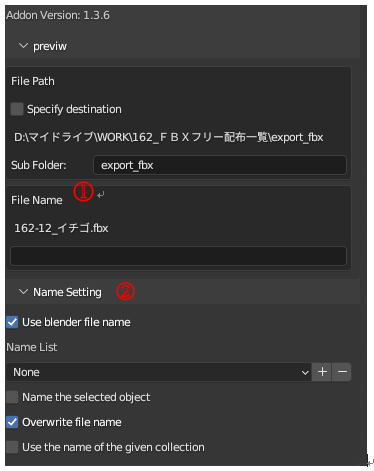
Detailed settings for output file name
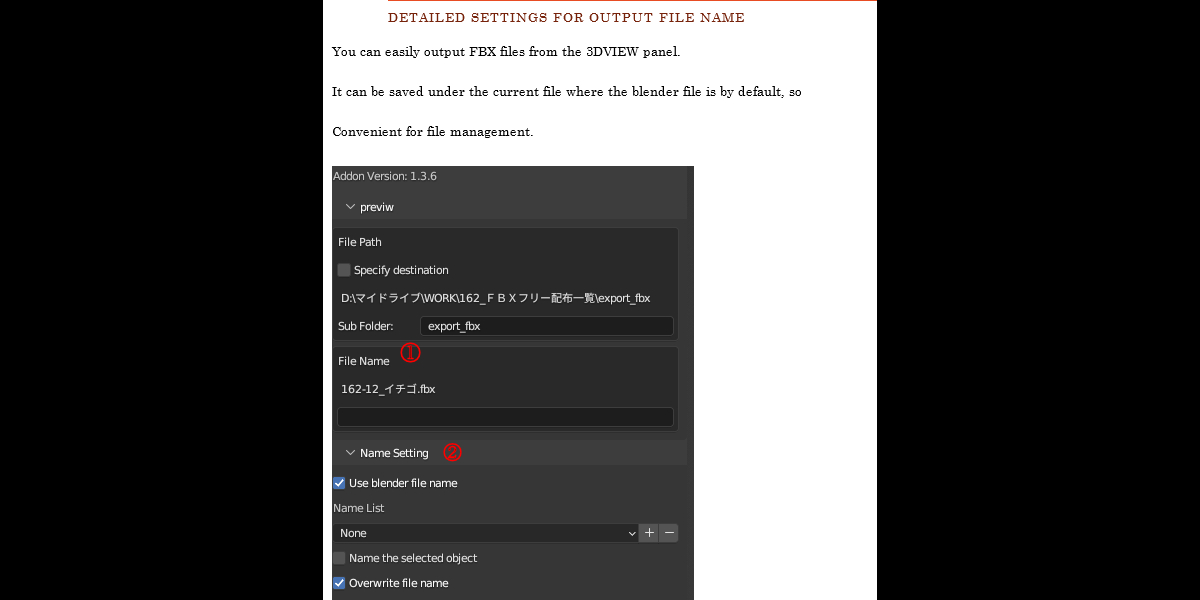
You can easily output FBX files from the 3DVIEW panel.
It can be saved under the current file where the blender file is by default, so
Convenient for file management.
|
① The name that will actually be output is displayed as a preview.
You can create an original file name by filling in the blank field below.
② The name setting is determined here.
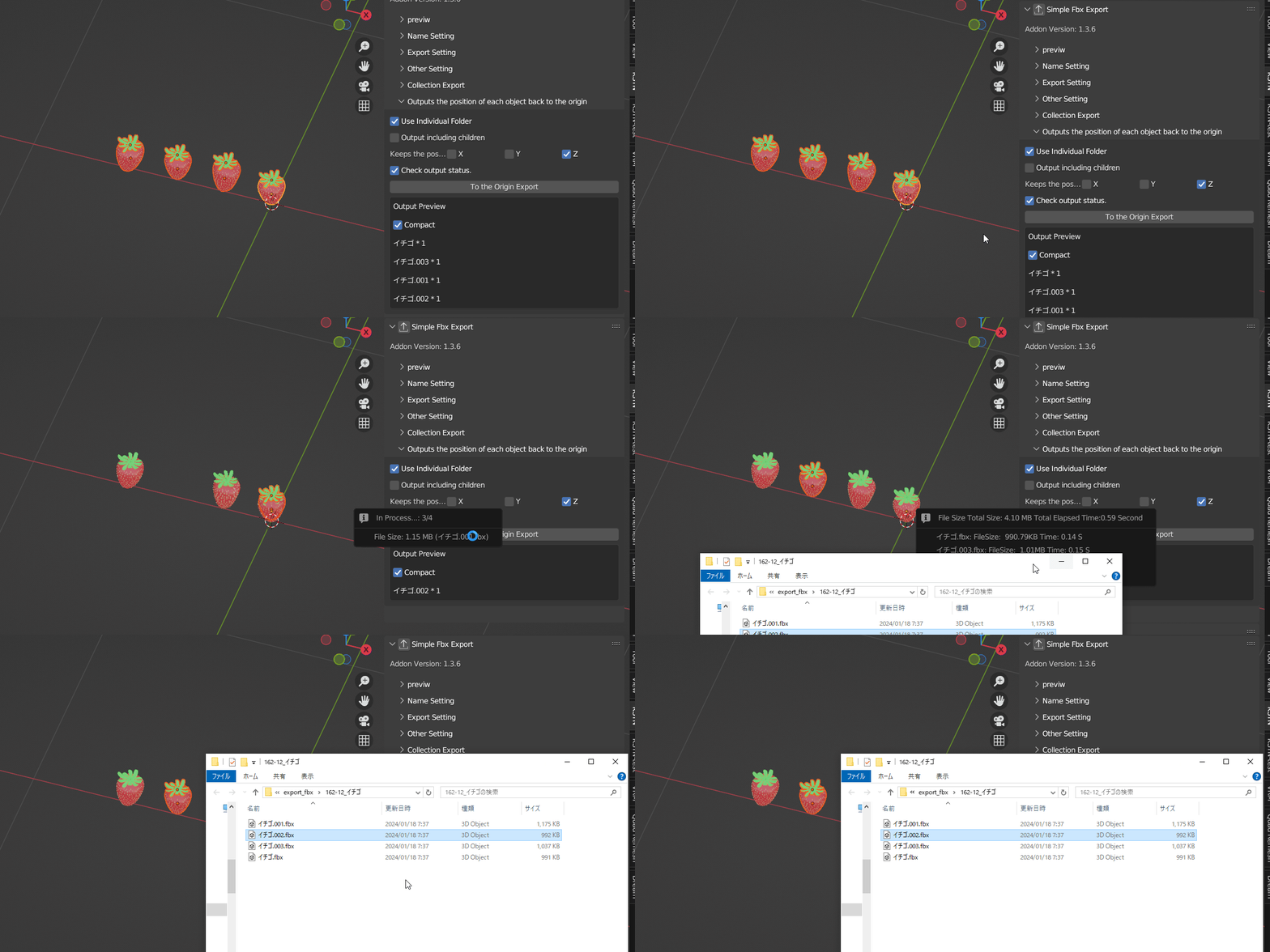
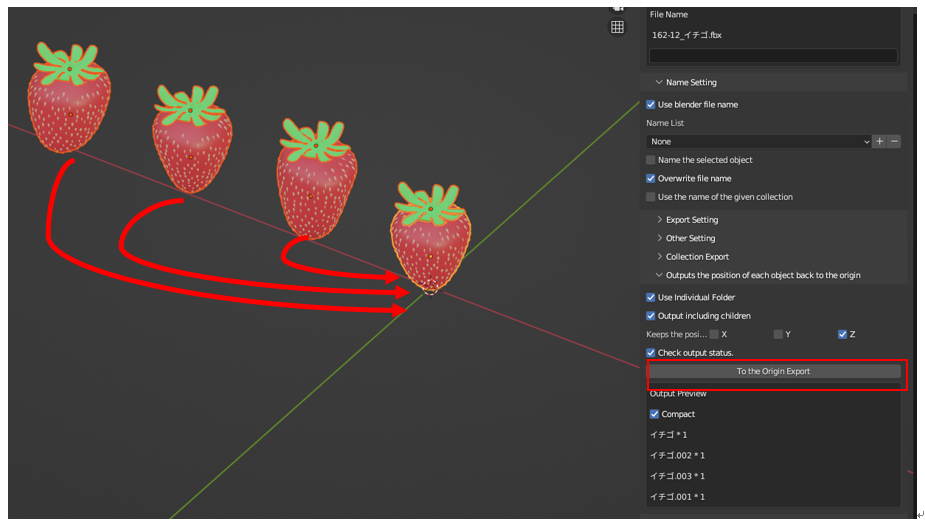
Temporarily move each object to the origin
You can output FBX by returning the objects arranged in a list to the center ( resetting the X and Y axes).
At this time, if the selected object has a parent-child relationship, exclude the special relationship,
It can be output as a single object while maintaining the hierarchy.
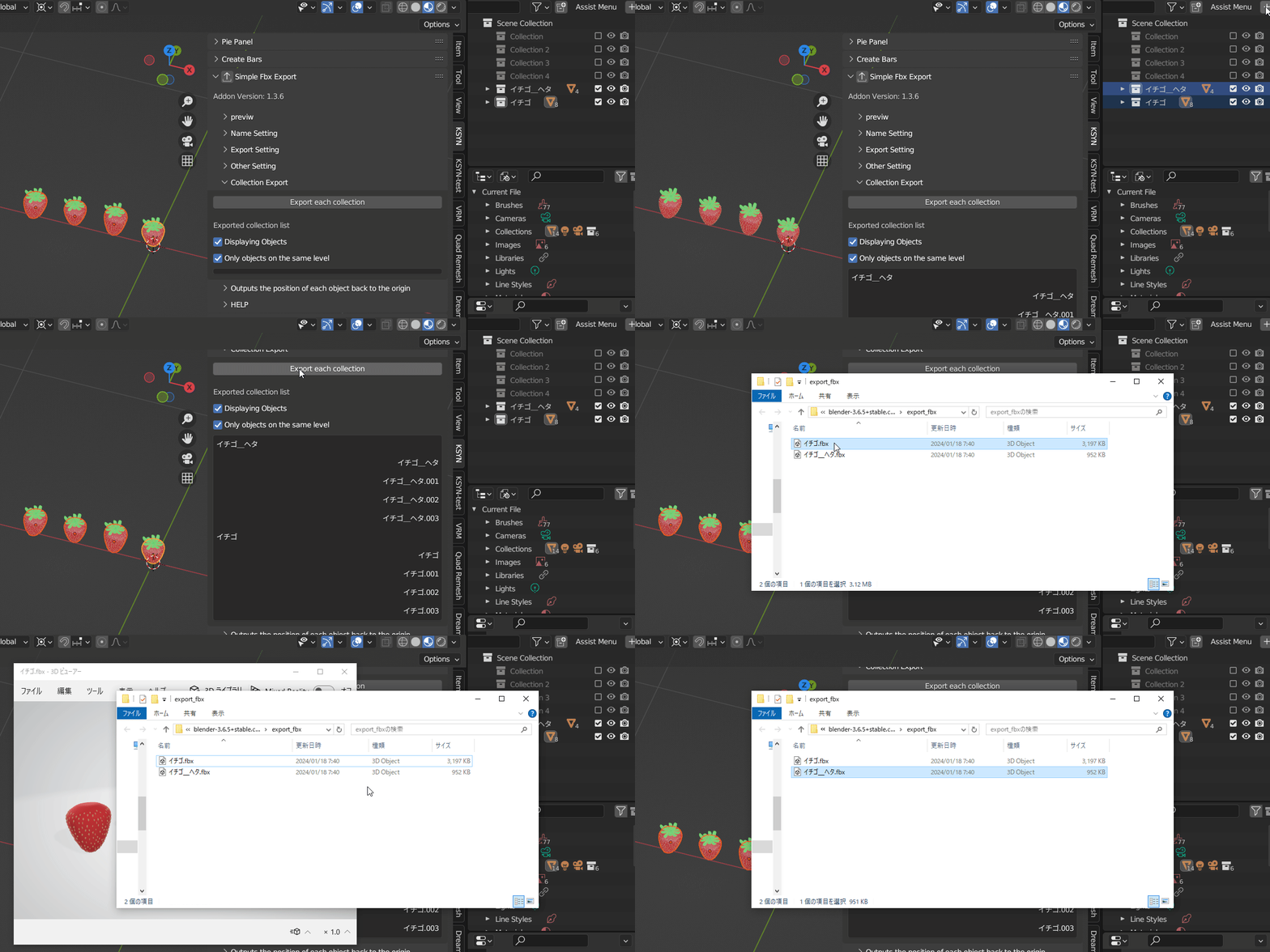
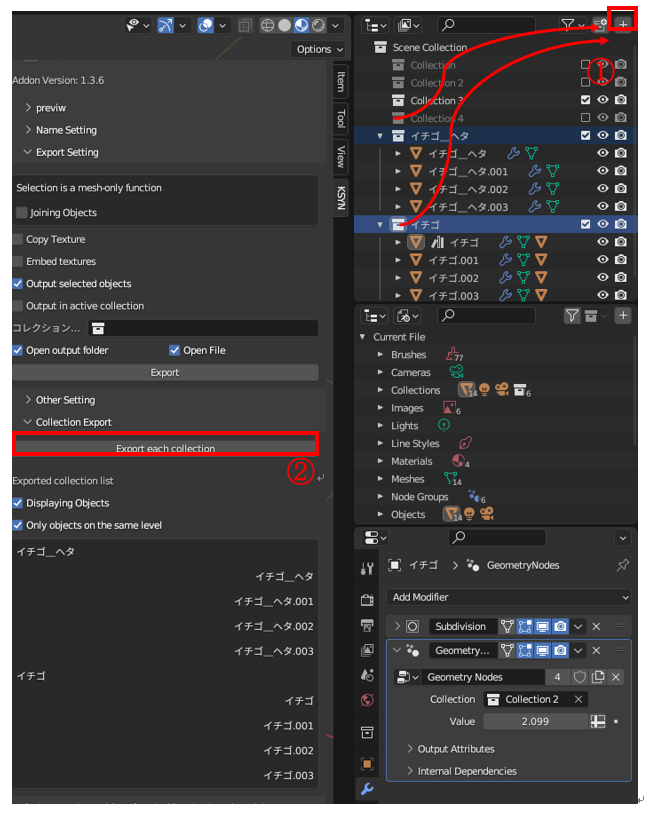
Output each collection contents individually
|
① Select the collection you want to output (containing objects) and press button
The collection that will be output and the objects within it will be displayed on the preview screen of the add-on panel.
② If you press the button, the collection name will be output to the specified folder.
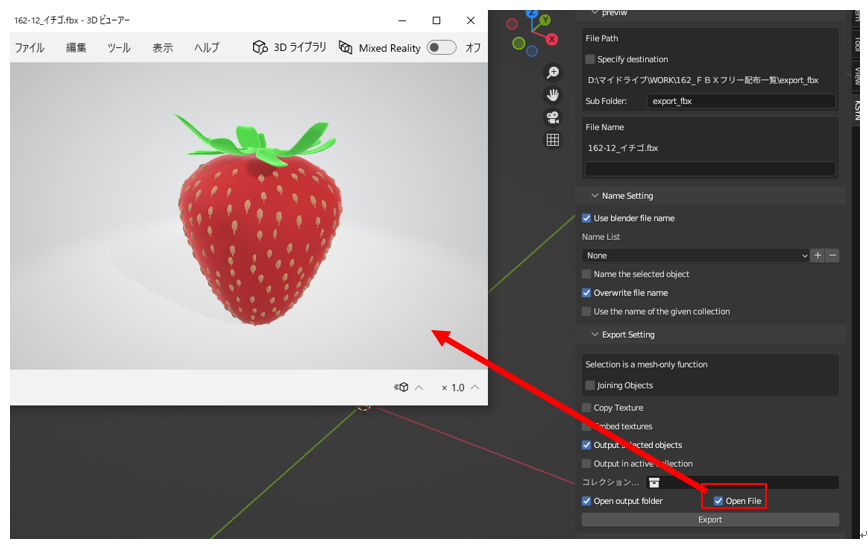
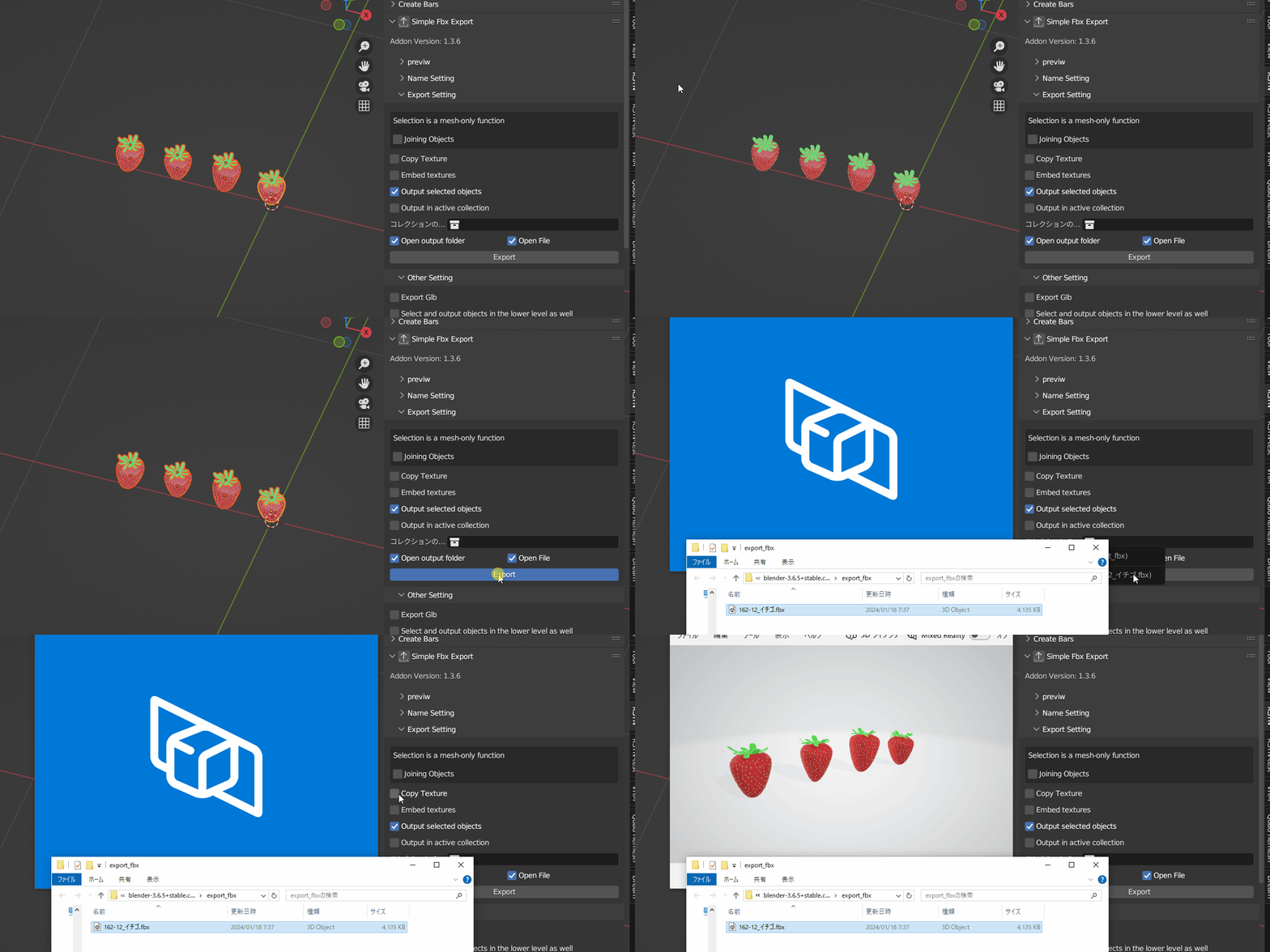
・When outputting, display the confirmation Windows with a limited app
Click the specified check button to automatically open FBX when exporting.