Renamer
 Mergim Sahiti


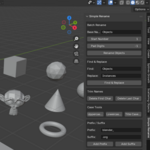
Overview
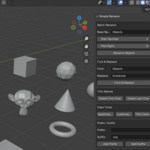
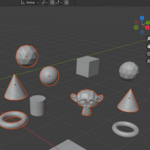
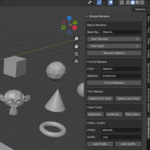
Simple Rename is a Blender addon designed to simplify object naming in your scenes. It provides a suite of powerful tools for batch renaming, find & replace, trimming characters, case conversion, prefix/suffix addition, random renaming, and more.
This addon works on selected objects or all objects in the scene, making it perfect for organizing complex projects, standardizing naming conventions, and speeding up workflows.
Installation
-
Download the
simple_rename.zipfile from your purchase. -
Open Blender and go to
Edit > Preferences > Add-ons. -
Click Install, select the
.zipfile, and click Install Add-on. -
Enable the addon by checking the box next to Simple Rename.
-
You will find the addon panel in View3D > Sidebar > Simple Rename.
Getting Started
Once the addon is installed:
-
Select the objects you want to rename in your scene.
-
Open the Simple Rename panel in the 3D View sidebar.
-
Use the tools in the panel to rename objects according to your needs.
You can also work without selecting any objects, in which case the addon will operate on all objects in the scene.
Features
1. Batch Rename
-
Add a base name with a start number and optional zero padding.
-
Example:
Tree_001, Tree_002, Tree_003. -
Works on selected objects or all objects.
2. Find & Replace
-
Quickly replace parts of object names.
-
Example: Replace
CubewithBoxacross multiple objects. -
Works on selected objects or all objects.
3. Trim Names
-
Delete the first or last character of object names.
4. Case Tools
-
Convert object names to:
-
Uppercase
-
Lowercase
-
Title Case (capitalizes each word, separated by underscores)
-
5. Prefix / Suffix
-
Add custom text before or after object names.
-
Example: Prefix
Prop_→Prop_Chair.
6. Replace Spaces / Underscores
-
Standardize naming conventions: replace spaces with underscores or vice versa.
7. Digit Tools
-
Remove digits from object names.
-
Keep digits only if you want numeric-only identifiers.
8. Random Rename
-
Generate random names for selected objects.
-
Customizable length for unique identifiers.
9. Strip Non-Alphanumeric
-
Remove all special characters except letters, numbers, and underscores.
Customization
-
All text fields, such as Base Name, Prefix, Suffix, Find, Replace, and Random Length, can be customized to fit your workflow.
-
You can combine multiple tools in sequence. For example:
-
Apply Find & Replace
-
Add Prefix
-
Batch Rename with numbering
-
This allows complete control over object naming conventions in any scene.
Tips & Best Practices
-
Always save your scene before applying large batch renames.
-
Use Find & Replace first if you are standardizing existing names.
-
Combine Trim, Case Tools, and Prefix/Suffix for fully consistent naming.
-
Random renaming is ideal for procedural scenes or placeholder objects.
Have questions about this product?
Login to message
| Dev Fund Contributor | |
| Published | about 1 year ago |
| Blender Version | 4.0 - 4.5 |
| Extension Type | N/A |
| Render Engine Used | Cycles, Eevee |
| License | GPL |

Discover more products like this
prefix blender suffix batch-rename case conversion random rename rename trim names object naming find replace