Simulator Parametric Pro
 Arq. Gustavo Garcia ARCHS


Advanced Tips
Use "Smart Select" to quickly pick foundation or edge vertices for pins.
Enable "Highlight Hooks" to make hooks more visible in the viewport.
For complex structures, bake simulations in smaller segments.
How do I report a bug or request a feature?
Contact the developer via Instagram or the marketplace.
The UI panels are missing. How do I fix this?
Go to Preferences > Add-ons > disable/re-enable the addon.
Ensure no conflicting addons are enabled.
I get an error when running solar/wind analysis. What should I do?
Check the console (Window > Toggle System Console) for detailed errors.
Ensure your mesh is valid (has faces, >4 vertices).
Restart Blender and retry.
Why does my simulation look unstable?
ncrease tension/compression stiffness in Structural Properties.
Adjust pin stiffness or reduce wind speed.
Ensure proper vertex groups are assigned for pins.
How do I bake the simulation?
Click "Run Simulation" in the Simulation Control panel. To reset, use "Reset Simulation".
Why is my simulation slow?
Reduce subdivision levels or simulation quality.
Use High Performance Mode in the addon preferences.
Simplify the mesh or use fewer pinned vertices.
How do I delete all hooks?
Click "Delete All Hooks" in the Hook Control panel (confirm when prompted).
How do I create hooks?
Select vertices (in Edit Mode) or use a vertex group.
In the Hook Control panel, click "Create Hooks (Smart)".
Move the red spheres (empties) to deform the mesh.
Why are my hooks not working during simulation?
Ensure hooks are created before the Cloth modifier (use "Fix Modifier Order").
Check that hook strength is above 0 and falloff radius is reasonable (0.1–2.0).
Enable "Real-Time Hook Control" in the Hook Control panel.
How do I animate wind loading?
Run "Wind Analysis" first.
Click "Animate Wind Loading" and set the frame range.
Adjust wind speed/direction for variation.
Why isn’t the wind affecting my structure?
Ensure "Use Wind Analysis" is enabled.
Check that the wind speed is above 0 and the direction vector is valid (e.g., (1, 0, 0) for X-axis wind).
Verify your mesh has a Cloth modifier applied.
How do I animate the sun’s path?
Set the date and location.
Click "Animate Sun Path" and define the frame range.
Play the animation to see the sun move.
Why isn’t the sun moving when I change the time/location?
Ensure "Use Solar Analysis" is enabled in the Solar Analysis panel.
Check that the date format is YYYY-MM-DD.
Verify latitude/longitude values are valid (-90 to 90 for latitude, -180 to 180 for longitude).
How do I set up a structural simulation?
Select your mesh object.
In the Simulator tab, choose a material preset (e.g., Concrete, Steel).
Click "Setup Structural Simulation".
Use the Pin Control panel to define fixed vertices.
Why isn’t the add-on showing up after installation?
Ensure you’re using Blender 3.0+.
Check if the addon is enabled in Preferences > Add-ons.
Restart Blender if needed.
How do I install the add-on?
Download the .zip file.
In Blender, go to Edit > Preferences > Add-ons > Install.
Select the .zip file and enable the addon.
Where can I find the addon in Blender?
After installation, go to the 3D Viewport > Sidebar (press N) > Simulator Tab.
Which Blender versions are supported?
The addon is compatible with Blender 4.5 and later 3.0. Some features may work in earlier versions, but full functionality is guaranteed only in 4.5+.
What is Simulator Parametric Pro?
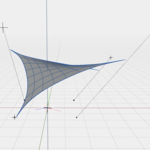
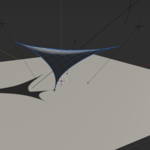
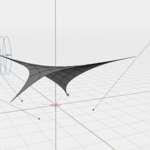
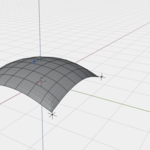
It's an advanced Blender addon designed for architectural structural simulations, featuring wind analysis, solar path tracking, and real-time hook controls for parametric modeling.
-
$9.99
Simulator Parametric Pro is a professional add-on for Blender that offers advanced architectural simulation tools, including structural analysis, wind dynamics, and solar trajectory, with precise controls and real-time feedback. Ideal for architects and designers, it enables realistic simulations of materials, vertex management, and environmental effects, optimized for academic and professional projects. Brief, highlighting the professional approach and key capabilities in two concise lines.)
Have questions about this product?
Login to message
| Dev Fund Contributor | |
| Published | about 1 year ago |
| Blender Version | 3.0 - 4.5 |
| Extension Type | N/A |
| Render Engine Used | Arnold, Blender-Internal, Blender-Game-Engine, Cycles, Eevee, Freestyle, Luxrender, Mental-Ray, Octane, Vray, Yafaray |
| License | Mit |
