

Sinewave Renderkit — One-Click Render Setup For Blender

SineWave in Rendering


SINEWAVE  ·  BLENDER ADD‑ON  ·  V 4.3
 A Sine Wave Studio production

SineWave

RenderKit.

One click replaces ten minutes of Cycles setup. Production-ready. Quietly.

6–7×
Faster
<1s
Setup
2
Engines
 Features
⚡
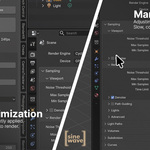
One-Click Optimize
Cycles + Eevee · Denoising · Clamped bounces · Persistent Data
›
▦
Resolution & Framerate
5 presets · 8 aspect ratios · 2 quality tiers
›
★
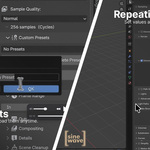
Custom Presets
Save once, apply anywhere · Portable JSON
›
◉
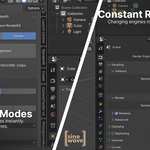
Compositing Looks
7 node setups · Clean, Cinematic, Bloom, Flare, Chromatic, Film, Full FX
›
✧
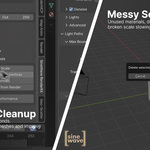
Scene Cleanup & Analyzer
Purge orphans · Fix normals · Flag what slows you down
›
⇧
Automatic Output
Creates /out folder · Warns on unsaved files
›
Six tools. One N-Panel. Zero menu pollution.
 Performance
6–7×
Faster Renders
Measured on MacBook Pro · M4 · 16 GB RAM
Scene
RenderKit
Default
1080p · 30 fps
10 s
45 s
4K · 30 fps
25 s
2:45
4K · 60 fps
36 s
3:00
 Why this exists

Built for the studio's own production pipeline. Published for yours.

Sine Wave Studio produces cinematic content daily. RenderKit is the in-house render setup turned into a shippable tool — tuned for real projects, not tutorials.

 RenderKit vs. Manual Setup
Setup Time
< 1 second
5–10 min
Consistency
Pro-tuned, every time
Drifts between projects
Cycles
GPU · Denoised · Clamped
Default, unoptimized
Eevee
Raytraced · Tuned
Manual, per scene
Compositing
7 looks, one click
Build by hand
Custom Presets
Named · Portable JSON
Copy-paste
Output Path
Automatic /out
Manual dialog
Scene Hygiene
Cleanup + Analyzer
DIY
 Technical Details
Dual-Engine
Cycles + Eevee (including Eevee Next)
Smart Sampling
Viewport 150 · Final 256
Light Paths
Max 4 bounces · Indirect clamp 3
Volume
Biased sampling · Tuned step rate
Persistent Data
Enabled · Repeat renders stay fast
Frame Range
In-panel · Skips Output Properties
API Compatible
Blender 4.x and 5.x
N-Panel Native
Sidebar tab · No menu pollution
Portable Presets
JSON · Survives Blender updates
 Built For
Blender Artists
Daily renders · Consistent results · No ritual
Motion Designers
Juggling clients with different resolution and aspect targets
3D Freelancers
Billable hours on craft, not setup
Studios & Teams
A shared render baseline across every machine and artist
Anyone
Who's ever muttered "I forgot to turn on denoising" mid-bake
 Install in 30 Seconds
1
Download sinewave_render_optimizer.zip
2
In Blender: Edit › Preferences › Add-ons › Install
3
Select ZIP, enable. Open N-Panel → SineWave RenderKit
 System Requirements
Operating System
Windows · macOS · Linux
Blender
4.2 to 5.x
CPU
Intel · AMD · Apple Silicon
GPU
CUDA · OptiX · HIP · Metal · oneAPI
RAM
8 GB min · 16+ GB for 4K
Disk Footprint
< 1 MB
One click. Ready to render.
Good visuals without structure are noise.
Structure without quality is invisible. We build both.
A Sine Wave Studio production  ·  2026  ·  GPL v3

Discover more products like this

3d artistic rendering rendersettings

$15

Have questions about this product?
Login to message

Details
Blender Extension Compatible Yes
Published 5 months ago
Blender Version 4.2 - 5.2
Extension Type Add-on
Render Engine Used Cycles, Eevee
License Mit