Six Blender Interior Scenes, Start to Finish | Sessions Interior
 CG Cookie



Course Documentation
Everything you need to open the files, follow along, and get unstuck. If your question isn't answered here, the FAQ tab covers downloads, access and licensing questions, and you can always message us through Contact the creator on this page.
What's in the Download
The download is organized by session. Each of the six sessions gets its own folder containing the .blend files, textures and any reference used in that scene.
SESSIONS_Interior/
01_A_Simple_Step/
02_Morning_Coffee/
03_Flowing_Curtain/
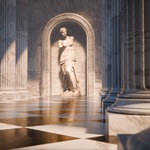
04_Marble_Colonnade/
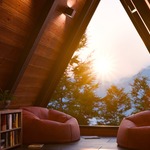
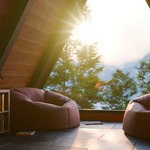
05_A_Room_With_A_View/
06_The_Vintage_Room/
LICENSE.pdf
README_Blender_Versions.pdf
Getting Started
The six sessions are standalone. Nothing in Session 4 depends on having finished Session 1, so you can start with whichever scene appeals to you most.
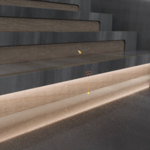
That said, the sessions get progressively more ambitious. Session 1 is a single lit stair step. Session 6 is a full room carried by atmosphere and compositing. If you're newer to interiors, working in order means each new technique lands on top of one you've already used.
Each session opens with an intro lesson laying out the plan for the scene before any modeling starts. Watch it before you open the file. It's the two minutes that tell you what's being built and, more usefully, what's deliberately being skipped.
A Word About Blender Versions
The release used for recording is listed in the Blender Version field on this page, and the README included with your download covers this in full. The short version:
Newer is not the same as better. The great thing about Blender is that it's frequently updated. The challenge for Blender instructors is that Blender is frequently updated.
If you follow a course using the same Blender version it was recorded in, most version-related questions disappear before you have to ask them. But while Blender updates often, the core methodology of computer graphics has stayed essentially the same for the twenty years we've been doing this. Moving vertices into models, laying out UVs, material parameters, simulation concepts, rendering characteristics: all still the same.
Treat each version like a chisel in a drawer of chisels. No carpenter keeps a single almighty chisel for every situation. Learn the underlying methodology rather than a specific release, and your skills transfer between Blender versions and even between 3D applications entirely.
Third-Party Assets
Several sessions use ready-made models to fill out a scene rather than modeling every object from scratch. That's a deliberate teaching point, not a shortcut: the course covers when borrowing an asset is the right call and how to make it fit the scene.
These assets come from Poly Haven and are free to download. Any third-party asset included in your download keeps its original license, listed in the CREDITS file where one is present. Those licenses are separate from the CG Cookie course file license below.
Course File License
Personal, non-commercial
Learn from these files. Build on them. Show what you make. Just don't hand them out or sell them.
You're free to
- Open, study and edit every file in the download.
- Use them as a starting point for your own scenes, studies and experiments.
- Share renders, animations and screenshots of your own work made from them. Credit is appreciated, never required.
- Keep your copies as long as you like, on every machine you personally use.
Please don't
- Re-upload, share, sell or bundle the files anywhere: marketplaces, public drives, Discord servers, or your own training.
- Use the assets in paid client work, products for sale, or advertising without written permission.
- Use the files, videos or captions to train machine learning or generative AI models.
- Re-record, re-narrate or repackage lesson content as your own.
Teaching with this course? One personal license doesn't cover a classroom, lab or studio team. Institutional and seat licensing does, so get in touch before handing files to a group.
Want to use something commercially? Email [email protected] and tell us what you have in mind. We grant permission more often than you'd expect, and it takes one message.
The license document shipped with your download is the version that applies to it. Course files are licensed, not sold.
Troubleshooting
Textures show up pink or missing
The .blend file can't find its image files, usually because the folder was moved or the file was opened from somewhere other than its own session folder. In Blender, go to File > External Data > Find Missing Files and point it at that session's folder. Keep each session folder intact rather than pulling individual .blend files out of it.
The curtain in Session 3 doesn't move
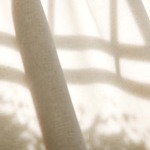
That animation is a baked MDD cache being read back in, not a live simulation. If the cache file can't be found, the mesh sits still. Check the Mesh Cache modifier on the curtain and repoint its file path to the .mdd in the session folder. If you'd rather rebuild it, the lesson on looping the animation walks through baking a fresh one.
Cloth or particle simulations look wrong after opening
Simulation caches don't always survive being moved between machines. The beanbags in Session 5 and the dust particles in Session 6 both rely on cached sims. If something looks collapsed or empty, rebake it from the physics properties panel and let it run through the full frame range before scrubbing the timeline.
Renders are slow, or noisy at low samples
Sessions 5 and 6 use volumetrics for the god rays and atmosphere, which is the most expensive thing in the course to render. Denoising does most of the heavy lifting here and is used throughout the lessons. If you're rendering on CPU, expect meaningfully longer times than what you see on screen, and consider dropping the resolution while you're experimenting rather than cutting samples.
A menu or setting isn't where it is in the video
Blender moves things between releases. The workflow almost never changes even when the location does. Search the operator with F3 by name, or open the file in the version listed in the Blender Version field on this page.
Lesson Index
Six chapters, 36 lessons, one complete scene per chapter.
01 · A Simple Step
- Intro
- Modeling
- Main Material
- Secondary Materials and Lighting
- Compositing
02 · Morning Coffee
- Intro
- Modeling
- Fur Rug
- Materials
- Final Details
- Compositing
03 · Flowing Curtain
- Intro
- Modeling and Lighting
- Cloth Simulation
- Looping and Tweaking the Animation
- Curtain Material
- Gobos and Final Setup
- Render and Compositing
04 · Marble Colonnade
- Intro
- Modeling
- Marble Material, Part 1
- Marble Material, Part 2
- Lighting and Animation
- Render and Compositing
05 · A Room With a View
- Intro
- Modeling
- Bean Bags
- Materials
- Decorations and Exterior
- Animation and Compositing
06 · The Vintage Room
- Intro
- Modeling
- Materials
- Atmosphere
- Animation and Layers
- Compositing
Getting Help
Message us through the Contact the creator link on this page, or email [email protected].
Purchases made here don't include instructor feedback or community access. If you'd like both, this purchase can be converted to a CG Cookie membership. Email us with your Superhive order ID and we'll generate a coupon code that applies what you paid toward a subscription.
Have questions about this product?
Login to message
| Sales | 20+ |
| Published | about 2 months ago |
| Blender Version | 5.0 - 5.2 |
| Render Engine Used | Cycles |
| License | Royalty Free |
Discover more products like this
Lighting procedural materials interior desgin Compositing Interior tutorial ArchViz cloth simulation