 Skava
Skava




Download the .py file. In Blender open Edit > Preferences > Add-ons, click the drop-down arrow in the top-right corner and choose Install from Disk (in Blender 4.0 and 4.1 the button is called Install), then pick the downloaded file. Tick the checkbox next to UV: SKAVA Lightmap UV Master Pro to enable it. Press N in the 3D Viewport and open the SKAVA tab in the sidebar.
The product page lists compatibility up to Blender 4.5. Newer versions are not listed.
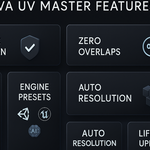
It creates lightmap UVs in a second UV channel for the selected meshes. Choose a target engine (Unity, Unreal Engine, Godot or Custom) and click SKAVA Generate; SKAVA Batch Process does the whole scene. The unwrap method is Smart UV Project or Lightmap Pack, with an island margin and a resolution that can be calculated automatically or set manually.
According to the documentation: UV islands outside the 0–1 range, overlapping islands, padding too small for the chosen engine, non-standard resolutions for Unreal and resolutions below the Godot minimum.
Yes. The documentation describes a settings export that saves the configuration as JSON.
The product page lists the license as GPL.
Have questions about this product?
Login to message
| Published | about 1 year ago |
| Blender Version | 3.0 - 4.5 |
| Extension Type | N/A |
| Render Engine Used | Arnold, Blender-Internal, Blender-Game-Engine, Cycles, Eevee, Freestyle, Luxrender, Mental-Ray, Octane, Vray, Yafaray |
| License | GPL |
Discover more products like this
Unreal Engine baking lightmap unity Batch processing game ready game development uv optimization professional automation Workflow