Smart Scene Optimizer for Blender
 Rana Abdullah


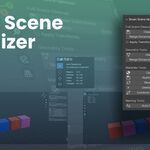
What is Smart Scene Optimizer?
Smart Scene Optimizer is a Blender addon designed to clean, simplify, and optimize your 3D scenes with one click. It's ideal for artists, game developers, and anyone managing complex or imported scenes.
How to Install
-
Open Blender and go to Edit > Preferences > Add-ons.
-
Click Install and select the
.pyfile you downloaded. -
Enable the addon from the list.
-
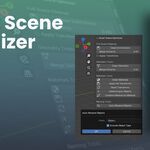
Access it in the "Scene Tools" tab in the 3D Viewport sidebar.
Key Features
-
Clean My Scene: One-click cleanup for all mesh objects.
-
Remove Loose Geometry: Deletes unnecessary floating vertices, edges, and faces.
-
Merge Vertices: Merges nearby vertices using a customizable threshold.
-
Remove Empty Vertex Groups: Deletes any unused vertex groups.
-
Clean Unused Materials: Removes empty material slots.
-
Simplify Modifiers: Removes duplicate modifiers from each object.
-
Apply Transforms: Optionally apply location, rotation, and scale to all meshes.
-
Auto-Renaming: Automatically assigns clean, consistent names to objects.
-
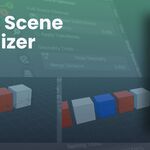
Combine by Material: Merges meshes with identical materials.
-
Scene Overview Tab: Tools for scene organization and cleanup.
-
Geometry Tools Tab: Mesh-specific cleaning and simplification.
-
Material Tools Tab: Batch control over materials and cleanup.
Have questions about this product?
Login to message
| Published | about 1 year ago |
| Blender Version | 2.8 - 4.5 |
| Extension Type | N/A |
| Render Engine Used | Cycles, Eevee, Freestyle |
| License | GPL |

Discover more products like this
Modeling tools game asset prep Object Management transform tools Material Cleanup 3D Productivity auto rename scene cleanup Workflow Efficiency mesh optimization merge vertices blender