SNURPilator - A Fun, Friction-Free Drawing Tool
 SNURPstore


What Blender versions are supported?
Tested on:
- Blender 4.x+
- Blender 5.x
Can I use this without a tablet?
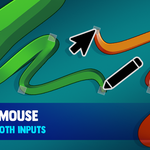
Yes — SNURPilator is designed to work great with a mouse using Taperfy. A tablet gives a little more control with pressure sensitivity, but isn't required.
I don't understand the UI - are you insane?
Yes, a little. But there's a toggle down the bottom to switch to "Serious Mode" which has Blender specific terminology.
My mirror settings don’t match the UI?
The UI reflects the active selected Snurp.
Select a curve to see its mirror settings.
Why can’t I use Taperfy and Pen Squish together?
They both control curve thickness in different ways:
Taperfy = procedural shaping
Pen Squish = real-time pressure input from a tablet (wacom etc.)
Using both causes conflicts, so they are intentionally mutually exclusive.
Why does my stroke look different after drawing?
- With Taperfy ON, the stroke is processed after drawing
- With Pen Squish ON, no post-processing occurs

Discover more products like this
3D drawing 3d-concept-art curve tool sketching Mesh Generation 3D Sketching Tool Rapid Modeling 2d drawing