SNURPilator - A Fun, Friction-Free Drawing Tool
 SNURPstore


What is SNURPilator?
SNURPilator is a fast, intuitive tool for drawing curves directly in 3D space inside Blender.
It lets you:
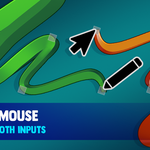
- sketch curves freely in the viewport
- apply taper or pen pressure
- mirror strokes live
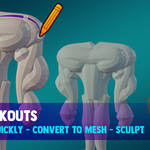
- convert curves to mesh instantly
Designed for speed, it turns curve creation into a fluid, sketch-like workflow.
Installation
-
Download the
.zipfile - Open Blender
- Go to Edit → Preferences → Add-ons
- Click Install
-
Select the downloaded
.zip - Enable SNURPilator
The panel will appear in:
3D Viewport → Sidebar (N) → SNURPilator
Basic Workflow
1. Draw a Snurp
- Click SNURP
- Draw directly in the viewport
2. Adjust Shape
- Use Phatness to control thickness
-
Choose a shape:
- Round
- Square
- Flat
3. Add Style
Choose one:
- Taperfy → stylized thickness falloff
- Pen Squish → tablet pressure control
(These are mutually exclusive)
4. Mirror (optional)
- Enable X / Y / Z under Flips
5. Convert to Mesh
- Click Combimesh or Combivox
Feature Breakdown
🖊️ SNURP (Draw Tool)
- Draw curves directly in 3D
- Supports surface drawing or free space
- Designed for fast iteration
Phatness
- Controls curve thickness
- Works across all shapes and modes
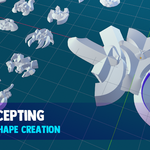
Snurplook (Shape)
- Round → tube-like curves
- Square → hard-edged profile
- Flat → ribbon-like extrusion
Taperfy
- Applies procedural thickness falloff
- Great for stylized strokes
- Works best with mouse input
Pen Squish (Tablet Pressure)
- Uses tablet pressure for thickness
- Disables taper for accurate input
- No post-processing — fully native feel
Flips (Mirror)
- Mirror strokes across X / Y / Z axes
- Applies per Snurp
- UI reflects selected object
Snurpsmooth
- Controls stroke smoothing during draw
- Higher values = smoother curves
Wabble (Randomize)
- Adds noise to curve points
- Useful for organic shapes
Meshify
Combimesh
- Converts curves to mesh
- Combines multiple Snurps into one
Combivox
- Converts + voxel remesh
- Great for blockouts / sculpt base
Jorkelate
- Adds curve-based deformation to meshes
- Generates a preview rig
- Apply to deform along axis

Discover more products like this
3D drawing 3d-concept-art sketching Mesh Generation Rapid Modeling 3D Sketching Tool 2d drawing curve tool