 CONTOR


Sounder - Professional Audio Toolkit for Blender VSE
Generate professional sound effects and music directly in Blender's Video Sequence Editor.
No external software needed.
🎵 What You Get
Sound Effects Generator
- 12 instant presets: Beep, Blip, Laser, Explosion, Whoosh, Fly-by, Meow, Siren, Thump, Glitch, Chopper, Engine
- 6 synthesis modes: Basic, FM, Additive, AM, Subtractive, Granular
- 7 waveforms including White/Pink Noise
- Load any preset into the custom generator to tweak and customize
Musical Instruments
- 22 professional instruments built-in
- Keyboards: Piano, Electric Piano, Organ
- Synths: Lead, Pad, Vocal
- Orchestral: Strings, Choir (Ah & regular)
- Woodwinds: Flute, Clarinet, Oboe, Recorder
- Bells & Chimes: 5 types including Music Box, Vibraphone, Harp
- Bass: 4 types from Sub Bass to Bass Drum
- Generate single notes or full chords (Major, Minor, 7th, Diminished)
Multi-Note Editor
- Build complete musical sequences
- Mix notes and chords freely
- Auto-chain notes for easy composition
- Visual timeline editing
- Perfect for creating melodies, chord progressions, and musical phrases
🎚️ Professional Effects
For Sound Effects:
- Distortion, Bitcrush, Tremolo, Vibrato, Chorus
- Reverb, Delay
- Pitch Envelope (rising/falling sweeps)
- Fade In/Out
For Music & Multi-Note:
- Distortion, Saturation, Reverb
- Corpus (acoustic resonance modeling)
- Pitch Envelope
- Fade In/Out
💾 Preset System
- Save unlimited custom presets for all generators
- Organize your sound library
- Share presets with your team
- Custom preset folder support
🎹 Advanced Features
MIDI Recording
- Record from any MIDI keyboard
- Or use your computer keyboard as a virtual piano
- Real-time monitoring
- Timeline sync for recording along with your project
Audio Recording (Windows/Linux)
- Record from microphone or system audio
- Direct integration with VSE timeline
Note: This feature does not work on macOS (unable to give microphone permissions to Blender)
⚡ Workflow
- Choose your generator (SFX, Music, or Multi-Note)
- Select instrument/waveform and adjust parameters
- Add effects to taste
- Click Generate
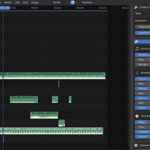
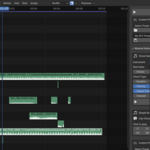
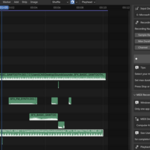
- Audio appears instantly in your VSE timeline
Everything stays in Blender. No export/import. No external DAW.
🎯 Perfect For
- Video editors needing quick sound effects
- Motion graphics artists
- Game developers prototyping audio
- Music creators sketching ideas
- Anyone who wants audio creation without leaving Blender
💡 What Makes Sounder Different
- Zero dependencies - Works out of the box (optional libraries for MIDI/recording)
- Non-destructive - Generate unlimited variations instantly
- VSE Native - Audio strips placed directly on your timeline
- Preset library - Build your own sound collection
- Clear UI - No confusing synthesizer jargon
For Blender 4.2+ | Video Sequence Editor