 Uroš
Uroš


NDOF Manipulator for Blender 4.5+
Transform your 3D modeling workflow with direct NDOF control!
✨ Features
- 🎮 Four Operation Modes: Move+Rotate, Move Only, Rotate Only, and Extrude
- 🎯 Multiple Origin Selection: View, World, Cursor, Object, and Work Surface
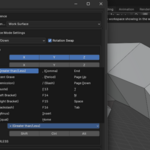
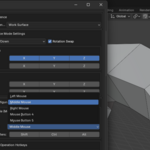
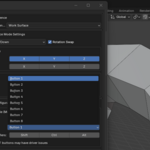
- ⚙️ Flexible Hotkeys: Configure keyboard keys, mouse buttons, or NDOF buttons
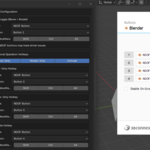
- 📱 Sidebar UI: Context-aware floating panel for quick access to all settings
- 🎛️ Granular Speed Controls: Separate translation and rotation speed controls with per-axis sensitivity
- 📲 Context-Aware UI: Object vs Edit mode specific reference
Requirements
- Blender 4.5.0 or newer
- SpaceMouse™ or other NDOF supported device
Installation
1. Download the `SpaceGrab.zip`
2. Open Blender → Edit → Preferences → Add-ons
3. Click "Install..." button in the top-right
4. Navigate to your downloaded ZIP file and select it
5. Enable the addon by checking the box next to "SpaceGrab"
6. Configure your hotkeys in the addon preferences panel
Note: Do not extract the ZIP file - Blender will handle the installation automatically.
Updates & Support
- Free Updates: All future updates and improvements
Basic Usage
1. Select objects or mesh elements
2. Press your hotkey to activate SpaceGrab control
3. Move the device to manipulate your selection
4. Press the hotkey again to return to normal navigation
🎮 Operation Modes
- Move+Rotate: Full 6-degree-of-freedom manipulation
- Move Only: Translation without rotation
- Rotate Only: Rotation around pivot point
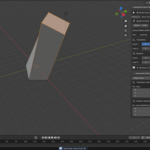
- Extrude: Create new geometry and manipulate it
Each mode has its own configurable hotkey.
🎛️ Reference Frames
- View: Movement aligned with your viewport
- World: Global coordinate system
- Cursor: Movement relative to 3D cursor
- Active Object: Object's local coordinate system
- Work Surface: Viewport-consistent surface-relative coordinate system
⚙️ Speed & Sensitivity Controls
Translation Controls
- Translation Speed: Independent speed multiplier for movement
- Translation Sensitivity: Per-axis fine-tuning (X, Y, Z) for translation
- Axis Locks: Disable specific translation axes
- Axis Inversion: Flip individual translation directions
Rotation Controls
- Rotation Speed: Independent speed multiplier for rotation
- Rotation Sensitivity: Per-axis fine-tuning (Roll, Pitch, Yaw) for rotation
- Axis Locks: Disable specific rotation axes
- Axis Inversion: Flip individual rotation directions
Moving camera while keyframing:
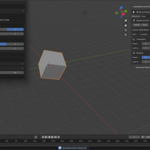
Moving object:
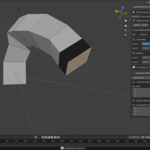
Extrude: