Sparkleon Pro — One-Click Studio Lighting for Blender
 Mavorklith







Overview
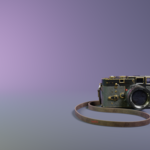
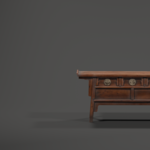
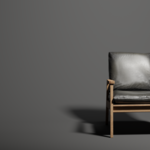
Sparkleon Pro is a one-click studio lighting and environment system for Blender. Select an object, choose a look, and the addon builds the lights, studio environment, camera framing, and render settings for you — all as real, editable Blender objects you stay in full control of. Nothing is locked or baked.
Installation
- Download the Sparkleon_Pro file from your purchase. Do not unzip it.
- In Blender, go to Edit → Preferences → Add-ons.
- Click Install (or the dropdown arrow → Install from Disk on newer versions) and select the downloaded zip.
- Enable the checkbox next to "Sparkleon Pro" in the list.
- Open the 3D Viewport sidebar by pressing N. You'll find the "Sparkleon Pro" tab.
Quick start
- Select the object you want to light.
- Open the Sparkleon Pro panel in the N-sidebar.
- Use Smart Setup to auto-light your object with a matched studio, lighting rig, and camera — or browse the lighting and studio presets individually.
- Adjust anything you like: all lights, studios, and cameras are standard Blender objects.
Features
- 55 lighting presets, from clean product lighting to dramatic and cinematic looks.
- 50 studio environments across 9 stage shapes (cyclorama, box room, dome, cylinder, V-wall, L-corner, hexagon, octagon, half-pipe, diamond cradle).
- 50 Smart Setup styles that auto-light any object — each a distinct studio, lighting, and camera combination.
- Camera tools: cinematic angles, object-aware framing, and studio camera presets.
- Turntable animation generator for product spins.
- Quality modes: Preview, Final, and Ultra render configurations.
- Shadow catcher, reflection floors, HDRI manager, and atmosphere controls.
- Search, category filters, and favorites for navigating presets quickly.
Tips
- Presets scale to your object, so center your model near the world origin for best results.
- Every preset is non-destructive — switching presets clears the previous setup so scenes stay clean.
- All settings can be fine-tuned after applying; treat presets as a fast starting point.
Compatibility
- Blender 4.0 and newer
- Cycles and Eevee render engines
- Windows, macOS, and Linux
Support
If you run into any issues or have questions, contact me , and I'll be glad to help. Feedback and feature requests are welcome.
$25
Have questions about this product?
Login to message
| Blender Extension Compatible | Yes |
| Published | 5 months ago |
| Blender Version | 4.2 - 5.1 |
| Extension Type | Add-on |
| Render Engine Used | Cycles, Eevee |
| License | GPL |