Spectre Quick Suite
 Spectre Studios


Installation
- Do NOT unzip the file
- In Blender, go to Edit → Preferences → Add-ons → Install
- Select the downloaded ZIP file
- Enable each addon by checking the checkbox next to its name
- Press N in the 3D viewport to open the N-panel and find your new tabs
⚠️ Updating from a previous version? Remove the old addon first, restart Blender completely, then install the new file. Skipping the restart will cause Blender to keep running the cached old version.
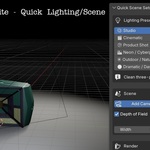
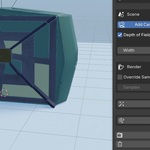
Quick Scene Setup — Scene Setup tab Select a lighting preset and click ✨ Apply Preset. Your lights, camera, backdrop, render engine, color management, and denoising are all configured in one click. Six presets included: Studio, Cinematic, Product Shot, Neon/Cyberpunk, Outdoor, and Dramatic. Fog and atmosphere controls are built into the panel.
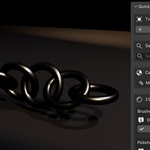
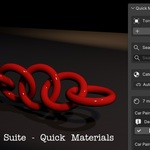
Quick Materials — Materials tab Select any mesh object, browse by category or use the search bar, and click Apply to assign a material instantly. Over 50 PBR materials included — no external textures required.
Quick VFX — VFX tab Select an object and click Apply on any effect. Fire & Smoke, Explosion, Lightning, Vortex, Dust Cloud, Debris, Magic/Energy, Wind, and Freeze/Ice are all included. Smoke and fire effects require baking via Physics → Cache → Bake All Dynamics.
Full PDF user guide is included in the ZIP.
Have questions about this product?
Login to message
| Published | 5 months ago |
| Blender Version | 4.0 - 5.1 |
| Extension Type | N/A |
| Render Engine Used | Cycles, Eevee |
| License | GPL |
Discover more products like this
Blender Workflow visual effects render setup pbr-materials VFX Lighting presets Cycles one-click scene setup fire smoke materials library blender addon