 Designers
Speech Translator: subtitles and voiceover inside Blender's Video Sequencer
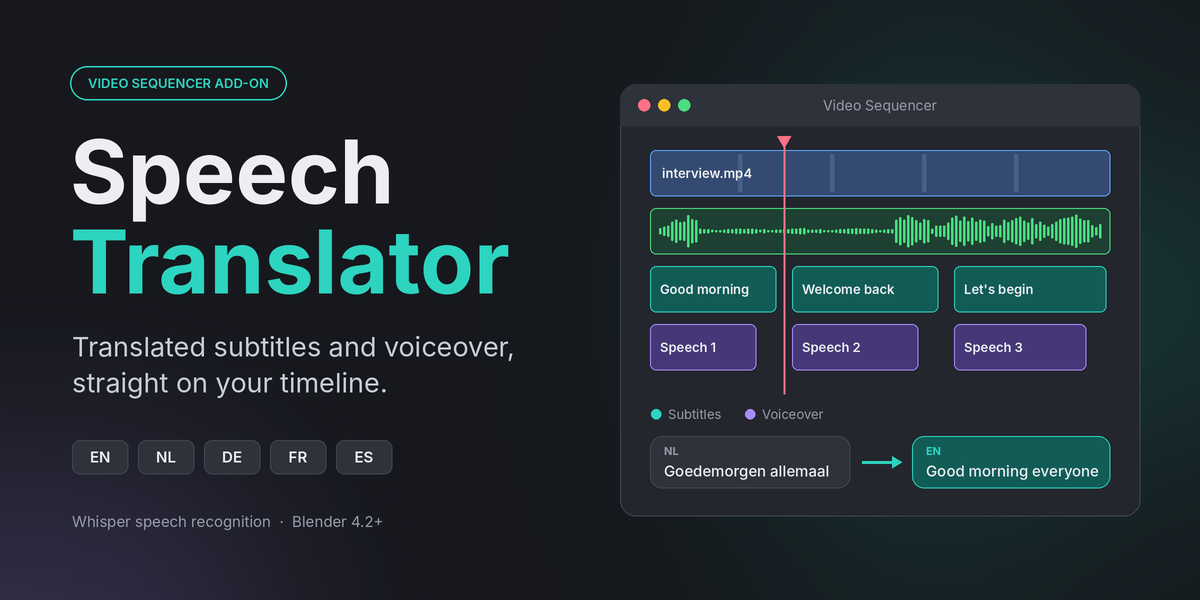
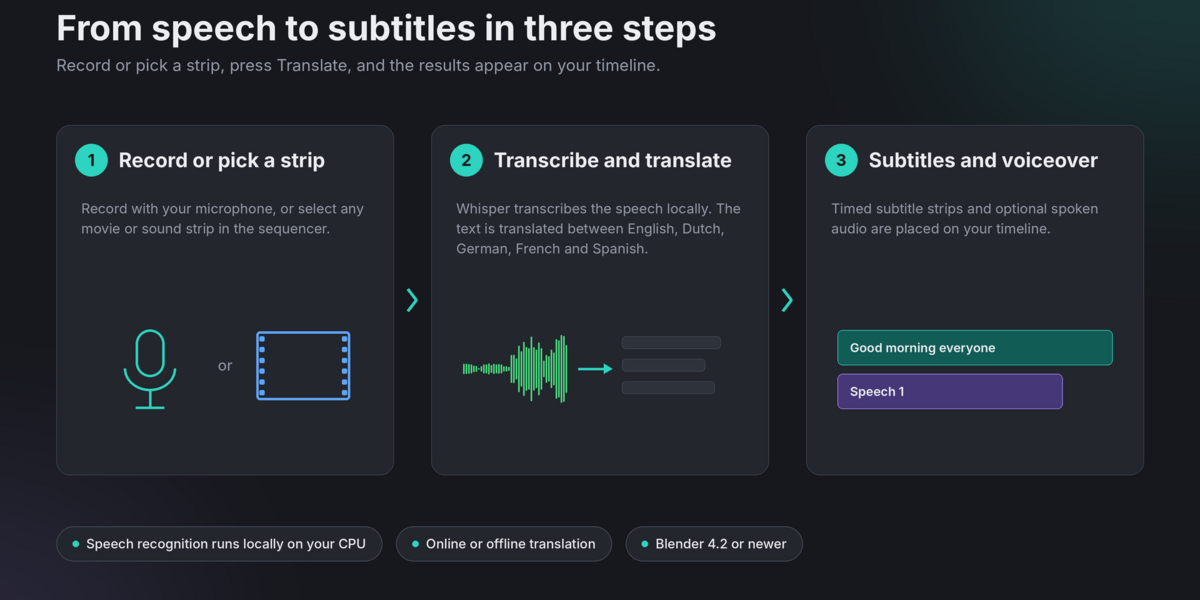
Speech Translator turns spoken audio into translated subtitles and an optional voiceover, directly in the Video Sequencer. Record your voice or pick a movie or sound strip, press one button, and the results appear on your timeline.
What it does
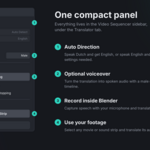
- Record or reuse: record with your microphone, or transcribe the audio of any movie or sound strip.
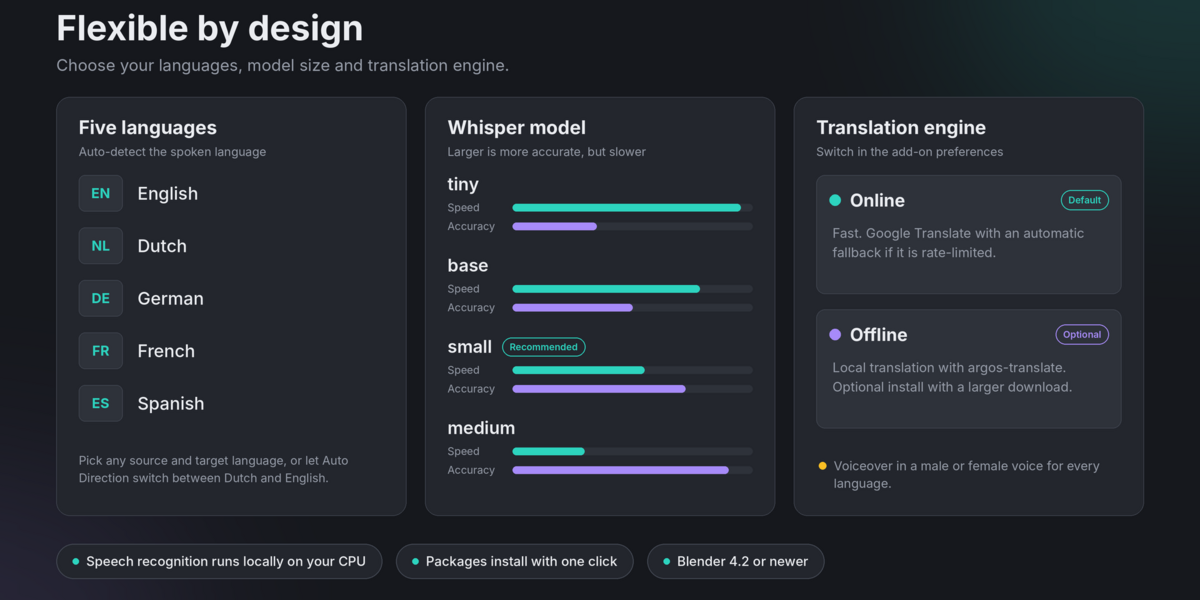
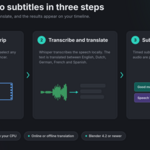
- Speech recognition: transcription runs locally with faster-whisper. You pick the model size (tiny, base, small or medium) to balance speed and accuracy.
- Translation: translate between English, Dutch, German, French and Spanish.
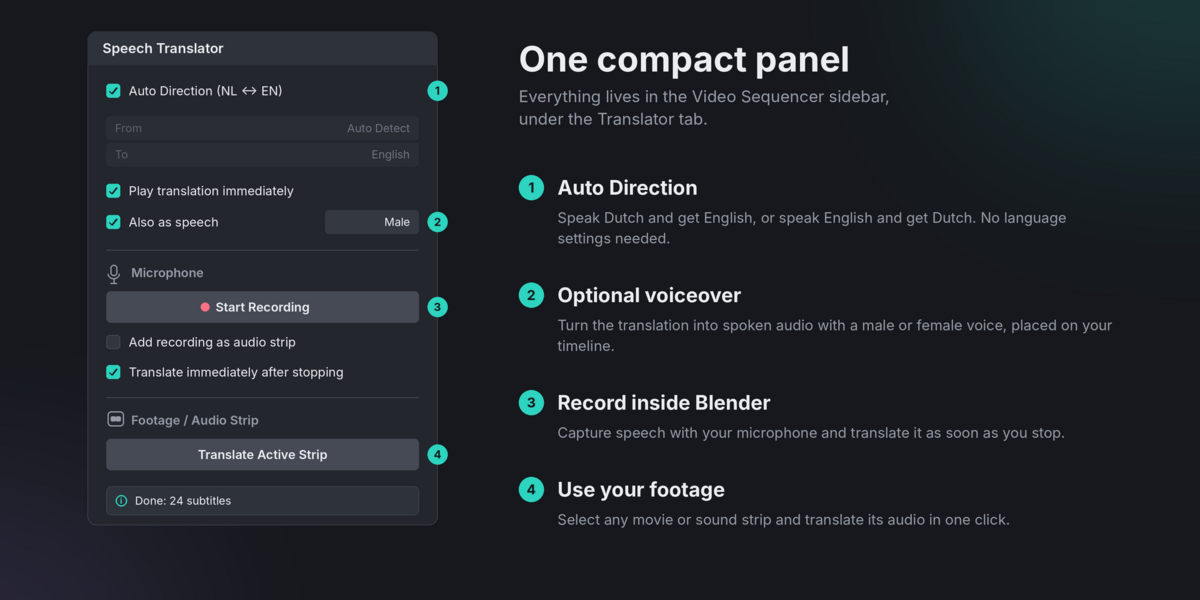
- Auto Direction (NL ↔ EN): speak Dutch and get English, speak English and get Dutch, with no language settings to change.
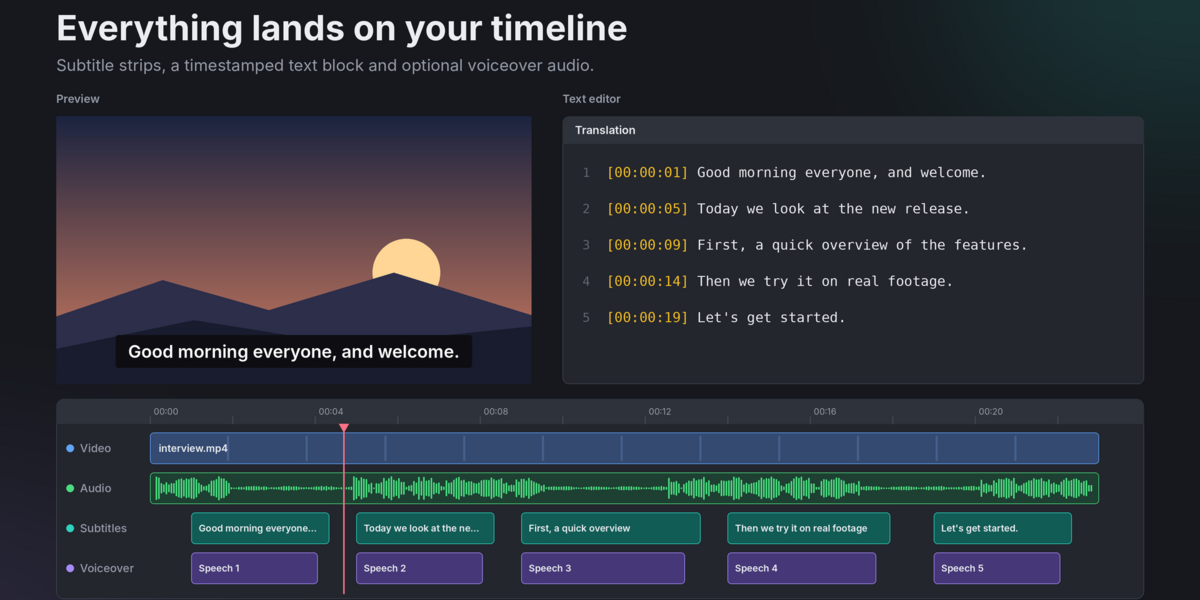
- Subtitles: timed text strips are created on a new channel, styled and positioned at the bottom of the frame. A text block with timestamps is saved as well.
- Voiceover: optionally generate the translation as spoken audio (male or female voice), placed as audio strips on your timeline. After a recording, it can play back immediately.
- Translation engine: online (fast, with an automatic fallback) or offline (argos-translate, fully local).
How it works
- Open the Video Sequencer and press N to open the sidebar.
- Go to the Translator tab.
- Install the required packages with one click (first use only).
- Record, or select a strip, and press Translate.
Requirements
- Blender 4.2 or newer.
- Internet connection for the first setup: the add-on downloads its Python packages and the speech model.
- Internet is also needed for online translation and for the voiceover. Speech recognition itself runs locally. Offline translation is available as an optional download.
- Runs on the CPU. Larger models are more accurate but take longer, so the small model is the recommended default.
Good to know
- Transcription quality depends on audio quality, accent and background noise. Always review the subtitles before publishing.
- Online translation and voiceover rely on third-party services, whose availability can change.