 tech4Art
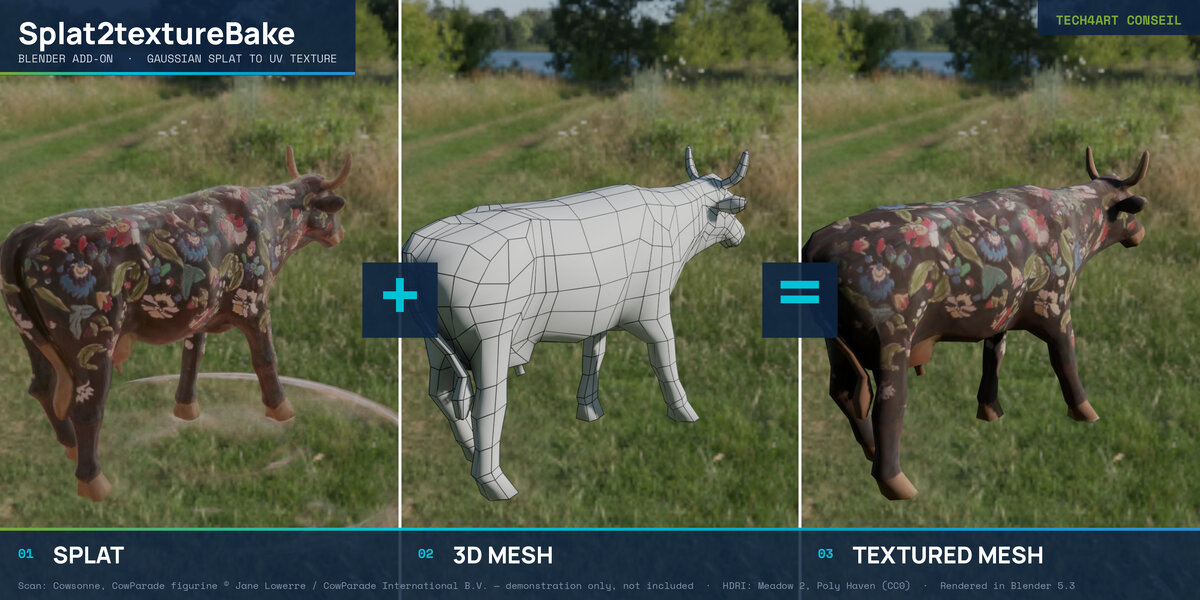
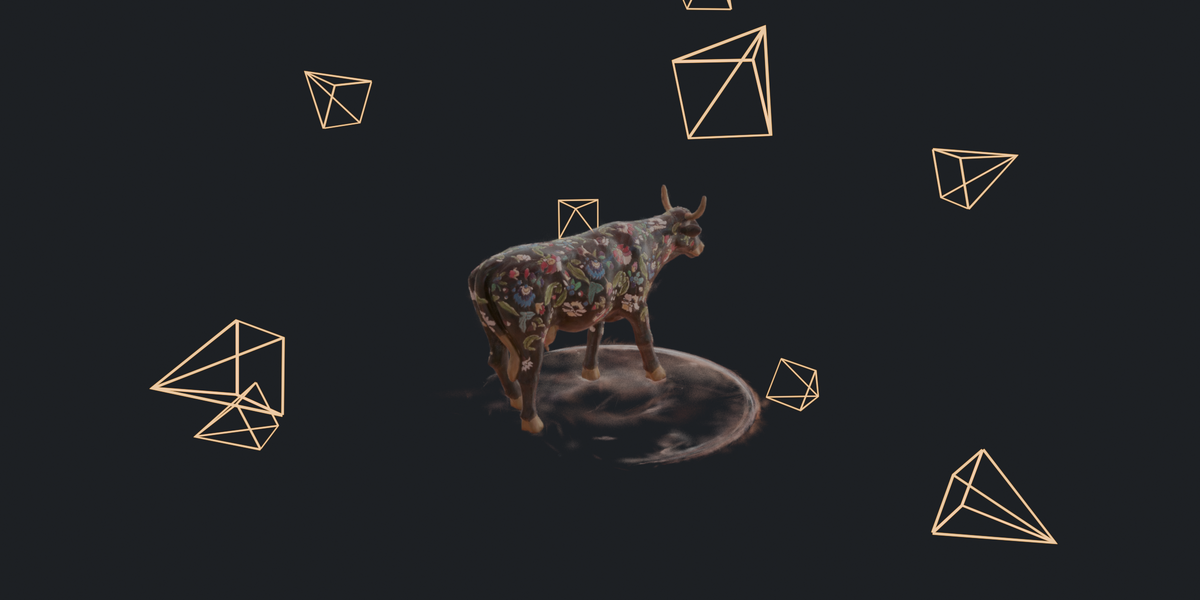
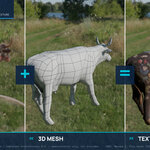
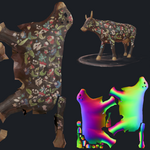
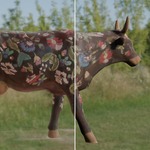
Turn a Gaussian Splat into a clean, game-ready textured mesh.
You have a 3D Gaussian Splat of a scanned object, and you made a proper low-poly retopology with your own UV layout. But your client needs a glTF for their web viewer, your game needs a real mesh, and all that color is locked inside the splat.
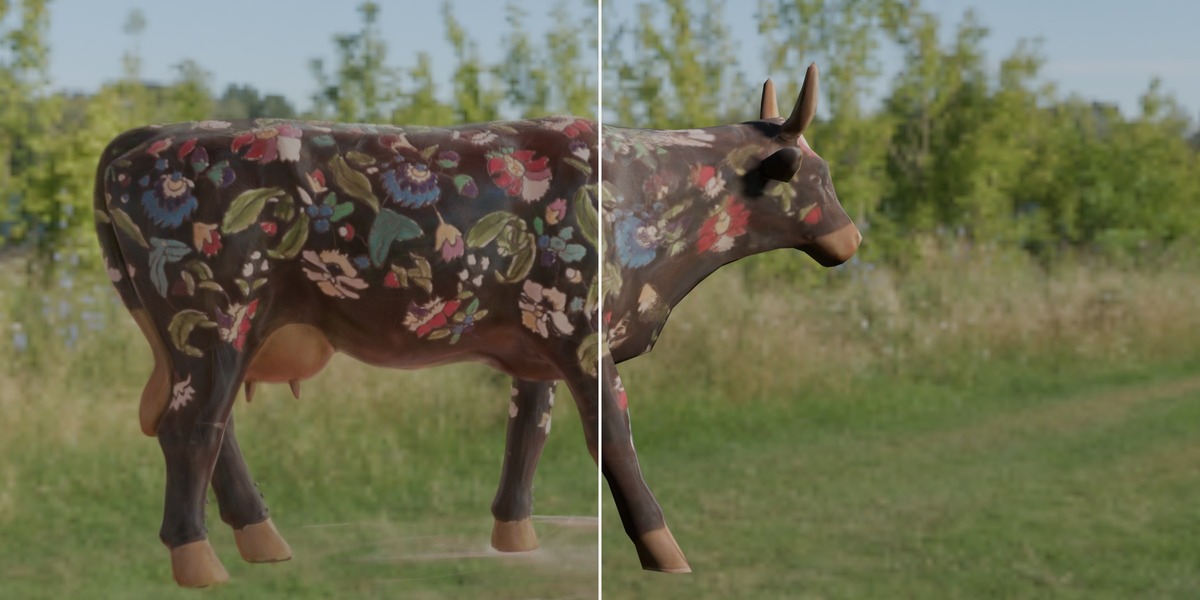
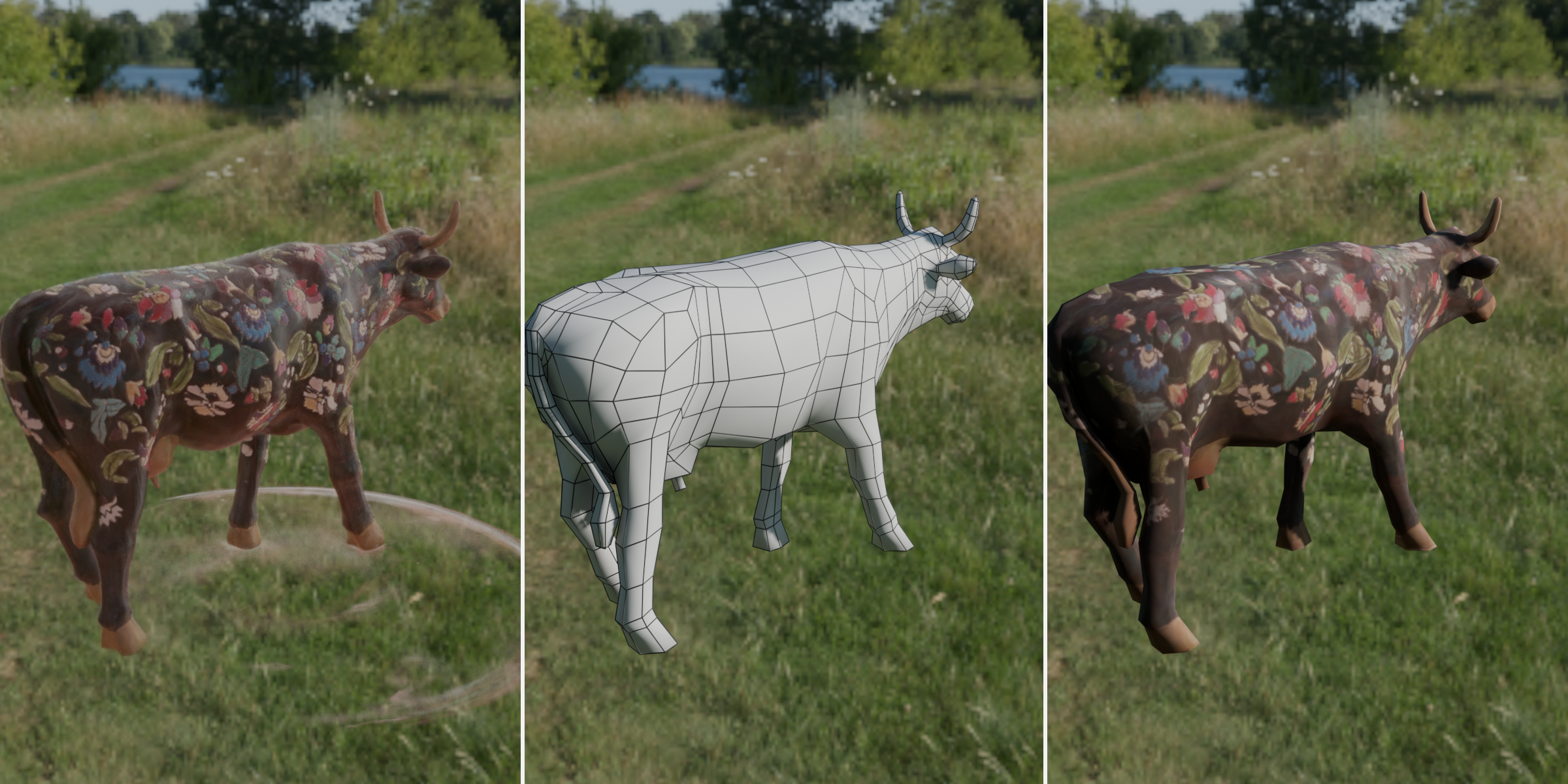
Splat2textureBake bakes the splat’s appearance into a texture on your UVs. You keep full control over topology and seams, and you get a standard Image Texture you can paint over, export to FBX/glTF or use in any engine. No projection-paint hacks, no screenshots, no external tools: one button in the N panel.
How it works
Splat2textureBake uses a multi-view approach, the same family of methods as current research on splat-to-mesh texturing (SuGaR, GStex, TexGaussian), implemented in pure NumPy so it runs entirely inside Blender.
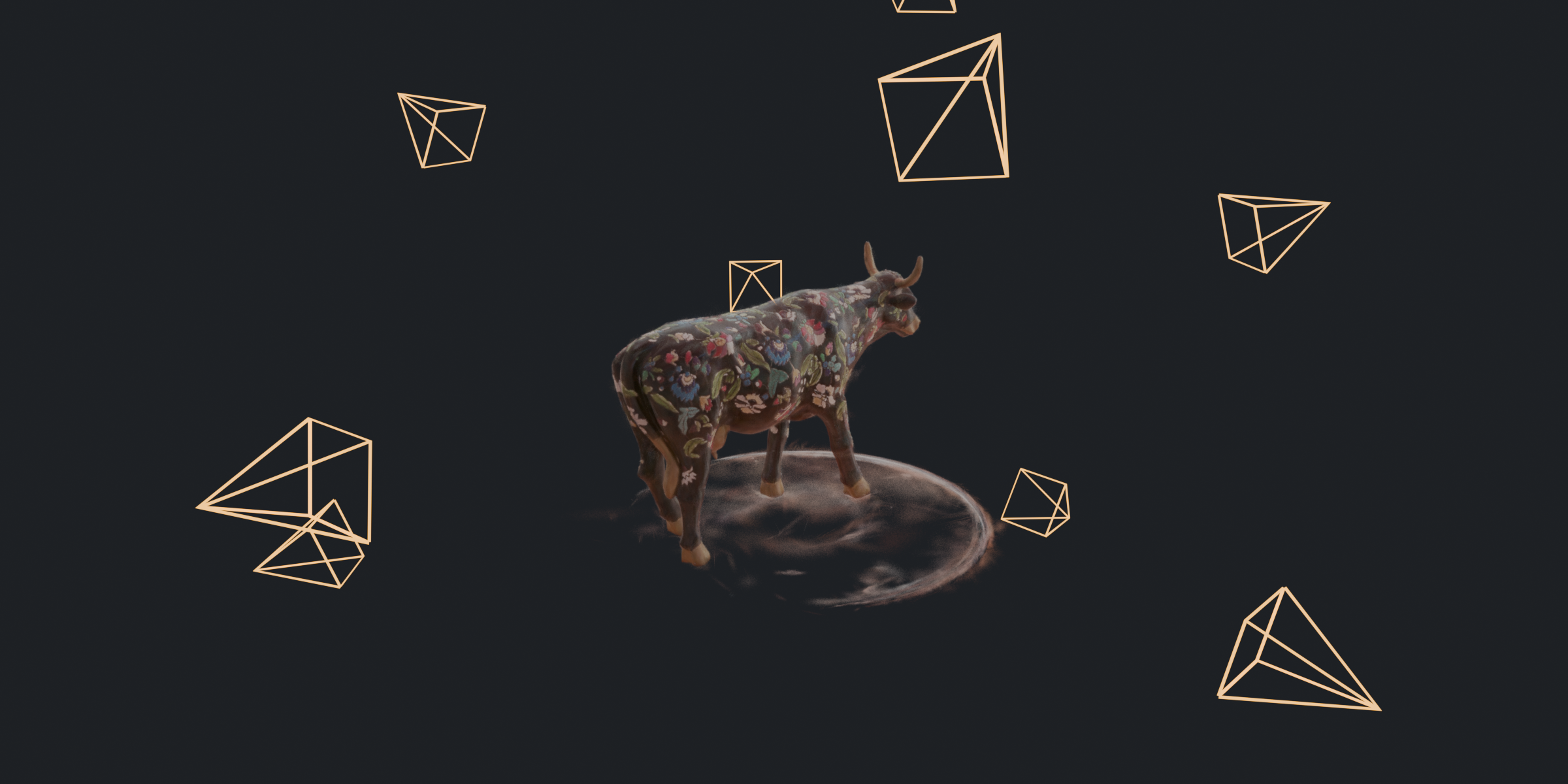
- Render views: places a rig of cameras around your objects (Fibonacci sphere or ring, 10 cameras by default) and renders the splat from each one, plus a depth pass of your meshes. Eevee by default, Cycles if you prefer.
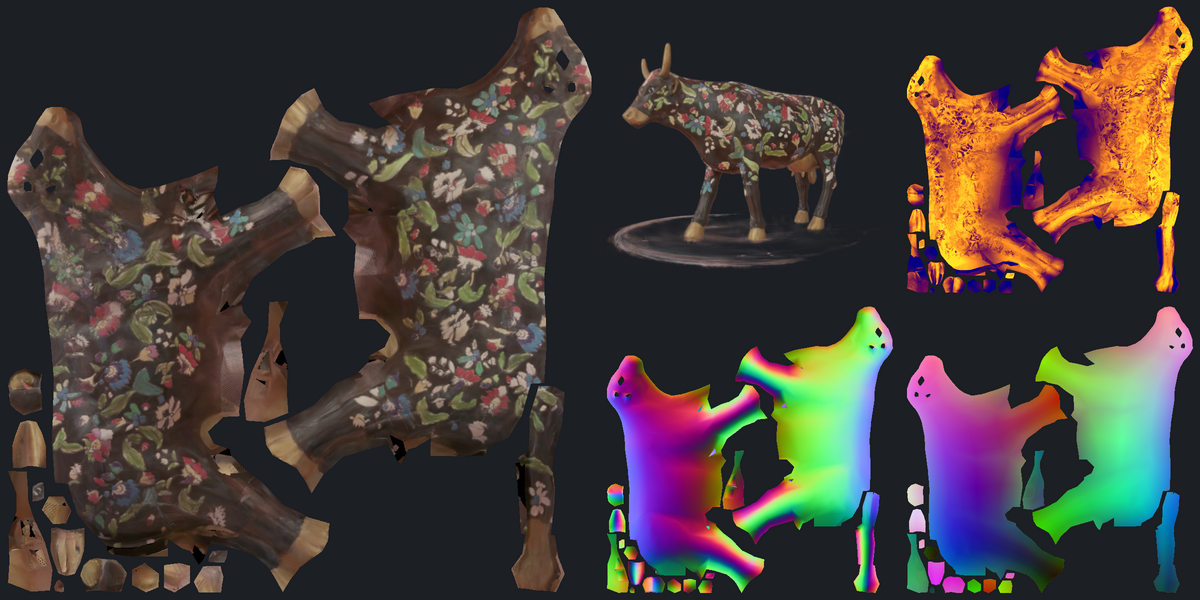
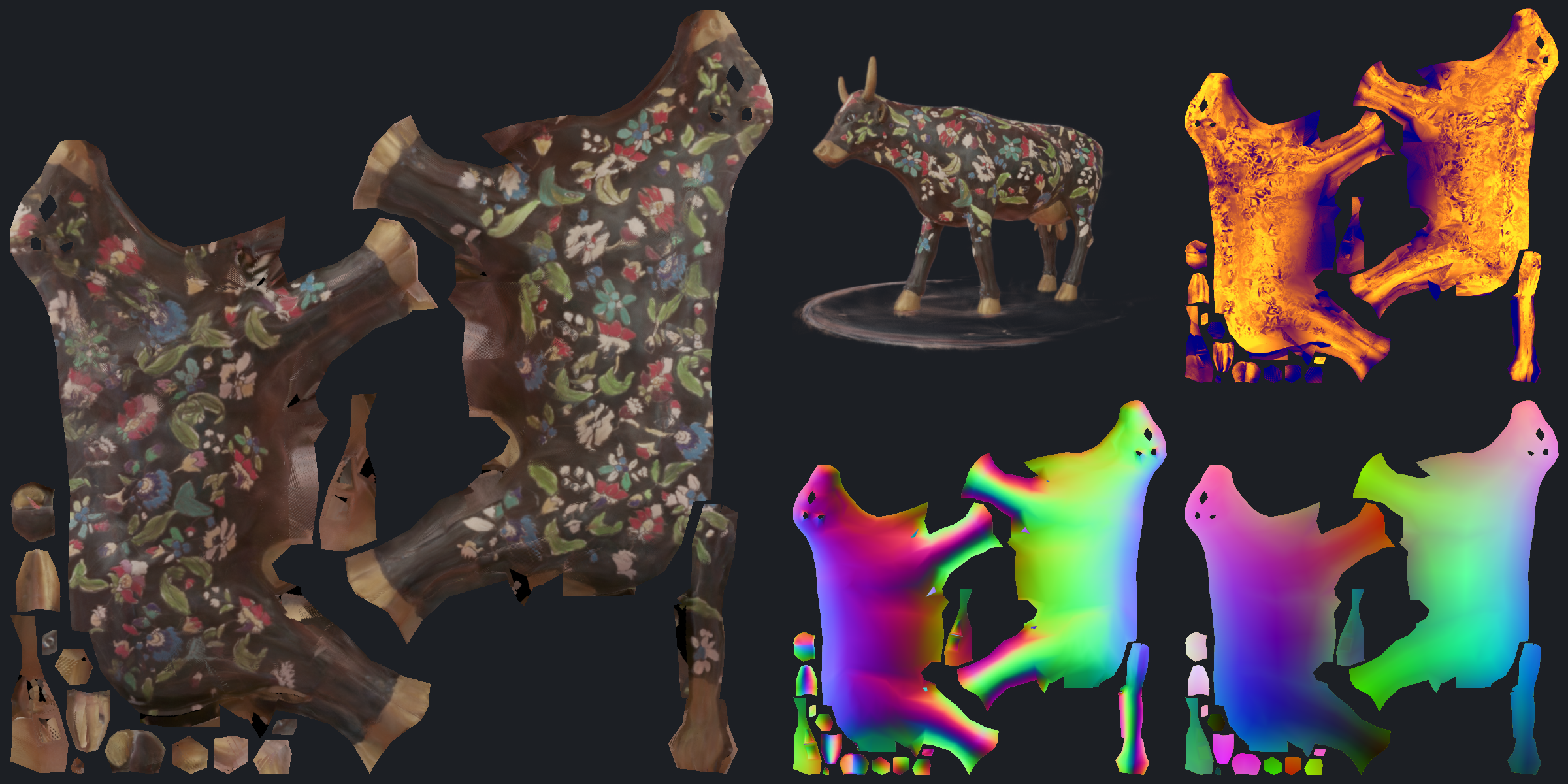
- Bake atlases: bakes the world position and normal of every texel of your UV layout.
- Fuse: projects every texel into every view, keeps only the views where the texel is really visible (depth test against all the meshes of the collection), and blends them with weights based on viewing angle and distance. An optional robust mode (IRLS) rejects outliers such as floaters and view-dependent highlights. Seams are dilated so mip-maps don’t bleed.
Bake now runs all three steps in one go, and you can cancel it at any time. Each step also has its own button and settings, and everything is saved with your .blend file.
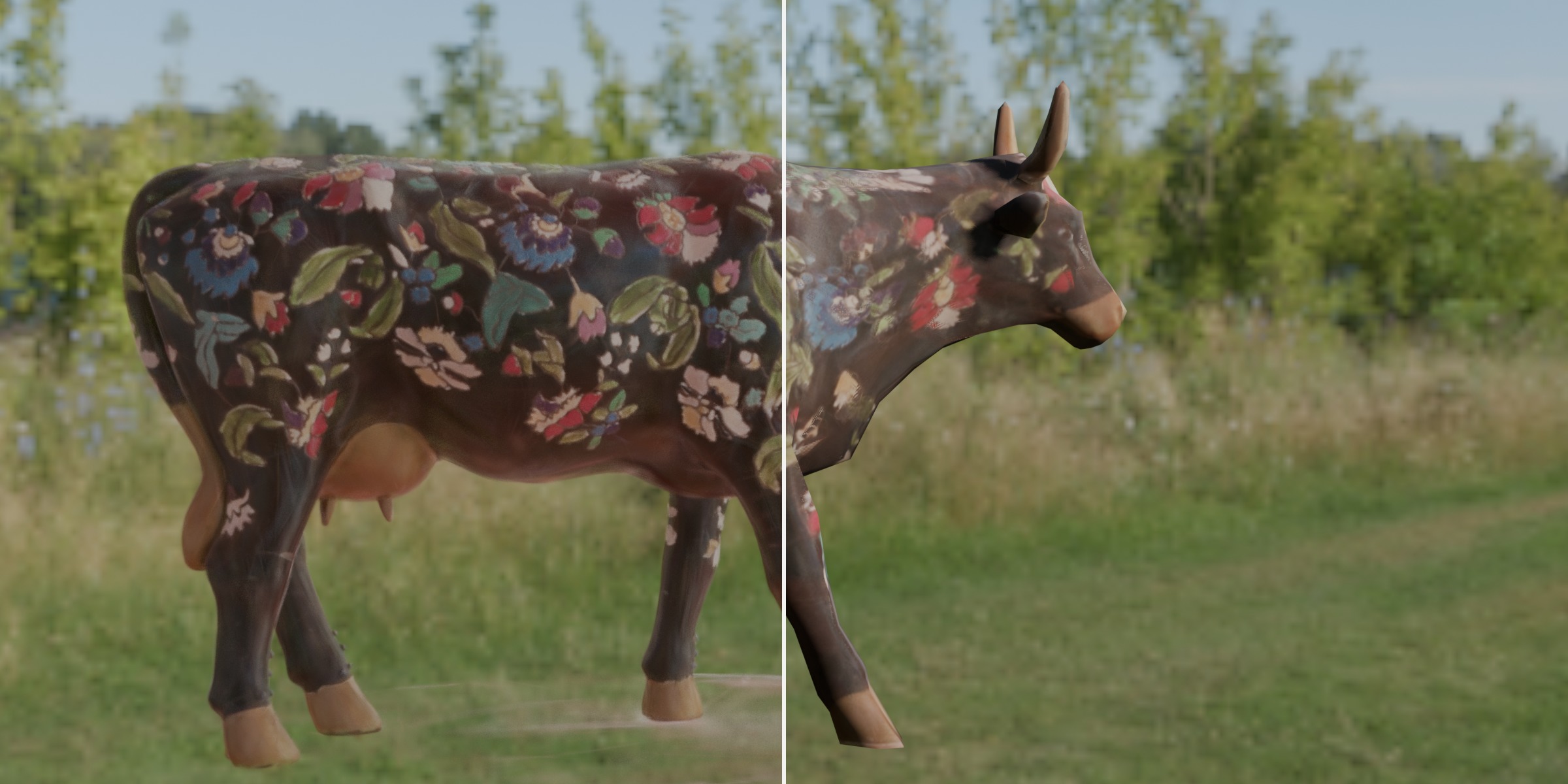
crédit : « Cowsonne © Jane Lowerre / CowParade International B.V. — scan for demonstration only
Features
- Works on your mesh and your UVs: no automatic unwrap, no remeshing.
- Multi-object: bakes every mesh of the active collection in one run. Tick or untick targets; unticked meshes still act as occluders. Views are rendered once for the whole group, so re-baking one object after a UV fix doesn’t mean re-rendering everything.
- Writes
texture.pngand aconfidence.pngmap per object, and connects the texture to the Base Color of the Principled BSDF automatically. - Coverage readout: shows the share of texels seen by at least one view, per object.
- Checks before baking: shared materials or mesh data, missing UV maps.
- Eevee (fast, default) or Cycles for the splat renders.
- Splats are detected automatically: Blender 5.3’s native Gaussian Splat point clouds, raw 3DGS PLY imports and common splat add-ons.
- No extra Python packages to install: it uses only NumPy, which ships with Blender.
- Command-line scripts for batch or headless baking, with the same options as the UI.
- Bonus: a Level-B projection-paint operator, which projects the splat views onto the active mesh with Blender’s own texture paint.
Performance (measured, Blender 5.3)
Test scene: a 360 k-splat scan (native 5.3 point cloud), 10 objects baked as a group, 10 Fibonacci views at 1024², on an RTX 4060 Laptop.
- Render views: about 1.4 s per view with Eevee (plus 0.2 s for the depth pass), roughly 16 s for the whole rig. Cycles at 64 samples: about 6.6 s per view.
- Bake atlases: about 20 s for the 10 objects.
- Fuse & apply: about 35 s for the 10 textures.
- Full bake, 10 textured objects: just over a minute. Peak RAM under 1 GB with Eevee.
Rendering is not the bottleneck: doubling the view count adds about 15 s. Timings are stable from run to run and written to timings.json in the output folder, so you can profile your own scenes.
Who it’s for
- 3D generalists turning scans into game-ready or web-ready assets.
- E-commerce and product teams who need lightweight textured meshes from photogrammetry or splat captures.
- Technical artists building a splat → mesh pipeline who want a documented, scriptable tool rather than a black box.
- Teachers and students who want to understand the full chain, from capture to textured mesh.
Why I built it
I’m a 3D generalist and trainer with 20 years in production — feature animation, DCC tool development, teaching. I use Gaussian splats on client scans, and every time I needed a textured mesh I ended up with a fragile projection-paint setup that broke as soon as the UVs changed. Splat2textureBake is the tool I wanted in my own pipeline, written against a review of the current methods and tested on real multi-object scans.
Coming soon
A Pro version with PBR capability is in development.
Requirements
- Blender 5.2 LTS or newer. Fully tested on 5.3 with the native splat importer.
- A Gaussian Splat that Blender can render with Eevee or Cycles: a native splat in Blender 5.3, or one imported with a 3DGS splat add-on in 5.2. Splat2textureBake bakes what Blender renders. It does not import splats.
- A retopologised mesh with a UV map, aligned with the splat.
- RAM: every view is kept in memory (about 1.7 GB for 81 views at 1024 px). The default of 10 views needs much less.
Limitations — read before buying
- Bakes the diffuse colour as seen: lighting and reflections captured in the splat end up in the texture. No normal, roughness or delighting pass. Set your splat to SH degree 0 (view-independent colour) for the cleanest result.
- Areas no camera can see (deep cavities, undersides) get no colour. Use the confidence map to find them, then add cameras or paint them by hand.
- Overlapping UVs produce artifacts: unwrap properly first.
- Rendering and fusion block the Blender UI while they run (progress shown in the cursor; Bake now can be cancelled).
- Tested on Windows with Blender 5.2 and 5.3. Linux and macOS are not tested yet (pure Python + NumPy, no compiled dependency, so they should work).
Licence and support
GPL-3.0-or-later, as required for Blender add-ons; ships as readable Python source. Your purchase funds development and gives you updates and support. Questions: Superhive inbox (answered within 72 hours) or [email protected].
DOCUMENTATION
Installation
From the Superhive remote repository (recommended)
- Add Superhive as a remote repository in Blender (Superhive account > Blender extensions), then install Splat2textureBake from Get Extensions. Updates then arrive automatically.
From the zip file
- Download
splat2tex-0.1.0.zip. Do not unzip it. - In Blender: Edit > Preferences > Get Extensions, then the drop-down at the top right, then Install from Disk…, and choose the zip.
- Make sure Splat2textureBake is ticked in Preferences > Add-ons.
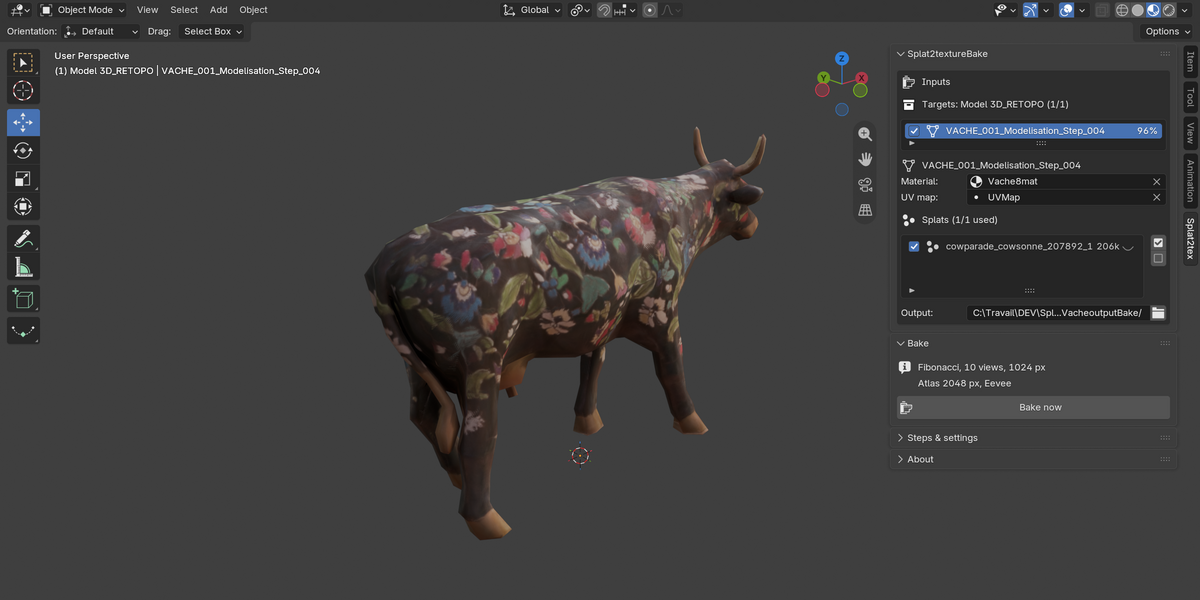
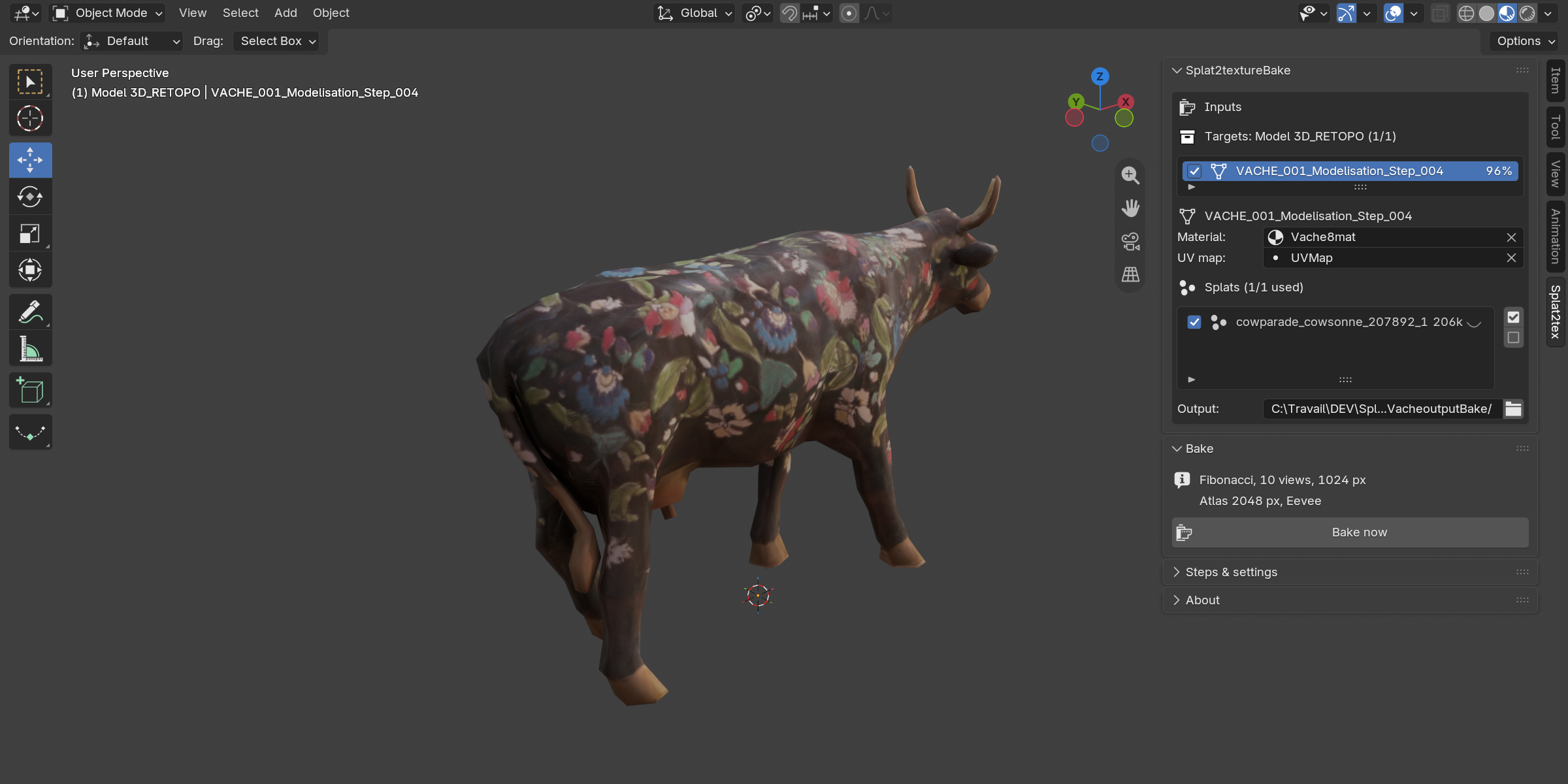
- In the 3D View, press N and open the Splat2tex tab.
Quick start
- Import or load your Gaussian Splat and check that it shows in a render (F12).
- Put your retopo mesh(es) in a collection and make that collection active in the Outliner. Each mesh needs a UV map.
- In N panel > Splat2tex, set the Output folder.
- In the Inputs list, check that your target meshes are ticked and that the splat is found.
- Click Bake now. When it finishes, each mesh has a
splat2tex_textureimage connected to Base Color, and the files are in<output>/<object>/texture.png.
Targets
- Targets are the render-visible, non-splat meshes of the active collection, child collections included. If the Scene Collection is active, only the active mesh is a target.
- An unticked mesh gets no texture but still blocks the view in the depth test, so you can change ticks without rendering the views again.
- The Material and UV map pickers apply to the highlighted row. If a mesh has no material, one is created.
- The bake buttons are disabled, with an explanation, when two ticked targets share a material or mesh data, when a target has no UV map, or when a picked material or UV map no longer exists. A mesh with several materials gets a warning: only the picked material receives the texture.
Steps & settings (optional panel)
1. Views
- Rig: Fibonacci sphere (even coverage, default) or ring.
- Cameras: 10 by default. Add more for complex shapes with many hidden areas.
- Resolution, FOV.
-
Keep cameras: keep the
SplatCamscollection after rendering, for example to reuse the cameras for projection paint. - Render views renders once for the whole group. The rig is fitted to the group’s combined bounding box.
2. Atlases
- Resolution of the texture (for example 2048).
- Bake atlases creates one Position / Normal / Mask set per target.
3. Fuse
- Alpha min: ignore splat pixels more transparent than this.
- Depth tolerance (% of distance): how strict the visibility test is. Raise it if you see holes, lower it if colour leaks across thin parts.
- Robust (IRLS): rejects outlier views. On by default.
-
Fuse & apply texture writes
texture.pngandconfidence.pngand connects the texture. It stops if the group changed since the views were rendered.
Add-on preferences
- Render engine for the splat views: Eevee (default) or Cycles, with a sample count.
Output folder layout
<output>/cameras.json, group.json, timings.json, views/   rendered once for the group
<output>/<object>/atlas_pos.exr, atlas_nrm.exr, atlas_mask.png
<output>/<object>/texture.png, confidence.png
Command line (batch)
blender -b scene.blend -P render_views.py -- --out <dir> [--n-cams 10] [--res 1024] [--object NAME]
blender -b scene.blend -P bake_atlas.py   -- --out <dir> [--res 2048] [--object NAME] [--uv UVMap]
blender -b scene.blend -P fuse_texture.py -- --out <dir> [--material M] [--depth-tol 0.005]
The scripts are in the installed add-on folder.
Support
Questions and bug reports: Superhive inbox (answered within 72 hours), or [email protected]. Please include your Blender version, the system console output and, if possible, a small .blend file.
FAQ
Does it import or render splats?
No. Use Blender 5.3’s native splat import, or any splat add-on that renders in Eevee or Cycles. Splat2textureBake bakes what Blender renders.
Does it make the retopology or the UVs?
No, on purpose: you keep full control. Any mesh with a UV map works.
Why are some areas black?
No camera saw them. Check confidence.png, add cameras, or switch the rig. Very deep cavities may need hand painting.
Colours look blurry or doubled.
The mesh is not well aligned with the splat, or the depth tolerance is too high. Check the alignment and lower Depth tolerance.
Can I bake several objects at once?
Yes. Every ticked mesh of the active collection is baked in one run, each into its own texture.
How long does a bake take?
On an RTX 4060 Laptop, 10 objects with 10 views at 1024² and 2K textures bake in just over a minute with Eevee. Timings are saved in timings.json.
Can I use the result in a game engine?
Yes. The output is a plain PNG on your UVs. Textures you create are yours, for personal or commercial use.
Is the source code included?
Yes. The add-on is GPL-3.0-or-later and ships as readable Python source.
About the demo images
The object in the screenshots is a scan of Cowsonne, a CowParade collectible figurine (polyresin, “Large” size) reproducing the cow painted by Jane Lowerre for CowParade West Hartford 2003. CowParade® is a registered trademark of CowParade International B.V.; the cow shape is © Pascal Knapp and the artwork remains the property of the artist. The figurine is used here for demonstration only, to show the add-on on a real scanned object: the splat, the mesh and the textures of this cow are not included in the product, and Splat2textureBake is not affiliated with, sponsored by or endorsed by CowParade or the artist.
PRODUCT VERSIONS — 0.1.0
First release.
- Level C bake: multi-view render, Position/Normal atlases, weighted and robust fusion, seam dilation.
- One-click, cancellable Bake now.
- Multi-object targets from the active collection, with occluders.
- Eevee or Cycles renders.
- Detects Blender 5.3 native splat point clouds; tested on Blender 5.2 and 5.3 (Windows).
- Projection-paint operator (Level B).
- About panel with licence and store information.