 Hisoka852




📖 Overview
Spline Creator is a Blender add-on designed for creating, editing, and exporting splines. It supports Bezier, NURBS, and Poly curves, with advanced tools for projection, trimming, snapping, and DXF R12 export.
📦 What it Includes
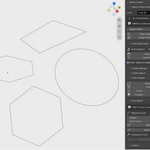
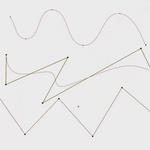
Curve creation tools (Bezier, NURBS, Poly)
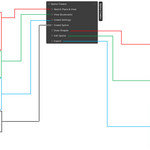
Plane-locking modes (Free, View, Curve, XY, XZ, YZ, Surface)
Interactive trim tool with overlay visualization
Projection operators for aligning points to planes
DXF R12 export with color mapping
View bookmarks (save, load, align, clear)
Customizable resolution, degree, and sampling options
⚙️ Installation
Download the .zip file containing the add-on.
In Blender, go to Edit > Preferences > Add-ons.
Click Install, select the .zip, and enable Spline Creator.
🔍 Where to Find It
Once installed, access it in View3D > Sidebar > Spline Creator. Operators are available under the Curve menu.
🛠 Recommended Workflow
Choose spline type (Bezier, NURBS, Poly).
Set plane mode for construction (Free, View, Curve, or Surface).
Draw or snap points interactively.
Use projection tools to align curves to planes.
Trim or rebuild splines as needed.
Export to DXF for CAD workflows.
⚠️ Safety Notes
Ensure curves are selected before running export or projection operators.
DXF export overwrites files if the same name is used—double-check paths.
Large sample counts may impact performance.
💻 Compatibility
Blender 3.0+
Tested with AutoCAD R12 DXF format
👤 Author
Developed by Hisoka852.
$15
Have questions about this product?
Login to message
| Blender Extension Compatible | Yes |
| Published | 2 months ago |
| Blender Version | 4.2 - 5.2 |
| Extension Type | Add-on |
| Render Engine Used | Blender-Internal |
| License | GPL |