Splines Growth
 Mergim Sahiti


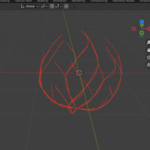
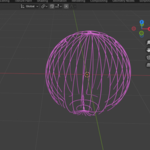
Splines Growth is a Blender add-on that generates organic spline-based growth animations directly on mesh surfaces. It is designed for artists, animators, and motion designers who want to quickly create growing vines, roots, abstract energy effects, or procedural curve animations without relying on Geometry Nodes.
The add-on is lightweight, intuitive, and fully integrated into Blender’s 3D Viewport Sidebar, making it beginner-friendly while still powerful for advanced users.
🔹 Getting Started
1. Installation
-
Download the
.zipfile from Superhive after purchase. -
In Blender, go to Edit > Preferences > Add-ons.
-
Click Install… and select the
.zipfile. -
Enable the checkbox next to Splines Growth.
-
The add-on will appear under 3D View > Sidebar > Splines Growth.
🔹 How to Use
Step 1: Select a Target Mesh
-
Choose any mesh object in your scene where you want splines to grow.
-
Select at least one vertex on the mesh. The growth will begin from this point.
Step 2: Adjust Add-on Settings
Open the sidebar (N-panel) → Splines Growth tab.
Here you can configure:
-
Number of Splines
-
Start/End Frames
-
Growth Speed (min & max)
-
Curvature randomness
-
Radius variation
-
Reverse animation option
Step 3: Generate Splines
-
Click Generate Growth Splines.
-
The add-on will automatically:
-
Generate randomized splines across your mesh
-
Apply an emission material
-
Animate their growth over time
-
Step 4: Render & Customize
-
Splines are generated as Bezier Curves.
-
You can edit bevel resolution, materials, and keyframes for further customization.
Step 5: Cleanup
-
To remove all generated splines, click Delete All Splines.
🔹 Customization Options (Properties Explained)
| Property | Description |
|---|---|
| Target Mesh | The mesh object on which splines will grow. |
| Number of Splines | Total splines to generate (1–1000). |
| Start Frame | Frame where animation begins. |
| End Frame | Frame where animation ends. |
| Reverse Animation | Makes splines grow backwards (end → start). |
| Max Random Offset | Adds variation to curvature for organic results. |
| Min/Max Growth Speed | Randomized spline growth speed range. |
| Min/Max Radius | Controls spline thickness range. |
Have questions about this product?
Login to message
| Dev Fund Contributor | |
| Published | about 1 year ago |
| Blender Version | 4.0 - 4.4 |
| Extension Type | N/A |
| Render Engine Used | Arnold, Blender-Internal, Cycles, Eevee, Octane |
| License | GPL |

Discover more products like this
Procedural Animation splines blender addon roots curve growth organic growth animation motion graphics FX ivy generator vines