 auron3d
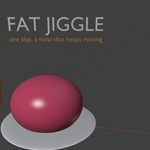
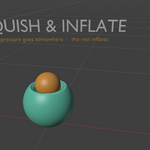
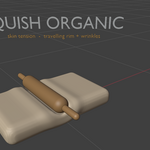
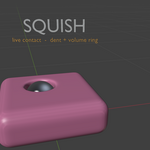
# SquishyFX
Non-destructive soft-body effects for Blender 5.2, driven by Geometry Nodes
and a small set of Python handlers. SquishyFX makes flesh react to
colliders — squashing, bulging, jiggling and rippling — without ever
touching the base mesh, without a physics cache, and without leaving the
modifier stack.
**Version 3.3.0**
---
## Table of contents
1. [How it works](#how-it-works)
2. [Quick start](#quick-start)
3. [The collision core](#the-collision-core)
4. [Effects reference](#effects-reference)
5. [Colliders](#colliders)
6. [Masking with vertex groups](#masking-with-vertex-groups)
7. [The impulse system](#the-impulse-system)
8. [Baking](#baking)
9. [Presets](#presets)
10. [Operator reference](#operator-reference)
11. [Placement in the modifier stack](#placement-in-the-modifier-stack)
12. [Troubleshooting](#troubleshooting)
13. [Changelog](#changelog)
14. [Architecture](#architecture)
---
## How it works
Every effect is a Geometry Nodes group generated procedurally by Python.
Adding an effect creates a node group (if it does not exist yet) and a
modifier that references it, so the deformation is evaluated live in the
viewport and at render time.
Two things live outside the node tree:
- **Frame handlers** compute the impulse envelope (see
[The impulse system](#the-impulse-system)), because a Geometry Nodes
tree cannot remember what happened on the previous frame without a
Simulation Zone.
- **Operators** handle collider wiring, presets, baking and node group
rebuilds.
Nothing is destructive. Disable the modifier and the mesh is exactly as it
was.
---
## Quick start
1. **Mark your colliders.** Select the objects that should push the flesh
and press **Detect Colliders**, or press **Add Collider Sphere** to
create one. Both put the objects into the `SquishyFX Colliders`
collection.
2. **Select the flesh object** and, optionally, assign a vertex group to
limit the effect to one region (a breast, a glute, a belly).
3. **Apply an effect** from the panel. Set **Mask** to your vertex group.
4. **Tune.** Start with *Collision Offset* and the effect's main strength
slider; everything else is refinement.
5. Press **Play** for the motion-based effects (Fat Jiggle, Ripple,
Penetration, Squish Organic) — they are gated on playback so the
viewport stays responsive while you model.
---
## The collision core
All effects share the same contact solver, which is what gives them a
consistent look. Understanding it makes every slider obvious.
### Inside test
Before anything deforms, each vertex has to be classified as inside or
outside the collider. SquishyFX uses two independent probes and takes
whichever one fires:
- **Normal probe** — a ray along the vertex normal. If the first thing it
hits is a *back face* of the collider, the vertex is inside.
- **Fixed dual-axis probe** — two rays along a generic direction and its
opposite, independent of the vertex normal. This catches the cases the
normal probe misses: normals lying tangent to the collider surface,
protruding volumes, and contacts where the normal ray exits through a
*different* collider's front face.
A veto pass then discards false positives (a vertex only counts as inside
if the opposite direction also hits the collider), and a self-collision
range guard prevents a mesh from detecting itself across the body.
### Flesh conform
Projecting each vertex onto the nearest point of the collider — the
classic approach — never looks like flesh: it sucks vertices onto the
surface, stamps the collider's silhouette into the mesh, and pinches
ridges along its edges. SquishyFX instead does what flesh does:
1. **Flattens** against the pushing face. The contact axis is estimated
from the average normal of the contact region (weighted by
inside × Mask), and each vertex escapes along that axis. Because the
axis is constant across a contact, neighbouring vertices move
coherently and the surface does not tear.
2. **Spills** sideways. A radial escape perpendicular to the contact axis
pushes flesh out around the flanks of the collider — the bulge you
expect around a pressing object.
The two escapes are blended per vertex with a biased smooth-minimum
controlled by **Splay** (0 = flatten only, 1 = spill only), so the shorter
path wins with a continuous transition.
### Skin ramp
**Collision Offset** is the thickness of skin kept between flesh and
collider. It is not applied as a constant: it ramps in with penetration
depth (`offset × min(p / 2·offset, 1)`). A grazing touch deforms almost
nothing and releases cleanly; firm pressure gets the full offset and never
clips. This is what removes the "suction" artifact when a collider pulls
away.
### Density-aware smoothing
Blur Attribute diffuses across topological rings, not distance. On a dense
mesh the same iteration count covers millimetres instead of centimetres and
the smoothing collapses into sharp seams and spiky ridges. SquishyFX
measures the mean edge length of the incoming mesh and scales the
iterations by `clamp(8 mm / mean_edge, 1, 6)`. On normal-density meshes
the factor is 1 and the sliders behave exactly as labelled.
---
## Effects reference
Every effect exposes **Mask**, **Collision Offset**, **Collision Object**
and **Collision Collection**. Only the distinctive parameters are listed
below.
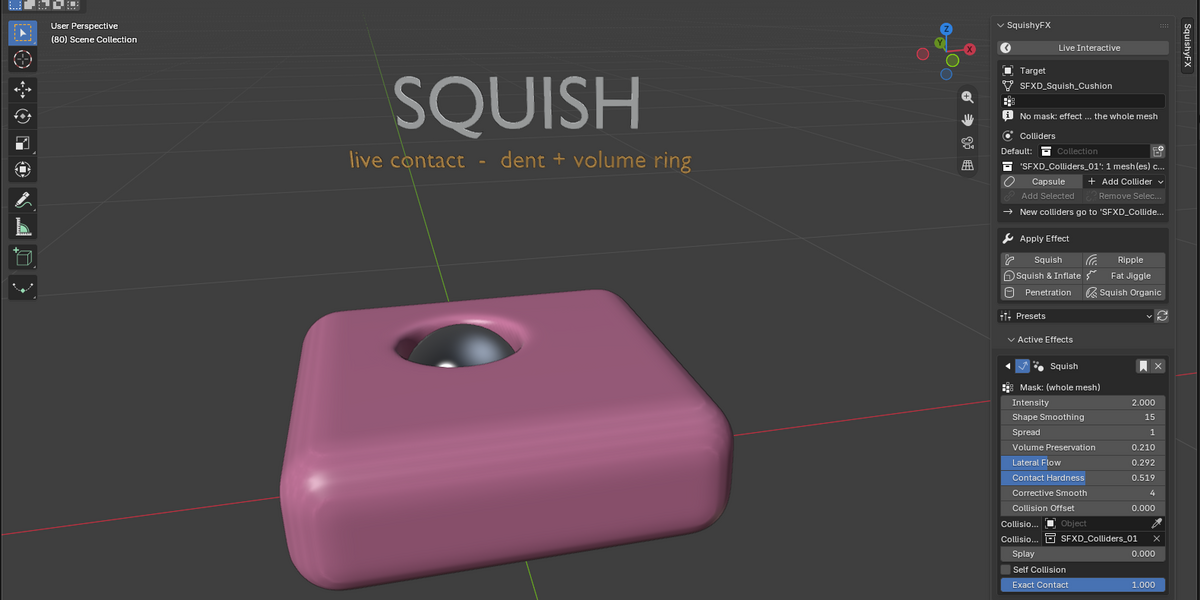
### Squish
Pure compression. Flesh flattens where the collider presses and flows
around it. The workhorse for static poses and contact shots.
| Parameter | Meaning |
|---|---|
| Intensity | Overall amount of compression. |
| Shape Smoothing | Diffusion of the contact footprint. Higher = softer, wider deformation. |
| Spread | Radius of the surrounding halo that reacts to the contact. |
| Volume Preservation | How much displaced volume is pushed back out around the contact. |
| Lateral Flow | Sideways flow of flesh away from the contact centre. |
| Contact Hardness | Strength of the second, corrective pass that cleans up residual clipping. |
| Corrective Smooth | Final relaxation pass over the deformed region. |
| Splay | Flatten (0) vs. spill sideways (1). |
| Self Collision | Let the mesh collide with itself. |
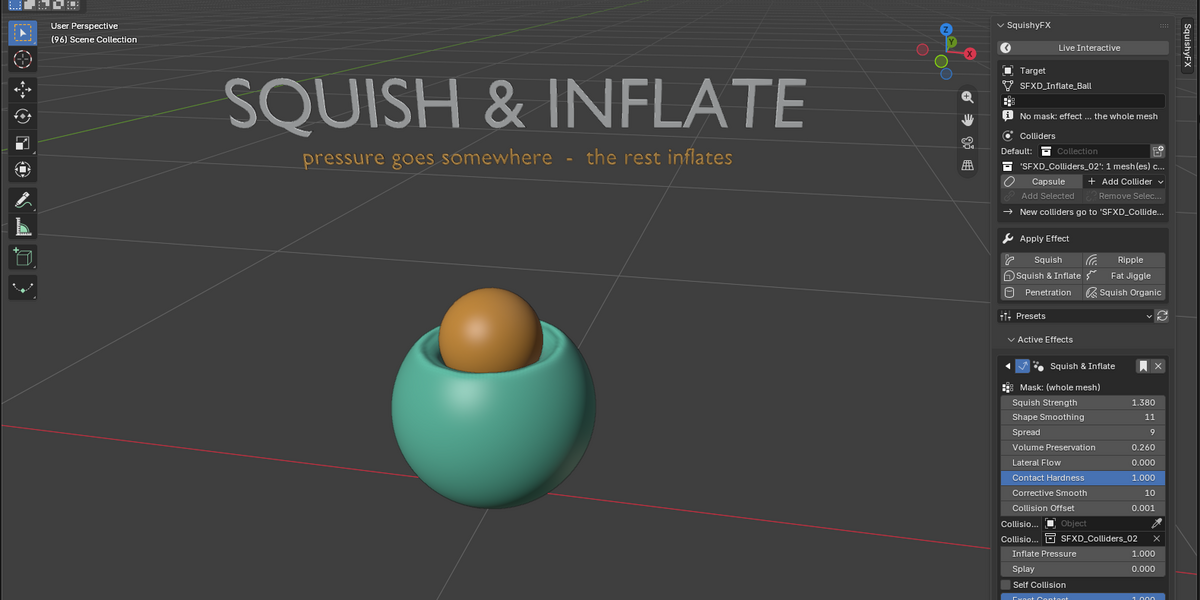
### Squish & Inflate
Squish plus outward pressure, for flesh that reads as full rather than
merely compressed.
| Parameter | Default | Meaning |
|---|---|---|
| Squish Strength | 1.38 | Compression amount. |
| Inflate Pressure | 1.0 | Outward pressure applied across the masked region. |
| Shape Smoothing | 11 | Footprint diffusion. |
| Spread | 9 | Halo radius. |
| Volume Preservation | 0.26 | Volume pushed back out. |
| Lateral Flow | 0.0 | Sideways flow. |
| Contact Hardness | 0.0 | Corrective pass strength. |
| Corrective Smooth | 10 | Final relaxation. |
| Collision Offset | 0.0011 | Skin thickness. |
| Splay | 0.0 | Flatten vs. spill. |
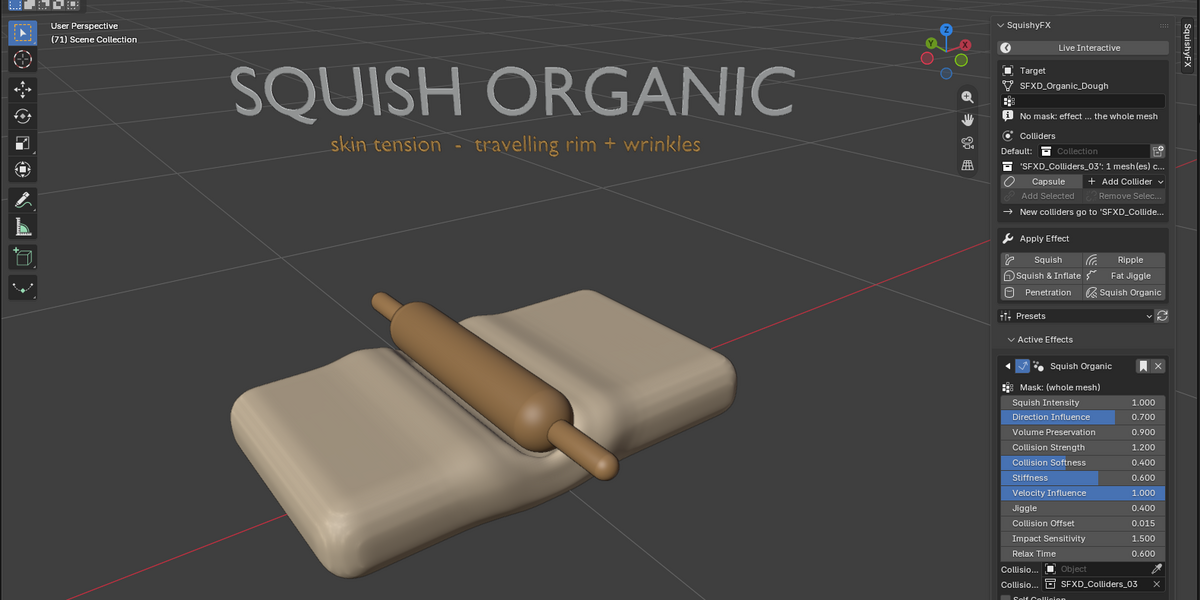
### Squish Organic
Velocity-aware squish with secondary motion — flesh that reacts to *how*
the collider arrives, not just where it is.
| Parameter | Default | Meaning |
|---|---|---|
| Squish Intensity | 1.0 | Compression amount. |
| Direction Influence | 0.7 | How much the collider's travel direction steers the deformation. |
| Volume Preservation | 0.9 | Volume pushed back out. |
| Collision Strength | 1.2 | Weight of the contact term. |
| Collision Softness | 0.4 | Softness of the contact falloff. |
| Stiffness | 0.6 | Resistance of the flesh; higher settles faster. |
| Velocity Influence | 1.0 | How strongly relative velocity drives the effect. |
| Jiggle | 0.4 | Amount of secondary wobble. |
| Collision Offset | 0.015 | Skin thickness. |
Requires playback for the velocity and jiggle terms.
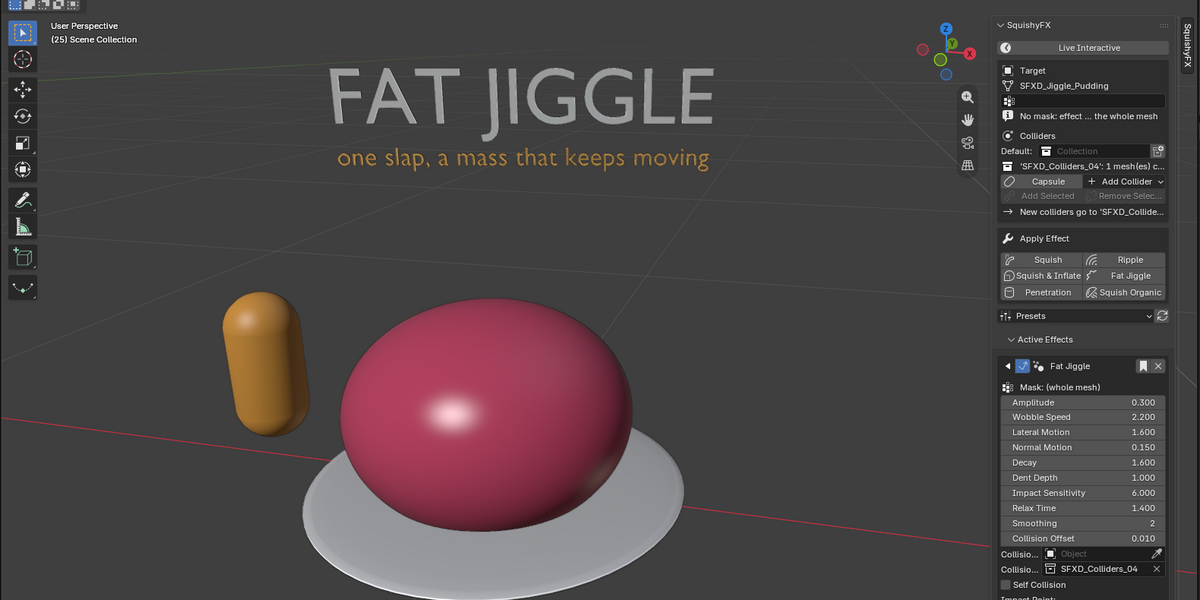
### Fat Jiggle
Physics-flavoured wobble that fires on impact and decays. The effect used
for glutes, breasts and bellies.
| Parameter | Default | Meaning |
|---|---|---|
| Amplitude | 0.08 | Size of the wobble, in metres. |
| Wobble Scale | 2.5 | Spatial frequency of the wobble field. |
| Wobble Speed | 2.0 | Oscillation rate. |
| Lateral Motion | 1.0 | Wobble component across the surface. |
| Normal Motion | 0.6 | Wobble component along the normal. |
| Decay | 1.2 | How fast the wobble dies down. |
| Dent Depth | 1.0 | Depth of the static contact dent. |
| Impact Sensitivity | 1.5 | How much a hit injects into the energy envelope. |
| Relax Time | 0.6 | Seconds for the energy to fall to 1/e. |
| Energy | 0.0 | Driven by the handler; do not key it by hand. |
| Smoothing | 2 | Diffusion of the wobble offsets. |
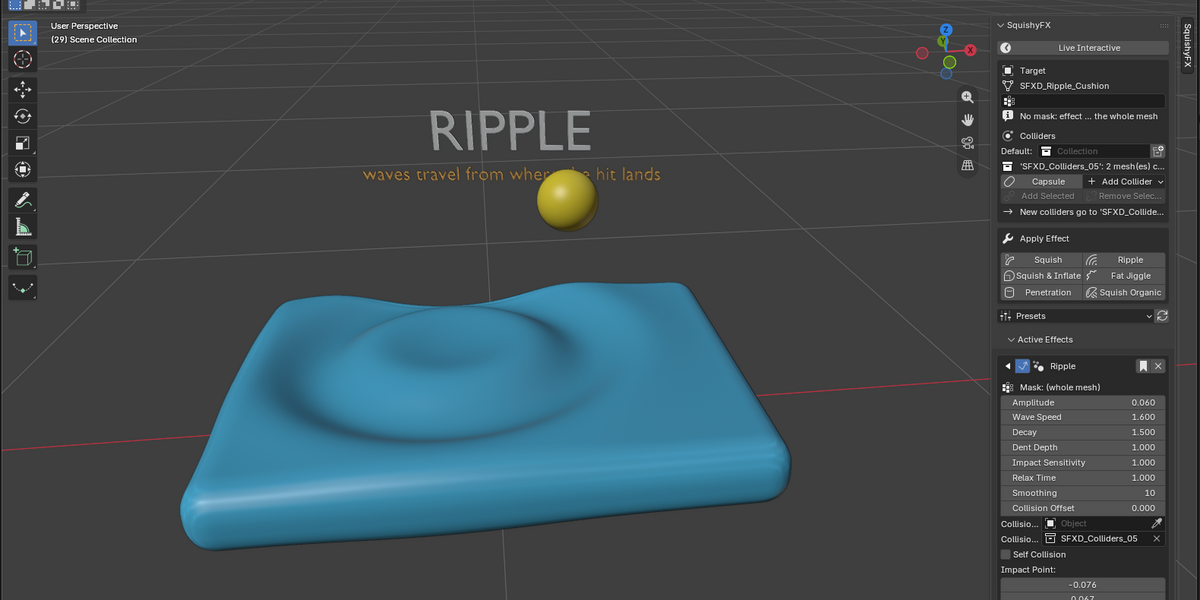
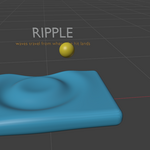
### Ripple
Travelling waves radiating from the impact point. Good for slaps and
impacts on broad surfaces.
| Parameter | Meaning |
|---|---|
| Amplitude | Wave height. |
| Frequency | Number of wave crests. |
| Wave Speed | Propagation speed. |
| Decay | Distance falloff of the wave train. |
| Dent Depth | Depth of the static contact dent. |
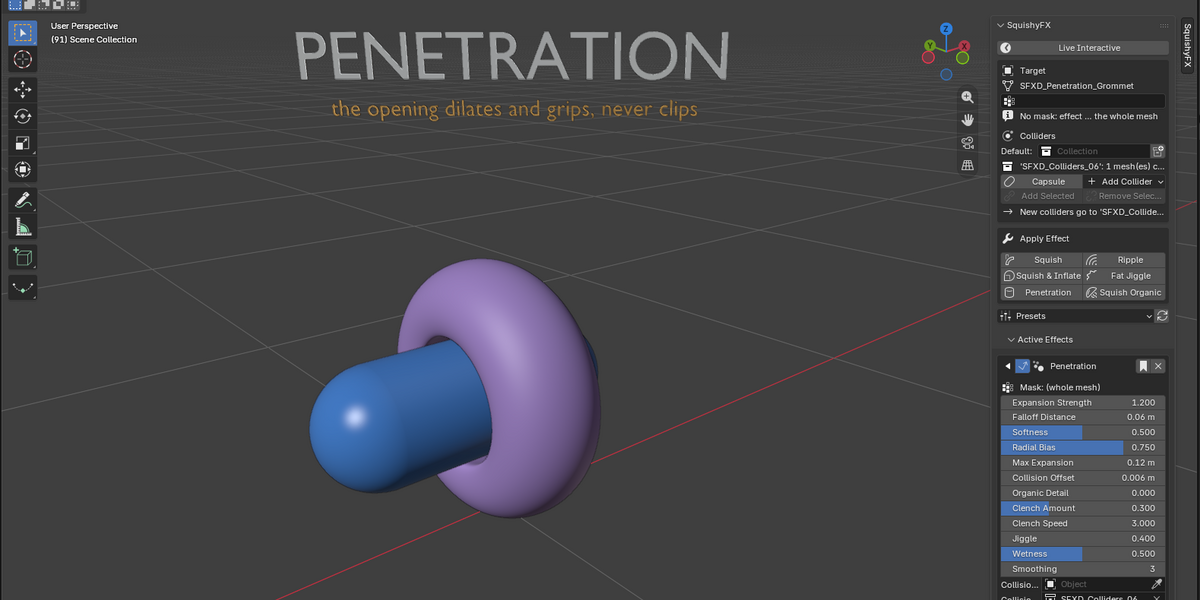
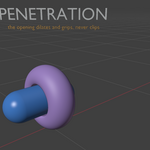
### Penetration
Contact-driven grip and clench around an inserted collider.
| Parameter | Default | Meaning |
|---|---|---|
| Grip Intensity | 1.0 | Overall strength of the grip. |
| Tightness | 0.6 | How closely the flesh wraps the collider. |
| Reach | 0.03 | Distance around the collider that responds, in metres. |
| Clench Amount | 0.3 | Amplitude of the rhythmic clench. |
| Clench Speed | 3.0 | Rate of the clench. |
| Jiggle | 0.4 | Secondary motion. |
| Wetness | 0.5 | Drives the `squishyfx_wet` attribute for shading. |
| Smoothing | 3 | Diffusion of the deformation. |
| Collision Offset | 0.006 | Skin thickness. |
---
## Colliders
Colliders are ordinary objects. Two ways to feed them to an effect:
- **Collision Collection** (recommended) — every object in the collection
pushes the flesh. **Detect Colliders** and **Add Collider Sphere** both
maintain the `SquishyFX Colliders` collection for you.
- **Collision Object** — a single object, when you want one effect to
respond to one thing only.
Closed, manifold meshes work best: the inside test relies on crossing a
back face. Colliders may be animated, parented, or driven by an armature —
the impulse system measures *relative* velocity, so it makes no difference
whether the collider moves into the body or the body moves into the
collider.
**Self Collision** treats the deformed mesh as its own collider, with a
range guard so distant parts of the body do not falsely register.
---
## Masking with vertex groups
Set **Mask** to a vertex group and the effect only applies where the group
has weight. Weights are used as a multiplier, so feathered edges give
feathered transitions — paint a soft falloff at the border of a breast or
glute and the deformation will blend into the surrounding body instead of
stopping at a hard line.
The mask also weights the contact-axis estimate, so a well-painted group
makes the flesh conform behave better, not just smaller.
---
## The impulse system
Geometry Nodes has no memory between frames. SquishyFX keeps an energy
envelope in Python instead, updated on `frame_change_pre`:
```
E = E · exp(-dt / Relax Time) + hit · Impact Sensitivity
```
`hit` is derived from the **relative** speed between collider and flesh
while they overlap. When the collider is parented to or driven by an
armature, the flesh's own velocity is taken from the nearest deform bone,
so animating the character into a static collider injects energy exactly
like animating the collider into the character.
- **Energy** and **Playing** are written by the handler; they are hidden in
the panel and should not be keyed by hand.
- Effects that depend on the envelope are gated on playback: with the
timeline stopped, they contribute exactly zero.
- The envelope resets when playback starts and before a bake, so results
are deterministic.
---
## Baking
**Bake to Shape Keys** converts the live effect into keyframed shape keys —
useful for handing a scene to someone without the addon, or for exporting.
The bake stores only the SquishyFX *delta*. For each frame the stack is
evaluated twice, once with the effects on and once with them off, and the
difference is written on top of the Basis. Armature pose, active morphs and
displacement modifiers therefore cancel out and are never baked twice.
Topology-changing modifiers (Mask, Subdivision, Mirror…) are disabled for
the measurement and restored automatically, together with the current
frame, the playback state and the impulse envelope.
Enable **Disable modifiers after baking** so the baked keys do not stack on
top of the still-live effect.
**Bake Current Frame** does the same for a single frame.
---
## Presets
**Save Preset** stores the current effect's parameters under a name;
**Apply Preset** restores them onto the selected effect; **Delete Preset**
removes one. Presets are per effect type, so a Fat Jiggle preset only
offers itself to Fat Jiggle modifiers.
---
## Operator reference
| Operator | What it does |
|---|---|
| Apply Effect | Creates the node group if needed and adds the modifier. |
| Remove Effect | Removes the modifier from the active object. |
| Detect Colliders | Collects flagged objects into `SquishyFX Colliders`. |
| Add Collider Sphere | Creates a sphere collider and registers it. |
| Apply / Save / Delete Preset | Preset management. |
| Bake to Shape Keys | Delta bake across a frame range. |
| Bake Current Frame | Delta bake of a single frame. |
| Rebuild Node Groups | Regenerates all trees from the current addon version, remapping existing modifiers by socket name so tuned values survive. |
Run **Rebuild Node Groups** after updating the addon: trees saved in a
`.blend` were built by whichever version created them, and the rebuild
brings them up to date without losing your settings.
---
## Placement in the modifier stack
Put SquishyFX modifiers **before Subdivision Surface**. The effect then
runs on the base cage instead of the subdivided mesh — visually equivalent,
an order of magnitude faster, and immune to the density issues that dense
topology causes in blur-based smoothing. Place them after the Armature, so
the flesh is deformed in its posed position.
---
## Troubleshooting
**Nothing deforms.**
Check that the collider is actually in the Collision Collection (or set as
Collision Object), that the collider mesh is closed, and that the vertex
group in Mask has weight where you expect. If the collider only grazes the
surface, raise Collision Offset — the skin ramp deliberately does almost
nothing at very shallow penetration.
**The mesh tears or spikes at the contact edge.**
Raise Shape Smoothing and Spread, and lower Contact Hardness. If the
collider engulfs a protruding volume, reduce how deep it sits: a collider
swallowing several centimetres of flesh has no non-violent solution.
**The collider seems to drag the flesh when it pulls away.**
That is the skin ramp doing its job in reverse; if it persists, lower
Collision Offset.
**Playback is slow.**
Move the modifiers before Subdivision, lower Corrective Smooth and
Smoothing, and prefer a Collision Collection with only the objects that
matter.
**Values look wrong after updating.**
Run Rebuild Node Groups.
---
## Changelog
### 3.3.0
Fat Jiggle, Ripple and Penetration now use the same flesh conform as Squish
and Squish & Inflate — directional flattening along the contact axis
instead of nearest-point projection. Measured on a glute contact, edge
stretch in the contact region dropped from 1.16x to 1.03x (99th percentile
1.14x to 1.01x) while the dent deepened from 2.93 cm to 4.63 cm. Squish and
Squish & Inflate are unchanged.
### 3.2.0
Added the fixed dual-axis inside probe, combined with the existing normal
probe. Detection no longer depends on vertex normal orientation.
### 2.4.x
Density-aware blur iterations; contact conform via nearest-surface escape;
skin ramp on Collision Offset (removed the release "suction"); delta-based
Bake to Shape Keys with full stack restoration; relative collider/rig
velocity in the impulse envelope.
---
## Architecture
| File | Responsibility |
|---|---|
| `__init__.py` | Registration and `bl_info`. |
| `geometry_nodes.py` | All node group builders and the shared contact solver. |
| `operators.py` | Operators, the Blender 5.x modifier-socket compatibility layer, and the frame handlers. |
| `properties.py` | Scene and object property groups. |
| `ui.py` | Panels. |
| `presets.py` | Built-in and user presets. |
The socket compatibility layer matters if you extend the addon: in Blender
5.x a modifier's inputs are typed structs rather than plain values, and
actions store their curves in layers, so `mod_get_input` / `mod_set_input`
and the keyframe helpers in `operators.py` should be used instead of
touching the data directly.
===============================================================================
SQUISHYFX 3.10.0 - STORE DOCUMENTATION
===============================================================================
Non-destructive soft-body effects for Blender, built on Geometry Nodes and a
small set of Python handlers. Flesh reacts to colliders - squashing, bulging,
rippling and jiggling - without ever touching the base mesh, without a physics
cache, and without leaving the modifier stack.
Version ............ 3.10.0
Node tree version .. 50
Blender ............ 4.2 minimum, developed and tested on 5.1 / 5.2
Location ........... 3D Viewport > Sidebar (N) > SquishyFX
Author ............. Auron3D
===============================================================================
WHAT'S NEW IN 3.10.0
===============================================================================
Three headline changes since 3.7.0, plus a long list of fixes.
1. RIPPLE AND FAT JIGGLE WORK WITHOUT PLAYING THE TIMELINE
-----------------------------------------------------------
Both are impulse effects: their energy was written once per frame by a handler,
and their wave phase advanced with scene time. With the timeline stopped,
neither advanced - so dragging a collider around the viewport did nothing and
the effect could only be judged on playback.
They now have a wall clock of their own. Move the collider and the flesh reacts
immediately: the hit lands, the surface rings out and settles, all with the
timeline stopped. A "Live Interactive" checkbox at the top of the panel
controls it and is on by default.
2. IMPACTS RING OUT WHERE THE BLOW LANDED
-----------------------------------------------------------
The wave used to be a field glued to the collider rather than a disturbance
left in the flesh. Pulling the collider away made the whole pattern evaporate
with it instead of decaying in place, and yanking it back triggered a second
burst identical to the impact.
Both are fixed. The impact point is frozen at the moment of contact and the
waves radiate from there, and only the approaching part of the motion counts as
a hit - withdrawing the collider no longer fires anything.
3. SQUISH ORGANIC IS A GENUINELY DIFFERENT EFFECT
-----------------------------------------------------------
It used to share its entire contact core with Squish and Squish & Inflate,
adding only a velocity squash and a jiggle - both worth exactly zero in a
static pose. It now has a core of its own, based on skin tension: the displaced
volume travels across the surface into a raised rim that moves further out the
deeper the collider sinks, and the compressed band between contact and rim
creases into concentric wrinkles.
===============================================================================
THE SIX EFFECTS
===============================================================================
SQUISH
Pure compression. Flesh flattens where the collider presses and flows
around it. The workhorse for static poses and contact shots.
Live.
SQUISH & INFLATE
Contact dent plus reactive inflation of the rest of the masked region.
Live.
SQUISH ORGANIC
Skin-tension squish: travelling rim, concentric wrinkles and tangential
flow, with per-zone stiffness and velocity-driven squash & stretch.
Live; the velocity squash and the jiggle need playback.
RIPPLE
Travelling waves radiating from the impact point. Slaps and impacts on
broad surfaces.
Live.
FAT JIGGLE
Fat wobble for glutes, thighs and bellies, radiating from the impact
point, with lateral slosh and bounce.
Live.
PENETRATION
Soft-tissue channel: dilation, wrapping grip without clipping, pulsing
clench and secondary jiggle.
Live core; clench and jiggle on playback.
===============================================================================
NEW CONTROLS
===============================================================================
LIVE INTERACTIVE (panel checkbox, on by default)
-----------------------------------------------------------
Ripple and Fat Jiggle react while you drag the collider, with no timeline
playback. Turn it off to drop the background update entirely.
SUSTAIN (Ripple, Fat Jiggle - default 0)
-----------------------------------------------------------
Holds the effect running for as long as the collider stays in contact, so you
can judge the motion without animating a hit. The value is the energy floor:
1 matches the peak of a fresh impact. At 0 you get a single hit that rings out
and settles, exactly as before.
A hit and a sustained preview are identical at the moment of impact - the hit
then fades on Relax Time. Raise Relax Time if you want hits to stay lively
longer.
PREVIEW (Ripple, Fat Jiggle - default 0)
-----------------------------------------------------------
Scrubs the post-impact ring-out by hand, sweeping three Relax Time seconds from
the moment of impact. Useful for judging amplitude and decay on a still frame.
At 0 the effect behaves exactly as it always has.
SQUISH ORGANIC - FOUR NEW INPUTS
-----------------------------------------------------------
Skin Tension default 0.6
How far the displaced volume travels across the surface instead of
bulging in place. Higher values push the rim further out and make the
flesh slide.
Ridge Distance default 0.05 m
Base distance from the contact to the raised rim. The rim also moves
further out on its own as the collider sinks in.
Wrinkle Depth default 0.35
Depth of the concentric creases in the compressed band. 0 leaves the
skin smooth.
Wrinkle Count default 3.0
Number of crease rings across that band.
RAISED PARAMETER CEILINGS (Squish, Squish & Inflate, Squish Organic)
-----------------------------------------------------------
Shape Smoothing now reaches 200 (was 15), Spread 150 (was 25) and Corrective
Smooth 200 (was 10). The old ceilings were cutting off the usable range on
dense meshes with deeply inserted colliders. Defaults are unchanged, so no
existing scene changes its result.
===============================================================================
UPGRADING FROM 3.7.x OR EARLIER
===============================================================================
1. Install SquishyFX_v3.10.0.zip through
Edit > Preferences > Add-ons > Install, replacing the previous version.
2. Restart Blender. The add-on's handlers and timer are registered at
start-up.
3. Open your scene and press "Rebuild Node Groups" in the SquishyFX panel.
Step 3 matters: the node tree version moved from 45 to 50 across these
releases, and files saved with an older tree keep running the old graph until
they are rebuilt. The rebuild remaps every modifier by socket name, so your
values are preserved. New inputs arrive at their defaults, and because every
new socket was appended at the end of the list, no existing identifier moves.
If you apply a new effect before restarting, it will be built by the copy of
the add-on still loaded in memory and will come out missing the new inputs.
Restart first.
===============================================================================
CHANGELOG
===============================================================================
3.11.0 - SQUISH ORGANIC GETS A CORE OF ITS OWN
-----------------------------------------------------------
Node tree version 50. Squish, Squish & Inflate, Ripple, Fat Jiggle and
Penetration are untouched.
- Squish Organic used to call the same shared contact core as Squish and
Squish & Inflate, adding only a velocity squash and a jiggle - both worth
zero without motion or impulse energy. In a static pose it was
Squish & Inflate under another name.
- The contact is now resolved with the raw flesh conform, and on top of it
sits what makes the effect its own: displaced volume travels across the
surface into a rim whose radius grows with penetration depth, the
compressed band creases into concentric rings, and the flesh slides
tangentially rather than inflating in place.
- Collision fixed. A second anti-clip pass runs on the already-expelled
mesh, because the directional escape does not clear a deep penetration in
one go.
- Four new inputs: Skin Tension, Ridge Distance, Wrinkle Depth,
Wrinkle Count.
3.9.2 - SUSTAIN RUNS CONTINUOUSLY, PHASE NO LONGER JUMPS
-----------------------------------------------------------
Python only, tree version unchanged.
- 3.9.1 re-fired the impulse to loop the hit, which put a hard cut in the
middle of the motion. Two discontinuities were stacking: restarting the
clock teleported the whole noise field, and the energy jumped in a single
frame.
- Phase and envelope now live on separate inputs. The clock never restarts
while the effect is alive, not even on a fresh hit - an impact moves the
anchor and raises the energy, it does not move time. Only the amplitude
jumps, which is what an impact actually does.
- This also removes a phase jump that occurred between two hits in quick
succession.
3.9.1 - SUPERSEDED BY 3.9.2
-----------------------------------------------------------
Sustain looped the hit rather than holding it. Replaced because the loop
introduced a visible cut.
3.9.0 - SUSTAIN
-----------------------------------------------------------
Node tree version 49.
- New Sustain slider on Ripple and Fat Jiggle. At 0 the behaviour is what
it was: a slap that rings out and settles. At 1 the effect never stops
while contact lasts.
- Works on playback, in render and with the timeline stopped.
3.8.2 - LIVE INTERACTIVE
-----------------------------------------------------------
Node tree version unchanged.
- A background timer gives Ripple and Fat Jiggle a wall clock, so they
animate while you drag the collider with the timeline stopped.
- New "Live Interactive" checkbox, on by default.
- The timer stands down during playback, where the per-frame handler owns
the effect.
3.8.1 - FAT JIGGLE ANCHOR AND THE PREVIEW SLIDER
-----------------------------------------------------------
Node tree version 48.
- Fat Jiggle now measures its falloff against the impact point instead of a
live proximity query to the collider, as Ripple did in 3.8.0.
- New Preview slider on both effects.
- Preview and the internal impact anchor are excluded from presets.
3.8.0 - RIPPLE RINGS OUT WHERE THE BLOW LANDED
-----------------------------------------------------------
Node tree version 47.
- The wave phase and falloff were measured with a live proximity query
against the collider, which made the ripple a field glued to the hand
rather than a disturbance left in the flesh. Pulling the collider away
made the effect evaporate rather than decay.
- Distance is now measured against an impact point frozen at the moment of
contact and rewritten only on frames that actually inject energy.
- The contact dent still releases when the collider leaves. That is correct
for a slap: the flesh sinks and springs back. What persists is the
ripple.
3.7.2 - IMPACTS ONLY, NOT WITHDRAWALS
-----------------------------------------------------------
Python only, tree version unchanged.
- The impulse handler measured the magnitude of relative velocity, which
cannot tell entering from leaving, so pulling the collider away quickly
triggered a second burst identical to the impact.
- The relative velocity is now projected onto the collider-to-flesh axis
and only the approaching component counts. The ring-out is unchanged - it
comes from the Relax Time decay, not from re-injection.
- Drag on Penetration still uses unsigned relative motion on purpose:
friction pulls the flesh both ways.
3.7.1 - PARAMETER CEILINGS
-----------------------------------------------------------
Node tree version 46. No default changes, so no existing scene changes its
result.
- Shape Smoothing maximum raised from 15 to 200, Spread from 25 to 150,
Corrective Smooth from 10 to 200. The old ceilings were cutting off the
usable range on dense meshes with deeply inserted colliders.
- Worth knowing: these are smoothing passes, and smoothing shrinks. Pushing
them hard buys lower distortion by paying in compression and surface
area. Watch the silhouette, not just the creasing.
===============================================================================
DOCUMENTATION FIXES IN THIS RELEASE
===============================================================================
The bundled README had drifted from the code. Corrected:
- The Penetration parameter table documented three controls that do not
exist (Grip Intensity, Tightness, Reach) and omitted eight that do
(Expansion Strength, Falloff Distance, Softness, Radial Bias,
Max Expansion, Organic Detail, Impact Sensitivity, Relax Time).
- Collision Offset was missing from the Squish and Fat Jiggle tables, and
Impact Sensitivity / Relax Time from Squish Organic.
- The Impact Sensitivity tooltip still claimed the impulse fires "both on
impact AND on release", which stopped being true in 3.7.2.
- The Wobble Scale tooltip had untranslated text in it.
- The Decay tooltip on Fat Jiggle referred to distance from the collider;
it is now distance from the impact point.
===============================================================================
KNOWN LIMITATIONS
===============================================================================
- Penetration still uses a live proximity query, so it is not anchored the
way Ripple and Fat Jiggle are. It is a different effect with a different
problem and was deliberately left alone.
- Squish and Squish & Inflate leave more residual penetration on very deep
contacts than Squish Organic does, which received a second anti-clip pass
in 3.10.0. Their shared core was not touched in this release.
- Squish Organic distorts edges more than the other squish effects. That is
the cost of moving flesh laterally instead of only pressing it in. Lower
Skin Tension if it is too much for your topology.
- A collider that swallows several centimetres of flesh has no non-violent
solution in any of the effects. Reduce how deep it sits.
===============================================================================
REQUIREMENTS
===============================================================================
- Blender 4.2 or newer (developed on 5.1 / 5.2)
- No external dependencies, no compiled parts, no physics cache
- Works with rigged and animated characters; effects are placed after the
Armature modifier automatically
===============================================================================
# SquishyFX 3.12.5 — Documentation update
Nine edits to merge into `README.md`. Each fenced block is the final English
text; everything outside the blocks is instruction, not content.
This supersedes the earlier 3.12.4 draft. Edits 1, 8 and 9 are new or
revised since that draft; the rest are unchanged.
Reference: current `README.md` is 879 lines / 43,141 bytes at version
3.11.0. Line numbers refer to that file.
---
## Edit 1 — Version header (line 9)
Replace `**Version 3.11.0**` with:
```markdown
**Version 3.12.5**
```
---
## Edit 2 — Table of contents (lines 13–29)
Insert a new entry after `4. [Effects reference]` and renumber the rest:
```markdown
## Table of contents
1. [How it works](#how-it-works)
2. [Quick start](#quick-start)
3. [The collision core](#the-collision-core)
4. [Effects reference](#effects-reference)
5. [Combining effects](#combining-effects)
6. [Colliders](#colliders)
7. [Masking with vertex groups](#masking-with-vertex-groups)
8. [The impulse system](#the-impulse-system)
9. [Baking](#baking)
10. [Presets](#presets)
11. [Operator reference](#operator-reference)
12. [Placement in the modifier stack](#placement-in-the-modifier-stack)
13. [Troubleshooting](#troubleshooting)
14. [Changelog](#changelog)
15. [Architecture](#architecture)
```
---
## Edit 3 — Replace the whole `### Ripple` section (lines 234–257)
```markdown
### Ripple
Waves radiating from the impact point. Good for slaps and impacts on broad
surfaces. Two modes share the same node tree: **Single Wave**, one ring per
hit, and the classic continuous wave train.
| Parameter | Default | Meaning |
|---|---|---|
| Amplitude | 0.23 | Wave height along the normal. |
| Frequency | 8.0 | Crests per unit of distance. Classic mode only. |
| Wave Speed | 4.0 | Phase speed in classic mode; **linear front speed in units per second** in Single Wave. |
| Decay | 1.5 | Distance falloff of the amplitude. |
| Dent Depth | 1.0 | Depth of the static contact footprint. |
| Impact Sensitivity | 1.5 | How much a hit injects into the energy envelope. |
| Relax Time | 0.6 | Seconds for the ring-out to fall to 1/e. |
| Smoothing | 10 | Diffusion of the final offsets. |
| Collision Offset | 0.0 | Skin thickness above the collider surface. |
| Single Wave | on | One ring per hit instead of a continuous train. |
| Wave Width | 0.10 | Thickness of the travelling ring. Single Wave only. |
| Wave Range | 0.5 | Distance the ring travels before it is retired. Single Wave only. |
| Sustain | 0.0 | Holds the effect running while the collider stays in contact. Classic mode only. |
| Preview | 0.0 | Scrubs the ring-out without playing the timeline. 0 = off. |
`Collision Offset` ships at 0.0, which seats the flesh exactly on the
collider surface. Raise it to 0.01 or so if you see flicker or micro
interpenetration on dense meshes or with fast-moving colliders.
#### Single Wave
The classic train is periodic in distance: at any instant the whole mesh
carries concentric crests every `2π / Frequency`, and the falloff
`exp(-distance · Decay)` depends only on distance, never on time. Nothing
propagates out of the contact point — only the phase turns.
Single Wave measures distance to the **wavefront** instead:
```
u = Wave Speed · age − distance
ring = −(1 − 2x²) · e^(−x²) with x = u / Wave Width
```
That is an inverted Ricker wavelet: compactly supported, so exactly one
ring exists at a time, and it travels outward at `Wave Speed`. Measured on
a flat grid with `Wave Speed` 0.8, the crater centre sits at 0.080 m after
0.10 s, 0.239 m after 0.30 s and 0.479 m after 0.60 s. Amplitude fades
twice over: `Decay` with distance travelled, `Relax Time` with elapsed
time.
The wavelet is negative at the front, so a hit **sinks** the contact point
and the trailing lobes lift the rim, the way a struck surface actually
behaves. An attack ramp brings the amplitude in while the front covers its
first `Wave Width`, so the ring is born at zero instead of appearing at
full height in a single evaluation.
In this mode `Frequency` and `Sustain` do nothing and the panel hides them;
`Wave Width` and `Wave Range` appear instead.
#### Choosing Wave Speed
`Wave Speed` means something different here, and the default of 4.0 comes
from the classic mode where it is a phase rate. As a linear speed, 4.0 is
fast: the ring crosses the default `Wave Range` of 0.5 m in 0.125 s, which
at 30 fps is under four frames — visible in the viewport as a flash, and
easy to miss entirely on a rendered pass.
The number of frames the ring is on screen is:
```
frames = Wave Range / Wave Speed × fps
```
Pick `Wave Speed` from the size of the piece. On a body part roughly 1.5 m
across, 0.5 to 1.0 gives a ring that reads clearly; 1.0 m of `Wave Range`
at `Wave Speed` 0.7 is about 43 frames at 30 fps.
#### One ring per hit
The impulse integrator injects energy on every frame where the collider is
closing while in contact, so a push lasting ten frames is ten injections.
Single Wave adds a latch that turns the impact into an **event**: the ring
fires on the rising edge, and does not re-arm until the collider breaks
contact or the ring finishes its run. Ring lifetime is
`Wave Range / Wave Speed + 3 · Relax Time`; past it, the effect switches
off completely and the mesh returns to rest.
`Impact Point` is written only on the shot, so the centre of the ring stays
where the blow landed instead of being dragged along by the collider.
Measured over a sequence of six frames of sustained contact, four with the
collider still but not closing, four with no contact and three of a second
hit: **two rings, not thirteen**.
```
---
## Edit 4 — Extend the closing paragraph of `### Fat Jiggle` (lines 229–233)
Keep the existing paragraph and append the second one:
```markdown
The wobble radiates from the point where the collider struck, not from
wherever the collider currently is. That anchor is frozen at the moment of
impact and held while the energy rings out, so pulling the collider away
leaves the fat wobbling in place instead of switching it off.
The static footprint is not gated on playback. It is a stateless conform:
with no contact the conform already returns zero, so gating it only erased
it in the one case where it mattered — the collider pressed in and the
energy had run out, and the flesh un-dented with the collider still buried
in it. The playback gate now covers the wobble alone.
```
---
## Edit 5 — New section, insert after `### Penetration`, before `## Colliders`
```markdown
---
## Combining effects
Effects stack. **Apply** always creates a new modifier, never reuses an
existing one, and all handler state — energy, phase clock, impact anchor,
the Single Wave latch — is keyed per `(object, modifier)`, so each entry in
the stack runs its own independent simulation from the same hit.
Two Ripple modifiers with different `Wave Speed` produce two rings from one
impact. Measured with 0.8 and 2.0 at the same age of 0.15 s: troughs at
0.12 m and 0.30 m, each at its own full depth, with no interference.
A useful three-layer setup:
| Layer | Role | Notes |
|---|---|---|
| Fat Jiggle | Mass wobble, and owner of the footprint | `Dent Depth` 1.0 |
| Ripple (tight) | Fast narrow ring, the snap of the hit | High `Wave Speed`, low `Wave Width`, `Dent Depth` 0 |
| Ripple (wide) | Slow broad swell across the piece | Low `Wave Speed`, high `Wave Width`, `Dent Depth` 0 |
Three things to watch:
- **Set `Dent Depth` to 0 on everything but the first effect.** The
footprint is a conform onto the collider. Once the first modifier has
pushed the flesh clear, the next finds nothing inside and contributes
nothing — but it still pays for the raycasts.
- **`Smoothing` compounds.** Three stacked effects at `Smoothing` 10 is
thirty blur iterations over the mesh. It is the first thing to lower if
the viewport gets heavy.
- **Each modifier sees the mesh already deformed by the ones above it.**
For waves that is what you want, since they add; for footprints it means
order matters.
Measured cost of Fat Jiggle plus two Ripple modifiers on a 12,292-vertex
mesh: 36.1 ms per evaluation. Idle cost stays low — the reach early-out
short-circuits each tree when no collider is near and its energy is zero.
```
---
## Edit 6 — Replace the second bullet of `## The impulse system` (line 424)
```markdown
- Effects that depend on the envelope are gated on playback: with the
timeline stopped, the **time-based** part of each effect contributes
exactly zero. Static contact footprints are not gated — they evaluate
live, as Squish and Penetration always have.
```
---
## Edit 7 — Append to the end of `## The impulse system`, before the `---`
```markdown
### Two drivers, one set of sockets
The envelope is written by two separate drivers, and only ever one of them
at a time:
| Driver | Clock | Runs when |
|---|---|---|
| `frame_change` handler | Frame time (`1 / fps`) | Playback, rendering, baking |
| Interactive timer | Wall clock | Viewport only, with **Live Interactive** on |
The timer stands down while the timeline is playing and while a render is
in progress, and each driver keeps its own state, so they cannot advance
the same wave twice. This matters because a rendered frame can take
seconds of wall clock: a wall-clock driver left running during a render
would age an impulse out of existence between one frame and the next,
producing a render that does not match the viewport.
```
---
## Edit 8 — New troubleshooting entry, insert before **Values look wrong after updating**
```markdown
**The render does not match the viewport — the effect is barely there.**
First check `Wave Speed` against your frame rate. In Single Wave mode it is
a linear speed, so `Wave Range / Wave Speed × fps` is how many frames the
ring is on screen; at the default 4.0 with a 0.5 m range that is under four
frames at 30 fps, which reads fine while scrubbing and almost vanishes in a
finished pass. See *Choosing Wave Speed* under Ripple. If the effect is
missing entirely rather than brief, update the addon: builds before 3.12.5
let the interactive timer run during renders, where it aged impulses out
between frames.
```
---
## Edit 9 — Changelog entries, insert under `## Changelog` before `### 3.11.0`
```markdown
### 3.12.5
Fixes a render that did not match the viewport in Single Wave mode. Python
only — no `TREE_VERSION` change, no Rebuild needed.
- **The interactive timer no longer runs during a render.** Two drivers
write the impulse sockets: the `frame_change` handler, on frame time, and
the interactive timer, on wall clock. They shared their Single Wave
state, and the timer only stands down during playback — not during a
render, where `is_animation_playing` is false. A Cycles frame takes
seconds of wall clock and a wave lives about two, so the wave died
between one rendered frame and the next. Worse, the timer reads collider
transforms from the viewport depsgraph, which is frozen during a render;
if that reported contact, the latch never re-armed and no further ring
fired for the rest of the pass.
- Each driver now keeps its own latch and clock, and a render flag parks
the timer for the duration. Measured across a 24-frame Cycles render at
0.74 s per frame: `Wave Age` advances 0.0333 per frame, exactly `1/fps`,
monotonically from first hit to last frame.
- **Resetting the impulse state now zeroes the sockets too.** With no wave
active, the step function returns without writing, so the modifier kept
whatever the last viewport session left behind. Measured in a working
scene: frames before the first impact carried `Wave Age` 0.4 and `Energy`
0.513 and painted a frozen wave on the mesh.
- Documented how to pick `Wave Speed` for a given frame rate, and added a
troubleshooting entry for renders that come out flat.
### 3.12.4
Single Wave mode for Ripple, plus a fix to how contact footprints are
gated. `TREE_VERSION` 56 — run **Rebuild Node Groups** after updating.
Existing modifiers keep their values; the four new Ripple sockets are
appended last, so no saved binding is renumbered.
- **Contact footprints are no longer gated on playback**, on Ripple and Fat
Jiggle. This is a visible behaviour change from 3.11 for existing scenes.
The footprint is a stateless conform and already returns zero without
contact, so the gate only erased it while the collider was pressed in and
the energy had expired — the flesh un-dented with the collider still
inside it. The gate now scales the wave and the wobble only. Penetration
and Squish Organic already worked this way. Render output is unchanged,
since `Is Viewport` keeps the gate open there.
- **Single Wave** turns Ripple into one ring per hit. The classic train
could not do this: `sin(distance · Frequency − t · Wave Speed)` is
periodic in distance, so every crest exists from the first frame, and
`exp(-distance · Decay)` is a static mask pinned to the impact point, so
the wave never faded as it propagated. The new mode evaluates an inverted
Ricker wavelet in retarded time, which is compactly supported and travels
with the front.
- New sockets: `Single Wave`, `Wave Width`, `Wave Range`, and an internal
`Wave Age` the addon resets on every impact. `Wave Speed` changes meaning
in this mode — it is the linear front speed in units per second, not a
phase rate. `Frequency` and `Sustain` are hidden while it is on.
- **The wavelet is inverted and ramped in.** At full positive polarity the
central lobe displaced along +Normal, so the contact point rushed out to
meet the collider and read as attraction: measured 0.00 mm to 19.96 mm in
a single evaluation. Inverted, the contact sinks; with the attack ramp it
enters at −0.53 mm after 2 ms and reaches full depth over the first wave
width.
- **A latch makes the impact an event.** The integrator injects on every
closing frame, so sustained pressure re-fired the wave continuously. The
ring now fires on the rising edge only, and re-arms when contact breaks
or the ring completes its run. `Impact Point` is written only on the
shot, so the ring no longer drifts with the collider. Measured over a
seventeen-frame contact sequence: two rings instead of thirteen.
- New **Single Ripple** preset, and revised Ripple defaults: `Amplitude`
0.23, `Smoothing` 10, `Collision Offset` 0.0, `Single Wave` on.
```
---
## Note for the store listing
Two things are worth pulling out of the changelog for the SuperHive release
notes rather than leaving buried:
1. **Upgrading from 3.11 changes what you see.** Ripple and Fat Jiggle
footprints now show in the viewport without pressing Play. Everything
else in 3.12.4 is additive.
2. **Anyone who installed 3.12.0 through 3.12.4 should update.** Renders
made with those builds in Single Wave mode may be missing the effect
entirely and need re-rendering.
-
$15 $20
Unlock the complete SquishyFX toolkit. Get every soft-body effect, all presets and advanced tools. Works on Linux, Mac and Window.
-
$0
Free limited version of SquishyFX. Test the core soft-body deformation system and upgrade anytime to unlock all effects and presets.
Have questions about this product?
Login to message
Discover more products like this
bounce soft body jiggle Soft Tissue procedural softbody simulation inflate jiggle physics volume Physics Effects Squish secondary-motion