Steampunk Heavy Wagon – Aaa Game-Ready Asset & Tutorial
 reyhane_3d



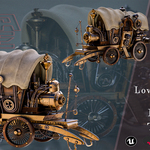
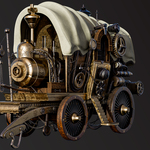
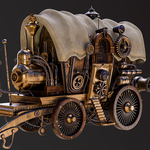
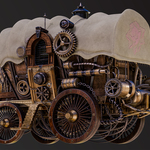
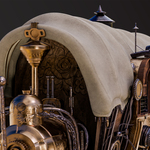

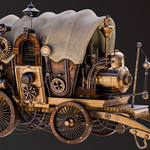
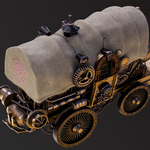
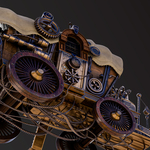
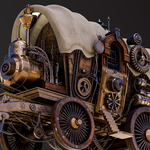
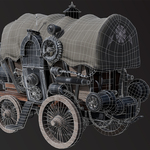
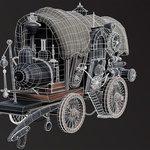
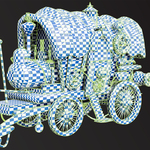
# Steampunk Heavy Wagon – Product Documentation & Setup Guide
Thank you for purchasing the **Steampunk Heavy Wagon AAA Asset & Tutorial**! This guide will help you navigate the package contents, set up materials, and integrate the asset into your pipeline seamlessly.
---
## 📁 Directory & File Structure
Inside the main folder, you will find clean, organized subfolders:
- **01_Blender_Scene/**: Pre-configured `.blend` file with Cycles/Eevee render setups, lighting, and assigned shaders.
- **02_GameReady_Lowpoly/**: Contains optimized low-poly meshes (`.fbx` and `.obj`) at 84K Tris / 40K Faces / 43K Verts.
- **03_Highpoly_Source/**: High-detail mesh source files (4M+ Tris) used for baking micro-details.
- **04_Textures/**:
- `Game_Ready_4K/`: Standard PBR texture maps (BaseColor, Metallic, Roughness, Normal, AO, Emissive).
- `Cinematic_4K_UDIMs/`: Multi-tile UDIM texture set for high-detail film/VFX rendering.
- **05_Tutorial_Videos/**: Complete 20+ hour step-by-step MP4 workflow tutorial videos.
---
## 🛠️ How to Use
### 1. Blender (Cycles / Eevee)
1. Open `Steampunk_Wagon_Scene.blend` from the `01_Blender_Scene` folder.
2. The asset is centered at `0,0,0` with clear naming conventions for all sub-components.
3. Switch to **Rendered View** (Cycles or Eevee) to see the full setup with lighting.
### 2. Unreal Engine / Game Engines
1. Import the FBX model located in `02_GameReady_Lowpoly/` into your engine.
2. Ensure **Import Normals** is set to *Import Geometry Direct*.
3. Import textures from `04_Textures/Game_Ready_4K/`.
4. Create a standard PBR material, assign `BaseColor`, `Metallic`, `Roughness`, `Normal`, and `AO` maps, then assign the material to the wagon mesh.
---
## 🎥 Tutorial Guide
- The included tutorial spans **20+ hours** covering the full pipeline: High-poly modeling, low-poly retopology, UDIM unwrapping, PBR texturing, and Unreal/Marmoset renders.
- **Format:** Silent screen recordings in High Definition with visible on-screen keyboard shortcuts and mouse clicks for easy following.
---
## 📩 Support & Updates
If you encounter any technical issues or need assistance, feel free to contact us via marketplace support. All future updates and improvements to this asset are free for existing buyers.
-
$9.99
This variant “Game-ready | Optimized topology | PBR 4K”
-
$12.99
This variant contains 3d Highpoly model and 4K textures.
-
$17.99
This variant contains 3d model(Lowpoly and Highpoly) and 4K textures.
-
$19.99
this variant contains tutorial videos
-
$29.99
“Best value – Save more than 40%”
 Included
Includes 12 months of
- Support from reyhane_3d
- Product updates
Extend this product’s Support Period +12 months: 50% of product price
Have questions before purchasing?
Login to message
| Published | about 2 months ago |
| Blender Version | 4.2 - 5.2 |
| Render Engine Used | Cycles, Eevee |
| License | Royalty Free |
Discover more products like this
udim game ready PBR prop hard surface tutorial 3d model 4k textures wagon Steampunk vehicle