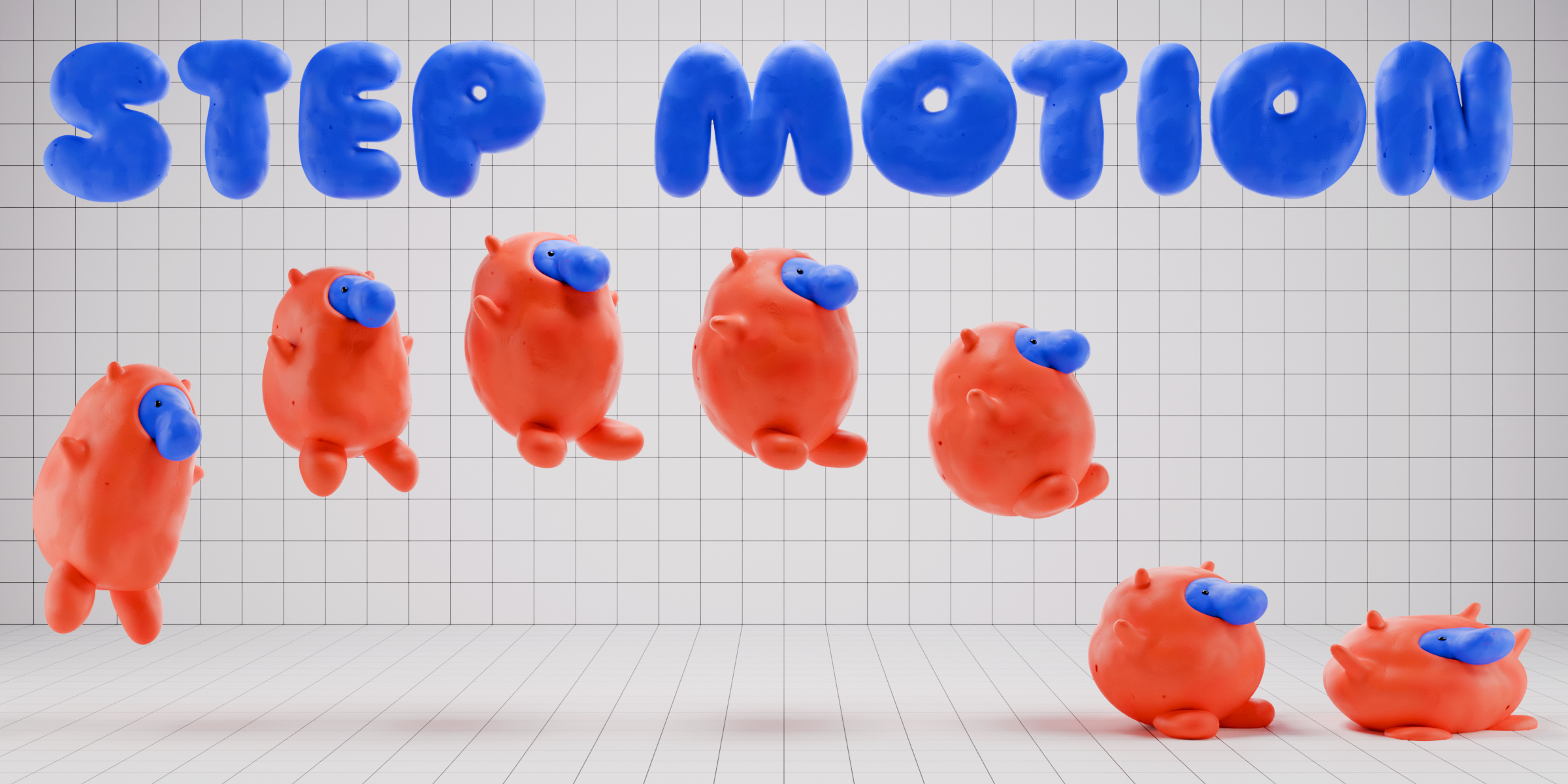
Step Motion

YONK in Materials and Shading


Item Rating

This item has an average rating of 5 from 6 ratings by the community.

84%
17%
0%
0%
0%

Purchase this item to leave a review!

  • Joel Walden
    3 months ago

    Step Motion is an OUTSTANDING tool. It's not just "another version of Keymesh". It has its own way of creating stop-motion sculpted mesh frames and features that allow better control over what frames are playing in your animation and how to drive those frames. Just a few things about my experience with the addon.

    1. You can create a chain of sculpted facial expressions and visemes (mouth sculpts for speech like BMP, TH, F/V, EE, A/I, etc.) So it's not just for playing a looping animation -- you can keyframe visemes or expressions and jump around between them to make a character talk and be expressive. You don't have to just have one frame per expression either. You could designate frame 1 through 8 as a natural flow from a rest pose to an "OO" mouth shape. Or a neutral expression to a crying expression. And then you keyframe the rate at which is scrolls through this range so the expression hits slower or faster. Again -- control is nice.

    2. You can do this with anything like a sculpted set of hand poses, a looping animation of a ponytail swinging while a character is jogging. Either explicitly pick a frames or have it play a looping motion. And you can include a segment of your timeline where you make the ponytail blend from flapping back and forth to coming to rest when the character stops running.

    3. I have had success making it work with shape keys too. You make your starting mesh frame and give it whatever shape keys you need. Duplicate that to make other frames but with shape key strength sliders set to different values. Each frame within a Step Motion object however is a SEPARATE MESH. If you add a new shape key onto mesh frame 4 don't expect it to show up on the Step Motion mesh frame 13. And if you change the topology (like using a Dynotopo brush) after duplicating frames this might break previously-created shape keys since that's how shape keys work sometimes. Point is, yes, shape keys can exist on each of the mesh frames of a Step Motion object. A clever user could put that to some pretty cool uses.

    4. You can make the finalized Step Motion object a child of a bone on an armature. And that bone / armature can move it around. This lets you animate a Step Motion object as a part of a character's body like sculpted hands or a head that turns into a train whistle with stop-motion steam blasting out of it after eating hot sauce, then going back to a normal head again. Try doing that with an entirely conventional 3d rigged character.

    5. I don't speak officially for the developer but I have personally had success combining a vertex weighted armature with the individual mesh frames of a Step Motion object. I created a Step Motion object with the addon and added an armature to the scene. I parented that first frame to the armature with automatic weights. Then I duplicated the frame and modified it using sculpting tools -- I even changed the topology with a Dynotopo sculpt brush. Vertex weights will need correction if you go too crazy changing topology however. I kept duplicating the first frame and modifying each one. Because they're duplicates, they each are made with armature and parenting set up correctly. I then finalized the Step Motion object and set it up with the Geometry Nodes thing they give you. I could animate the whole thing with bones in Pose Mode AND animate the Step Motion frames too. This would be great for a character's head where you want bones drive bending, twisting, squashing, and stretching the head and neck pose -- and then still use stop-motion sculpted frames for visemes, facial expressions, or any crazy wild stop-motion animation you want to do to the head using Step Motion. Results may vary but yes -- I have had success with it.

    6. You can set up drivers from a control bone in an armature to control which Step Motion frames are being displayed. You keyframe the control bone instead of the keyframe slider in the addon's modifier stack. Once the animation is driven by a BONE, it opens the door for using your Step Motion animations with the Blender Pose Library, Actions, the NLA editor, Action constraints (also known as set driven keys functionality) and a ton of things I haven't even though of. This is a huge benefit for making more powerful systems of control over your stop-motion animations.

    This all makes stop motion style animation assets modular, reusable, and highly controllable instead of just a relentless grind of sculpting unique frame after unique frame for thousands of frames just to make a few seconds of animation. That sounds like hell to me. This tool lets you have the stop-motion aesthetic without the stop-motion torture. It's basically cheat mode for stop-motion.

    7. You could hook up a control bone that drives your Step Motion keys to simultaneously drive other things like frames of a Grease Pencil object, or a material shader, or basically anything else. Make a stop-motion animation of a character's face crying and on a Grease Pencil object you could draw frames that show tears squirting out of their eyes like a fountain. That's 2D + 3D combined and driven by one control. Or make a furious facial animation also be accompanied by a color parameter in a material so their face turns red.

    8. Adding or modifying frames to a Step Motion object is trivial. The Geo Nodes setup it comes with just looks at a collection and the sequentially named meshes in it. Just model your mesh frame and name it to "Frame##" with ## being the frame number you want it to appear at -- then drop it into the collection the Geo Nodes modifier is pointing to.

    9. There's an Onion Skinning feature built in.

    10. Check the instructions or you'll be really frustrated or worse, think the addon can't do stuff it actually can do. Instructions are good.

    Step Motion is really great if you love the stop-motion animation style and you want power, speed, modularity, and flexibility in how you that hand-sculpted animation artistry is deployed in your animation. If you're clever there's just a truckload of cool stuff you can do with this thing. I hope the dev keeps going in its development -- it's a truly worthy tool and more than just another version of Keymesh.

    • YONK

      3 months ago

      Thank you so much and very glad it’s all working out for you! Would love to see what you create with it, [email protected]
  • 廖東騰
    over 2 years ago

    "Very well done, but I hope to be able to customize the onion skin display for better observation! Thank you!"

  • Henrik Cederblad
    over 2 years ago

    Wicked fun addon! Makes Blender even more versatile! And it works perfect using custom materials eg. clay-looking ones like Clay Doh or your own. I can see myself coupling this with something like FZSwapper or Keymesh Too, to swap out facial expressions (object-swapping) or Shape Key Selector (shapekey-modulation). However it would be great to have an internal feature in Step Motion, specifically for sub-animations like facial expressions where you can swap various expressions via buttons akin to FZSwapper. Will use the hell out of this tool nonetheless! The onion skinning is one of its standout features that I also really appreciate.

    • YONK

      over 2 years ago

      Hi Henrik,

      Thank you for you kind words! We keep on developing Step Motion further so we might include that function at some point. For now, you could create facial swap animations by using the Key Frames option in the Step Motion Preview.

      Thanks!

  • Christopher Rutledge
    over 2 years ago

    this is what the 3d world needs right now!!!

  • michael swearingen
    over 2 years ago

    Making 3D stop motion easy and FUN!

  • Hassan
    over 2 years ago

    I tried many product in stop motion field but this one by distance is better from them . PERFECT.

  • Displaying 6 ratings
$20

Have questions about this product?
Login to message

Details
Sales 600+
Rating
6 ratings
Dev Fund Contributor
Published over 2 years ago
Blender Version 4.4, 4.3, 4.2, 4.1, 4.0, 3.6, 3.5, 3.4
License GPL