 neoashanti


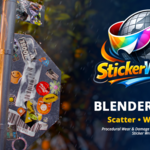

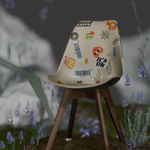
BLENDER ADD-ON BY NEOASHANTI
Sticker Wrapper Pro
Procedural Sticker & Decal Placement
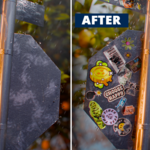
Placing multiple stickers manually is slow. Getting wear and damage to look right is even slower.
Sticker Wrapper Pro kills both problems in seconds.

HOW IT WORKS
Drop. Scatter. Done.
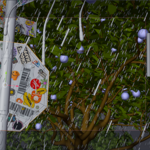
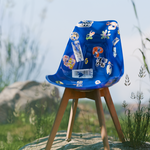
Place PNG stickers onto any surface — curved, organic, hard surface, anything.
1. Load your images — Point to any folder of PNG stickers — no cap on image count.
2. Dial in & generate — Set your count, scatter mode, and size range, then hit Generate.
3. Tweak in real time — Rotate, scale, flip, and offset — every change updates instantly.
FULL PRO TOOLKIT
Everything you need, nothing you don't.
Area-weighted or uniform scatter keeps stickers flush and natural.
Wear & Damage — Procedural noise fades, tears, and erodes sticker edges realistically.
Transform Tools — Rotate, scale, flip, and offset selected stickers with precision.
Random Size Range — Min/max scale so no two stickers look identical.
Unlimited Images — No cap on your sticker folder — load as many as you need.
Advanced Controls — Crease padding, edge threshold, and retry settings for clean placement every time.
Z-Offset & Nudge — Per-sticker Z-increment and nudge buttons for independent offset adjustment.
LITE VS PRO
Try before you buy.
Sticker Wrapper Lite is available at $1 — the price of a coffee. Get the full scatter workflow, support for up to 7 images, and zero time limits; yours to keep forever. When you're ready to go further, upgrading to Pro takes one click. If you still want to get this for free checkout my gumroad page.
Feature |
Lite — $1 |
Pro |
Scatter placement |
✓ |
✓ |
Image library |
Up to 7 |
Unlimited |
Wear & Damage |
— |
✓ |
Transform tools |
— |
✓ |
Random size range |
— |
✓ |
Advanced controls |
— |
✓ |
Z-offset & nudge |
— |
✓ |
Time limit |
None |
None |
WHO IT'S FOR?
Anyone who's spent too long placing decals by hand.
Freelancers
Game Artists
Product Visualization Artists
Character Artists
Motion Designers
Prop Artists
RESOURCES
Documentation & guides.
Everything you need to get up and running.
▶ Quick Guide — Video walkthrough
https://www.youtube.com/watch?v=mD6W6Pdx9Cs
📄 Documentation — Installation & usage
superhivemarket.com/products/sticker-wrapper-pro/docs
CHANGELOG
What's new?
v1.8.0 May 9, 2026
Improved sticker surface conformity on curved and rounded geometry, reducing Z-fighting
Added Sticker Preview toggle (Fast / Full) — Fast optimizes viewport performance, render always uses Full
Added per-sticker Z-increment control under the Advanced panel
Added Z+ / Z− nudge buttons in Sticker Tools for independent per-sticker offset adjustment
Fixed overlap lifting
Solo and Studio panel headings now show tier in brackets — [Solo] / [Studio]
Fixed "machine not recognized" error after Windows reboot or Blender restart
Improved machine registration reliability on first install
Licensing security improvements
v1.7.0 — Initial release
! Known issue: Z-fighting on curved and rounded surfaces (fixed in v1.8.0)
! Known issue: Machine not recognized error after reboot (fixed in v1.8.0)