Sticker Wrapper Pro
 neoashanti


DOCUMENTATION
Sticker Wrapper Pro
Installation, activation, and usage guide
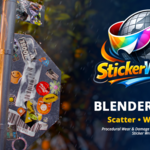
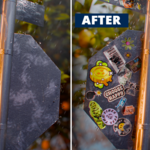
Sticker Wrapper scatters multiple PNG sticker images onto any Blender mesh surface using area-weighted placement. Available in two versions — Lite and Pro.
QUICK GUIDE
Watch before you start.
A full walkthrough of the add-on from install to final render.
▶ Watch Quick Guide — youtube.com/watch?v=mD6W6Pdx9Cs
GETTING STARTED
Requirements & Installation
Requirements
Blender — 4.0 or higher
Images — PNG with transparency (alpha channel)
Connection — Internet required for license activation (Pro only)
Installation
1. Download the .zip file for your version (Lite or Pro)
2. Open Blender → Edit → Preferences → Add-ons
3. Click Install and select the downloaded .zip
4. Enable the addon by ticking the checkbox
5. The Sticker Wrapper Pro tab appears in the 3D Viewport sidebar (N key)
PRO ONLY
Machine Activation
Solo & Studio tiers only. No key required — activation is automatic.
1. After installing, launch Blender — the addon activates automatically on first run and registers your machine
2. No internet connection, email, or license key required
3. A reset code is required if you switch machines — contact support at [email protected] with your order ID to receive one
Solo |
Studio |
1 licensed machine |
10 licensed machines |
FEATURE COMPARISON
What's included in each tier?
All tiers include core scatter functionality. Pro unlocks the full toolkit.
Feature |
Lite |
Solo |
Studio |
Core | |||
PNG folder picker |
✓ |
✓ |
✓ |
Generate & Clear |
✓ |
✓ |
✓ |
Layout seed |
✓ |
✓ |
✓ |
Sticker count |
7 max |
Unlimited |
Unlimited |
Scale |
Uniform only |
Min / Max range |
Min / Max range |
Sticker Preview (Fast/Full) |
✓ |
✓ |
✓ |
Surface offset |
✓ |
✓ |
✓ |
Subdivisions |
✓ |
✓ |
✓ |
Uniform distribution |
✓ |
✓ |
✓ |
Lock transforms |
✓ |
✓ |
✓ |
Overlap lifting |
✓ |
✓ |
✓ |
Pro Only | |||
Position seed |
— |
✓ |
✓ |
Area Weighted distribution |
— |
✓ |
✓ |
Z Increment (real time) |
— |
✓ |
✓ |
Z+ / Z− per-sticker nudge |
— |
✓ |
✓ |
Wear system |
— |
✓ |
✓ |
Wear — selected or all |
— |
✓ |
✓ |
Wear live preview |
— |
✓ |
✓ |
Sticker Tools |
— |
✓ |
✓ |
Advanced controls |
— |
✓ |
✓ |
Licensing | |||
Machine licensing |
— |
✓ |
✓ |
Stable Windows/Mac fingerprint |
— |
✓ |
✓ |
Licensed machines |
— |
1 |
10 |
TIPS
Get the best results.
A few things that make a big difference.
PNG only — Use images with clean transparency for best results. JPEGs will not work.
Subdivisions — Higher values improve wrapping on curved or organic surfaces.
Distribution — Use Area Weighted for even natural coverage. Uniform gives a more hand-placed feel.
Position Seed — Shuffles placement without changing which images are used.
Layout Seed — Shuffles image assignment without moving stickers.
Refresh button — Rescans your folder if you add new PNGs without restarting Blender.
Happy Blending.
Questions? Reach out and we'll get you sorted.
-
$15.99
Everything in Pro Solo for your whole team. 10 seats, single purchase.
-
$8.99
Full toolkit for individual artists. Wear & damage, transform tools, unlimited images, advanced controls. 1 seat.
-
$1
Get started — scatter PNG stickers onto any mesh surface. Perfect for trying out the workflow.
Have questions about this product?
Login to message
| Blender Extension Compatible | Yes |
| Published | 6 months ago |
| Blender Version | 4.0 - 5.0 |
| Extension Type | Add-on |
| Render Engine Used | Cycles, Eevee, Luxrender, Octane, Vray |
| License | GPL |
Discover more products like this
product-visualization blender blender addon Damage wear decal scatter Asset Creation procedural game-art Texturing sticker