Stop Pink Textures
 Renegade Software


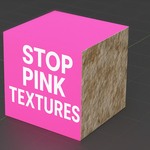
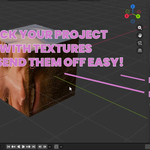
Stop Pink Textures
Project Packager + Auto-Relinker for Blender
Stop Pink Textures is a utility addon that fixes missing textures, relinks broken paths, and creates clean, client-safe project packages that open without magenta materials.
Designed for Blender 2.80 - 5.0+
Installation
1. Download or zip the `stop_pink_textures` folder.
2. In Blender, go to Edit - Preferences - Add-ons.
3. Click Install…, select the zip, and enable the addon.
4. Open the panel in 3D Viewport - N Panel - Stop Pink.
UI Overview
The addon is divided into three sections, top to bottom:
1. Search Settings (what folders are scanned)
2. Fix Tools (scan + relink)
3. Pack & Ship (export a clean project)
Search Settings
Search Paths
A semicolon-separated list of folders that Blender will search for missing textures.
You can:
- Paste paths manually
- Click the folder icon to browse and add a directory
Example:
D:/Assets;D:/Textures;C:/Projects/SharedMaps
Add Search Folder (📁 button)
Opens a system file browser so you can visually select a directory.
The selected folder is automatically added to the Search Paths list.
Include .blend Folder (Recommended)
When enabled, the addon also searches the folder where the current `.blend` file is saved.
Why this matters:
Most Blender projects store textures next to the `.blend` file or in subfolders like `textures/` or `images/`.
Example:
Project/
├─ scene.blend
└─ textures/
With this option ON, those textures will be found automatically.
Include Subfolders
If enabled, all subfolders inside each Search Path are scanned recursively.
Example:
Assets/
├─ Wood/
├─ Metal/
└─ Fabric/
All of the above folders will be searched.
Make Paths Relative After Relink
After fixing textures, converts absolute paths like:
C:/Users/Name/Desktop/project/textures/diffuse.png
Into Blender-relative paths:
//textures/diffuse.png
Highly recommended for portability and collaboration.
Auto-Pack Found Images (Optional)
Automatically packs newly relinked images into the `.blend` file.
Useful when:
- Sending a single file
- Working offline
- Creating backups
Note: Packed images increase `.blend` file size.
Fix Tools
Scan for Missing Textures
Scans the current project and lists:
- Missing images
- Missing UDIM sets
- Missing image sequences
No changes are made - this is a safe diagnostic step.
Stop Pink Textures (Auto-Relink)
The main feature.
What it does:
- Searches all configured folders
- Finds matching textures by filename
- Relinks:
- Regular images
- UDIM textures
- Image sequences
- Reloads images
- Converts paths to relative (if enabled)
This is the one-click “pink - fixed” button.
Make All Paths Relative
Runs Blender’s built-in path conversion manually.
Useful if:
- You moved files after relinking
- You want to double-check portability
Results Panel
After scanning or relinking, this panel shows:
- Image type (IMAGE / UDIM / SEQUENCE)
- Image datablock name
- Status:
- Missing
- Fixed
- Still Missing
This gives immediate feedback on what was solved and what still needs attention.
Pack & Ship (Client-Safe Export)
Package Output Folder
Choose where the packaged project will be created.
The addon generates:
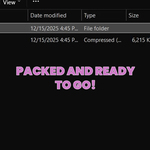
MyProject_PACKAGE/
├─ MyProject.blend
└─ textures/
├─ image.png
├─ udims/
│ └─ CharacterBody/
│ ├─ body_1001.png
│ └─ body_1002.png
└─ sequences/
└─ SmokeSim/
├─ smoke_0001.exr
├─ smoke_0002.exr
└─ ...
Also Create .zip
If enabled, a `.zip` archive of the packaged folder is created automatically.
Perfect for:
- Client delivery
- Cloud uploads
- Archiving
Pack & Ship Project Folder
Creates a clean, portable copy of your project that:
- Copies all external textures
- Preserves UDIM layouts
- Copies full image sequences into subfolders
- Rewrites paths to `//textures/...`
- Saves a packaged `.blend` that opens with everything already linked
Your original working file is not modified.
Recommended Workflow
1. Set Search Paths
2. Click Scan for Missing Textures
3. Click Stop Pink Textures
4. Verify Results
5. Click Pack & Ship Project Folder
6. Send the packaged folder or zip
Supported Asset Types
- ✔ Regular image textures
- ✔ UDIM texture sets
- ✔ Image sequences (EXR, PNG, etc.)
- ✔ Relative and absolute paths
Blender Compatibility
- Blender 2.80 - 5.0+
- Works with Cycles, Eevee, and Material Nodes
- Non-destructive to your working file
Philosophy
This addon is built to:
- Solve a universal Blender pain point
- Be fast, obvious, and beginner-friendly
- Produce professional, studio-safe deliverables
If it turns pink, this stops it.
Have questions about this product?
Login to message
| Blender Extension Compatible | Yes |
| Sales | 10+ |
| Dev Fund Contributor | |
| Published | 10 months ago |
| Blender Version | 2.8 - 5.2 |
| Extension Type | Add-on |
| Render Engine Used | Arnold, Blender-Internal, Blender-Game-Engine, Cycles, Eevee, Freestyle, Luxrender, Mental-Ray, Octane, Vray, Yafaray |
| License | GPL |