Stop Pink Textures
 Renegade Software


What problem does Stop Pink Textures solve?
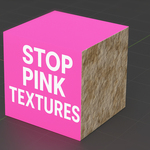
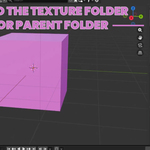
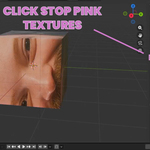
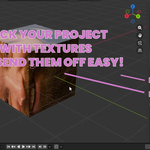
It fixes missing textures and broken file paths in Blender. If your materials turn pink, this addon finds the textures, relinks them automatically, and prevents the issue from happening again.
Which Blender versions are supported?
Blender 2.80 and newer, including Blender 5.0+.
Does this replace Blender’s built-in “Find Missing Files”?
It improves on it. Stop Pink Textures automates the process, handles UDIMs and sequences more reliably, provides bulk relinking, and adds full project packaging.
Can I send the packaged project to a client or collaborator?
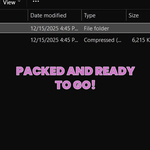
Yes. That’s one of the main use cases. The packaged project is client-safe, portable, and opens correctly on another machine without additional steps.
What does Pack & Ship create?
A clean project folder containing:
A packaged .blend file
A textures folder with all images
Organized subfolders for UDIMs and image sequences
The packaged file opens with all textures already connected—no pink materials.
Do I still need to manually relink textures in Blender?
In most cases, no. The addon handles relinking automatically in bulk. Manual relinking is only needed if the texture files truly no longer exist.
What does “Make Paths Relative” do?
It converts absolute file paths into Blender-relative paths (starting with //). This makes projects portable between computers and prevents textures from breaking when folders are moved.
What does “Include .blend Folder” mean?
It tells the addon to also search the folder where your .blend file is saved. This is recommended because many projects store textures next to the blend file or in nearby subfolders.
Will this modify my original .blend file?
Relinking changes paths in your current file (as expected), but Pack & Ship creates a separate, clean copy of your project. Your original working file is not permanently altered during packaging.
Does it support image sequences?
Yes. Image sequences are detected, relinked, and when packaging, the entire sequence is copied into organized subfolders so the shipped project opens correctly.
Does this work with UDIM textures?
Yes. UDIM texture sets are fully supported. The addon detects missing UDIM tiles, relinks them correctly, and preserves the UDIM layout when packaging projects.
How does it find missing textures?
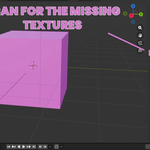
It scans your project for missing images, UDIMs, and image sequences, then searches the folders you choose (plus the .blend folder if enabled) and relinks matching files in bulk.
Have questions about this product?
Login to message
| Blender Extension Compatible | Yes |
| Sales | 10+ |
| Dev Fund Contributor | |
| Published | 11 months ago |
| Blender Version | 2.8 - 5.2 |
| Extension Type | Add-on |
| Render Engine Used | Arnold, Blender-Internal, Blender-Game-Engine, Cycles, Eevee, Freestyle, Luxrender, Mental-Ray, Octane, Vray, Yafaray |
| License | GPL |