Studio Lighting & Render in One Click
 Brighter's Studio


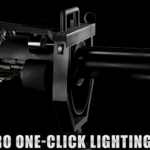
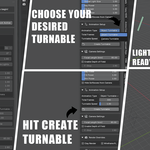
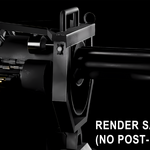
Studio Pro – Documentation
Installation
-
Download the
.zipfile after purchase. -
In Blender, go to Edit → Preferences → Add-ons → Install.
-
Select the
.zipfile and enable Studio Pro – One-Click Lighting Toolkit. -
You’ll find the add-on in the N-Panel under Studio Pro.
Usage Guide
Main Functions:
-
Turntable Creator: Instantly generate object or camera turntables. Adjust speed, frames, and camera depth of field.
-
Lighting Setup: One-click three-point light rig with tweakable key/fill/rim intensities.
-
HDRI Mode: Load, rotate, and adjust HDRI lighting directly.
-
Clay/Wireframe View: Quick switches for presentation or preview renders.
-
Render Presets: Export ready-to-use images for common platforms (YouTube, Instagram, ArtStation, etc.).
Best Practices
-
Works with Cycles
-
Keep your scene centered for clean rotations.
-
Combine clay mode + lighting for studio-style renders.
-
Ideal for product shots, portfolio renders, or demo reels.
Version
v1.0 – Initial Release
Future updates will be free for all buyers.
Support
For help or suggestions:
📧 [email protected]
Have questions about this product?
Login to message
| Published | about 1 year ago |
| Blender Version | 3.0 - 4.5 |
| Extension Type | N/A |
| Render Engine Used | Cycles |
| License | GPL |
Discover more products like this
product rendering render toolkit Studio Lighting three point lighting lighting setup render setup blender addon Turntable animation hdr lighting Lighting blender lighting easy-lighting