Stylized 3D Character Creation in Blender
 Unreal Blender


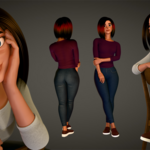
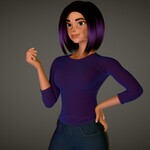
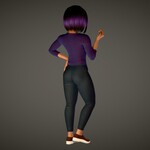
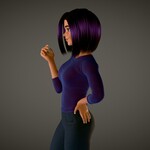
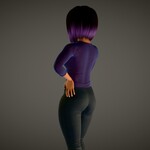
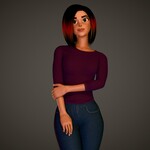
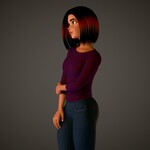
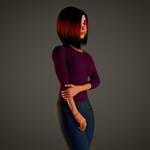
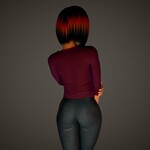
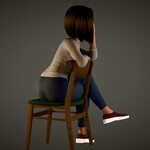
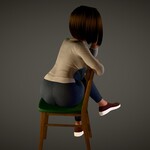
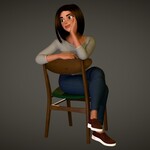
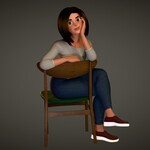
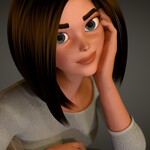
Here is the list of all the lessons in the course. The lessons are divided into chapters.
There are some free sample lessons (in purple color) you can watch by clicking on them.
Stylized 3D Character creation in Blender
Chapters
Chapter 1. Introduction
Chapter 2. Finding and setting up Reference images for viewing
Chapter 3. Sculpting. Blender’s sculpting toolset. Sculpting the character
Chapter 4. Retopology. Modeling clean character meshes. Modeling clothes and hair
Chapter 5. UV Unwrapping
Chapter 6. Texturing materials. Painting and baking textures
Chapter 7. Presentation. Rigging and Posing the Character. Lighting and Rendering
Chapter 8. Next steps
Contents
Chapter 1. Introduction
Download and install Blender
3D Character creation pipeline and steps
Chapter 2. Finding and setting up Reference images for viewing
Collecting and using reference images
Chapter 3. Sculpting. Blender’s sculpting toolset. Sculpting the character
Intro to sculpting and sculpting tools in Blender
Dynamic topology and symmetry tools
Quick overview of other sculpting tools
Most important sculpting brushes
Creating the character blockout
Refining the shapes and merging the parts
Body sculpt guide
Sculpting the body
Modeling the hand
Sculpting the face and head
Sculpting the hand
Refining, correcting and merging parts
Chapter 4. Retopology. Modeling clean character meshes. Modeling clothes and hair
Retopology basics
Head and face retopology. Start
Head and face retopology. Finish
Arm and hand retopology
Retopology of the rest of the body
Optimizing and finishing the retopology process
Creating base clothes from body meshes
Modeling the shirt. Adding details to clothes
Modeling inner mouth objects. Teeth, gums and tongue
Creating hair using curves
Chapter 5. UV Unwrapping
Introduction to UVs. Why we need UVs
Creating UV maps
Editing UV maps
Preparing our character model for UV unwrapping
UV Unwrapping our character model
Editing and optimizing character UVs. Improving the eyes
QUICK VIDEO. Creating and unwrapping eyelashes
Chapter 6. Texturing materials. Painting and baking textures
Quick intro to shading and materials in Blender
Introduction to Texture Painting in Blender
Texture painting brushes and their properties
Using textures and texture masks in Texture Painting
Painting and using black and white textures
Baking textures
Multiresolution modifier. Sculpting and baking small details
Baking node setups
Creating and baking Ambient Occlusion maps
Creating and baking Curvature maps
Texturing the Character. Preparation
Sculpting small details on the character using Multires modifier
Baking mesh data (sculpting details and node setups) onto texture maps
Painting the character’s face texture
Creating materials for smaller parts of the character
Painting the character’s clothes
Creating a fancy hair shader
Enhancing and finalizing the materials for the character model
Packing and unpacking textures
Chapter 7. Presentation. Rigging and Posing the Character. Lighting and Rendering
Basics of skeletal deformation and character posing
Facial expressions with shape keys
Creating a basic character rig with Rigify
Rigging the eyes, the hair and other parts
Posing the character with the skeletal rig
Creating the final pose
Lighting and scene setup. Fixing some issues
Setting up the camera and rendering
Final touches
Chapter 8. Next steps
Next steps
Have questions about this product?
Login to message
| Sales | 20+ |
| Dev Fund Contributor | |
| Published | about 1 year ago |
| Blender Version | 4.5 - 5.0 |
| Render Engine Used | Cycles, Eevee |
| License | Royalty Free |

Discover more products like this
3dCharacter Character Creation 3d girl blender training female character Texture Painting character sculpting character sculpting