Stylized Anime Water Add-On
 otakuwugames


# Editing Stylized Anime Water Add-on
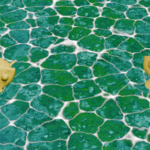
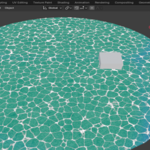
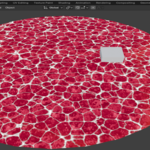
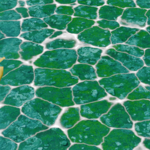
Editing Stylized Anime Water is a Blender add-on designed to create stylized anime-inspired water with animated waves, foam, reflections and customizable colors.
It is designed for anime, cel-shaded, stylized and game-oriented projects, allowing you to quickly create and edit water without building the entire material setup manually.
## Features
- Anime-inspired stylized water material
- Animated water waves using Blender Dynamic Paint
- Animated foam effects
- Adjustable water detail
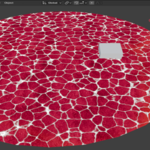
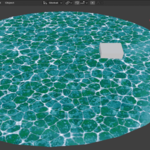
- Customizable water color
- Customizable highlight/reflection color
- Adjustable foam thickness
- Customizable foam color
- Customizable underwater/ground texture
- Dynamic Paint Canvas setup
- Convert a collection of objects into Dynamic Paint Brushes
- Real-time controls from the Blender Sidebar
- Material setup is automatically loaded from the included asset file
## Installation
1. Download the product ZIP file.
2. Extract the ZIP file if necessary.
3. Open Blender.
4. Go to Edit > Preferences > Add-ons.
5. Click Install.
6. Select the add-on ZIP file.
7. Enable "Editing Stylized Anime Water Add-on".
8. Go to the 3D Viewport.
9. Press N to open the Sidebar.
10. Open the "AnimeWater" tab.
## Creating Water
1. Create or select a mesh that will be used as the water surface.
2. Open the AnimeWater tab.
3. Click "Generar Agua Pro".
4. The add-on will automatically assign the water material and configure Dynamic Paint.
5. Adjust the available settings from the panel.
## Water Controls
### Detail
Controls the scale/detail of the water surface pattern.
### Water Color
Changes the base color of the water.
### Highlight Color
Changes the color of the stylized water highlights/reflections.
### Foam Thickness
Controls the amount/thickness of the foam effect.
### Foam Color
Changes the color of the foam.
### Ground Texture
Allows you to assign an image texture to the underwater/ground area of the material.
## Animated Foam and Waves
The water effect is designed to work with Blender's animation timeline and Dynamic Paint simulation.
As the timeline progresses, the water waves and foam effect can change according to the simulation and material setup.
For the best results, allow the Dynamic Paint simulation to update while previewing or rendering the animation.
## Adding Obstacles
Objects can interact with the water through Dynamic Paint Brushes.
To add obstacles:
1. Place the objects you want to interact with the water inside a Blender Collection.
2. Open the "AnimeWater" tab.
3. Select the collection under "OBSTÁCULOS".
4. Click "Convertir Colección".
5. The mesh objects in that collection will be configured as Dynamic Paint Brushes.
These objects can then interact with the water surface and generate wave effects.
## Blender Compatibility
Tested with:
- Blender 4.5
- Blender 5.0
- Blender 5.2
The add-on was developed and tested using Blender 5.2.
## Included Files
The product includes:
- Editing Stylized Anime Water Add-on
- Water material assets
- Required asset files
- Add-on files and configuration
## Notes
The appearance of the water can vary depending on the Blender version, render engine, scene lighting, mesh topology and Dynamic Paint settings.
For best results, use a sufficiently subdivided water surface so Dynamic Paint can produce smooth wave effects.
 Included
Includes 12 months of
- Support from otakuwugames
- Product updates
Extend this product’s Support Period +12 months: 50% of product price
Have questions before purchasing?
Login to message
| Published | about 2 months ago |
| Blender Version | 4.5 - 5.2 |
| Extension Type | N/A |
| Render Engine Used | Blender-Internal, Blender-Game-Engine, Eevee |
| License | GPL |
Discover more products like this
dynamic paint waves anime-water stylized-water water shader anime cel-shading foam stylized game development water material toon