Stylized Babygirl 3D Model - Game-Ready Rigged PBR for Blender
 maaz studio


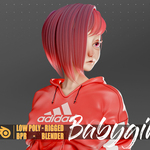
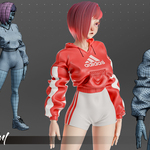
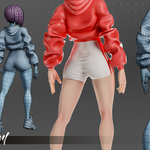
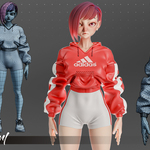
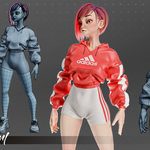
This section provides essential information and guidelines for using your 'Babygirl' 3D model effectively. Please read carefully to ensure a smooth workflow.
1. File Contents:
- Babygirl_Character.blend: The native Blender file, fully rigged with PBR materials and clean UVs.
- Textures Folder: Contains all 4K PBR texture maps (Base Color, Normal, Roughness, Metallic).
2. Importing into Blender:
Simply open the Babygirl_Character.blend file directly in Blender. The model, rig, and materials are pre-setup and ready to use. Ensure your Blender version is 3.4 or newer for full compatibility.
3. Importing into Other Software (Unity, Unreal Engine, Maya, 3ds Max):
Use the provided .fbx,.obj, or.gltf files. Import the model, then manually apply the PBR textures from the 'Textures' folder. Refer to your software's documentation for specific import procedures.
4. Rig Usage:
The model features a standard humanoid rig. For animators, we recommend using Blender's native animation tools. The rig is designed for intuitive posing and animation. If you are importing into a game engine, ensure the engine's humanoid rig mapping is correctly configured.
5. Troubleshooting:
- Missing Textures: If textures appear missing after import, ensure the 'Textures' folder is located next to the model file, or manually relink them within your 3D software.
- Rig Deformation Issues: If you encounter unexpected deformations, ensure your software's import settings for scaling and unit conversion are correct.
Have questions about this product?
Login to message
| Published | about 1 year ago |
| Blender Version | 3.4 - 4.4 |
| Render Engine Used | Cycles, Eevee |
| Misc Data | Uvs-Unwrapped, Manifold-Mesh, Rigged, Normal-Mapped, Textured |
| License | Royalty Free |
