 TB Elements


SubD Flow
Workflow Optimization for Subdivision Modeling in Blender
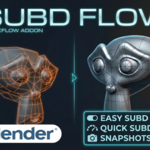
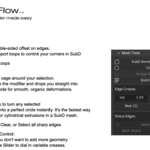
SubD Flow is a specialized add-on designed to accelerate the subdivision surface (SubD) modeling process in Blender.
By centralizing essential tools into a dedicated menu in the sidebar (N-panel), it reduces the need to constantly switch between the modifier stack and various menu tabs.
Compatible with latest 4.x versions ( developed and tested on 4.5.7 LTS).
It also works in 5.0.
As I am using this Addon everyday, it will get updates to further improve the workflow.
Key Features
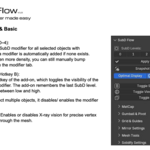
Centralized SubD Control: Select subdivision levels (0–4) directly from the menu; the modifier is added and adjusted automatically.
Use the B key to toggle the SubD modifier for one / all selected objects simultaneously.
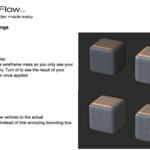
Shift + B toggles wireframe visibility for quick topology checks.
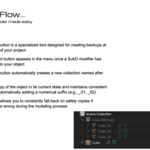
Snapshot System: Create instant backups of your objects in a dedicated collection.
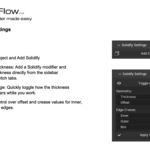
This allows for non-destructive versioning and quick reverts to previous modeling stages.Integrated Mesh Tools: quick selection of tools including Quick Lattice for organic deformations, SubD Bevel for support loops and more.
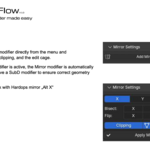
Smart Mirror Integration: When adding a Mirror modifier through the add-on, it is automatically placed above the SubD modifier in the stack to ensure correct geometry calculation. This also works with Hardops mirror.
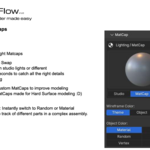
Quick Matcaps: Quickly toggle between various Matcaps and Flat Shading to identify surface defects or "pinching"
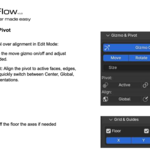
Quick Gizmo and Pivot selection
Installation
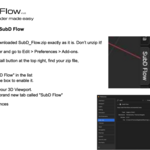
Drag and drop the downloaded ZIP file into the Blender window or install it via the Add-on settings.
Search for "SubD Flow" in the Preferences and enable the checkbox.
The add-on is in the N-panel under the "SubD Flow" tab.
enable looptools
safe preferences
Licensing
Commercial & Private Use: You are fully authorized to use this addon for both personal and commercial projects.
-
Per-User License: Each purchase covers one user. You can install it on multiple workstations (e.g., your PC and laptop) as long as you are the primary user.
Frequently Asked Questions (FAQ)
How do I install SubD Flow?
Simply download the ZIP file. In Blender, go to Edit > Preferences > Add-ons, click Install, and select the ZIP. Don't forget to enable the checkbox! You will find the menu in the N-Panel on the right side of your viewport.Does it work with Blender 4.5.7LTS?
Yes! SubD Flow was specifically developed and tested on Blender 4.5.7 LTS.Are updates included?
Absolutely. Once you purchase the addon, all future updates of SubD Flow V.1 series are free of charge.
You will receive an email notification whenever a new version is available.Can I use it for commercial projects?
Yes. You can use SubD Flow for any commercial work, including freelance projects, studio productions, or selling your own 3D assets.