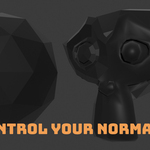
Subpixel Normals
is a lightweight, selection-based normal workflow for Blender—available for just $1.
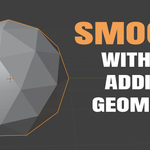
Harden or soften selected vertices, edges, and faces regardless of the mesh’s current shading state. There is no need to smooth the entire object first or manually prepare its sharp edges.
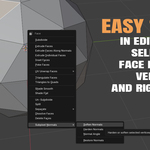
Enter Edit Mode, select your mesh components, right-click, and open Subpixel Normals.
FEATURES
• Soften selected normals
• Harden selected normals
• Apply smoothing by angle
• Restore selected normals
• Works from either flat or smooth shading
• Supports vertex, edge, and face selections
• Fast right-click workflow
WHY USE SUBPIXEL NORMALS?
Blender already provides smooth shading and sharp-edge controls, but their results depend on the mesh’s current shading setup. For example, clearing a sharp edge will not visually soften flat-shaded faces.
Subpixel Normals handles that preparation automatically. Start with a hard, faceted object and selectively soften it—or start smooth and selectively harden it. Choose the result you want without worrying about operation order.
Subpixel Normals is a small quality-of-life tool designed for artists who prefer a direct, Maya-inspired normal workflow.
Simple. Predictable. Just $1.