 KacaDev


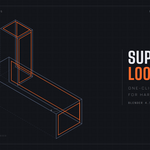
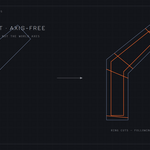
Support Loop Pro adds perfect supporting edge loops to your low-poly hard-surface models with one click — so a Subdivision Surface modifier keeps corners crisp instead of melting your model into a blob.
WHY IT'S DIFFERENT
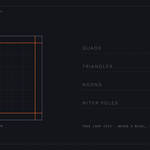
Support Loop Pro doesn't bevel. It works the way a modeler does: every support loop is a true loop cut that follows your mesh topology — wrapping all the way around the model, following bends and slanted sections. The result is always 100% quads: no triangles, no ngons, no messy miter poles.
ADAPTIVE WIDTH
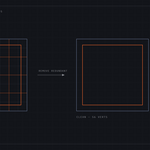
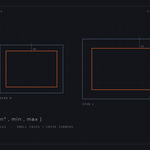
Loop width automatically follows face size. Long faces get wider loops for smooth, gentle profiles; small faces get tight loops for crisp corners. Full control in the F9 panel: Width Factor, Adaptivity, Min/Max Width clamps, and optional evenly spaced guide loops across long faces.
THE REVERSE TOOL — REMOVE REDUNDANT LOOPS
Inherited a dense mesh? One click deletes every edge loop that doesn't contribute to the shape — and only those. A loop is removed only when it provably cannot change the mesh: flat edges, straight crossings, closed rings. Round-trip tested: add loops then remove them and you get your exact original cage back, to the vertex.
FEATURES
- One-click adaptive support loops (auto sharp-edge detection or your edge selection)
- True topological ring cuts — works on slanted and bent shapes, not just axis-aligned boxes
- Always 100% quads, never touches your shading or modifiers unless you ask
- Fixed-width bevel mode for freeform meshes
- Remove Redundant Loops: the exact inverse operation
- Fully undoable, multi-object support, Object and Edit mode
Works in Blender 4.1+ (tested through 5.1). Best on quad cages — the standard hard-surface blockout workflow.