 KacaDev


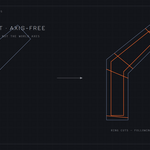
INSTALLATION
1. Blender > Edit > Preferences > Add-ons > Install from Disk
2. Select the downloaded zip
3. Enable "Support Loop Pro"
USAGE
1. Select one or more low-poly meshes (Object mode), or select edges in Edit mode.
2. Press N > HighPoly tab > "Add Support Loops (Adaptive)". Also available in the Object menu and Edit mode's Edge menu.
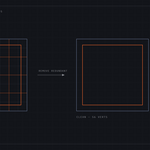
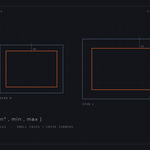
3. Press F9 to tweak: Width Factor (overall tightness), Adaptivity (0 = uniform width, 1 = fully proportional to face size), Min/Max Width clamps, Sharp Angle threshold, and optional Subdivide Long Faces with Max Quad Size.
Optional extras (all off by default, in the F9 panel): Add Subdivision Preview modifier, Shade Smooth, Subdivide Long Faces.
REMOVE REDUNDANT LOOPS (reverse tool)
Third button in the panel. Deletes only loops that provably cannot change the shape: closed rings whose edges are flatter than the Flat Angle (default 5 degrees) with straight crossings. Loops on creases, bends, and poles are never touched. In Edit mode you can restrict it to loops containing a selected edge.
NOTES
- Adaptive mode is designed for quad cages (standard hard-surface blockouts). Use Fixed mode for freeform or non-quad meshes.
- Fully undoable. Multi-object editing supported. The tool never changes your shading or modifiers unless you enable those options.
Have questions about this product?
Login to message
| Published | about 2 months ago |
| Blender Version | 4.1 - 5.1 |
| Extension Type | N/A |
| Render Engine Used | Cycles, Eevee |
| License | GPL |
Discover more products like this
support loops retopology subdivision-surface edge-loops hard surface subsurf Loop Cut modeling quads topology