 Playful Pixel
 Marco Lo Bartolo

Mahdi Keivanlou
12 months ago
I really appreciate your kind words and feedback!


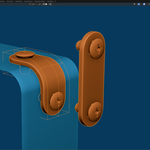
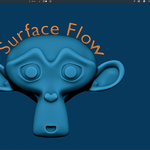
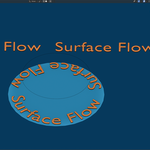
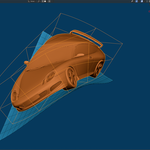
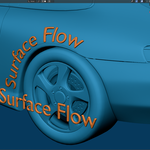
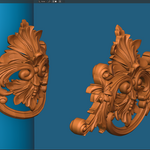
This item has an average rating of 4 from 34 ratings by the community.
Purchase this item to leave a review!
Mahdi Keivanlou
12 months ago
I really appreciate your kind words and feedback!
Mahdi Keivanlou
12 months ago
Your review means a lot—thank you!
Mahdi Keivanlou
12 months ago
Grateful for the 5 stars and your trust!
Mahdi Keivanlou
12 months ago
Thank you so much—I'm glad it's helping your workflow!
Mahdi Keivanlou
12 months ago
Your message absolutely made my day! I built SurfaceFlow to solve the exact frustrations you mentioned, so hearing that it’s making your workflow easier means a lot.
Mahdi Keivanlou
11 months ago
Thanks for your feedback. To get the best results, it's important to first understand how the addon works—I’ve explained this in the Rotation section of the documentation.
Your mesh must be oriented so that it points along the local Z axis of the object. Think of it as an always-enabled snap tool: it automatically aligns the local Z axis of your object to the target surface. That means you don’t need to manually align your object to the surface normal—just ensure the mesh is facing the correct local Z direction.
Please click the Contact the Creator button so I can take a closer look and help resolve the issue directly.
Mahdi Keivanlou
11 months ago
Thanks for sharing your experience! Please click the Contact the Creator button so I can take a closer look and help resolve the issue. I'm always here to support and troubleshoot with you directly.
Mahdi Keivanlou
3 months ago
Sorry it didn’t work for your case. Surface Flow 2 now includes major improvements and clearer documentation—please contact me, and I’ll gladly help.
Mahdi Keivanlou
3 months ago
Sorry you had this experience. Please contact me through Superhive with your file, and I’ll gladly help resolve the issue.
Mahdi Keivanlou
3 months ago
You’re right—the tutorials were not clear enough at the time, and I’m sorry about that. I’m improving the documentation and tutorials, and I’m always happy to help directly if you contact me through Superhive.
free updates and support.
free updates and support. 2-10 seats
free updates and support. 11-30 seats
Have questions about this product?
Login to message
| Blender Extension Compatible | Yes |
| Sales | 4000+ |
| Rating | 34 ratings |
| Dev Fund Contributor | |
| Published | 12 months ago |
| Blender Version | 4.5 |
| Extension Type | Add-on |
| Render Engine Used | Arnold, Blender-Internal, Blender-Game-Engine, Cycles, Eevee, Freestyle, Luxrender, Mental-Ray, Octane, Vray, Yafaray |
| License | GPL |
 Alan
Alan
 Vandad
 Fuse
Fuse
 Sean Platter
 shiga.k
 wren.koi.cosplays
 Lukas Meril
 alex
alex
 Emmi Akina
