SweetButtons Pro (2.0)
 Whimsy Tools




SweetButtons Pro (2.0) — Documentation
Whimsy Tools · Blender 5.0+
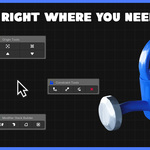
SweetButtons Pro puts your most-used object, hierarchy, constraint, modifier, and render tools into one sidebar panel and a quick menu in the viewport. No more menu-diving.
Access
-
Sidebar:
Npanel in the 3D Viewport → SweetButtons tab -
Pie Menu:
Shift + E(rebindable in Keymap preferences)
The pie menu gives one-click access to the most common actions in each category. The sidebar gives the full configurable version of each tool.
Controllers
| Tool | What it does |
|---|---|
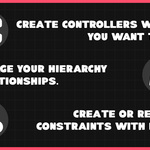
| Create Controller at Object Origin | Adds an empty at the object's origin point, parented for control |
| Create Controller at Bottom of Object | Same, placed at the object's lowest bounding-box point |
Hierarchy Management
| Tool | What it does |
|---|---|
| Duplicate with Children | Duplicates selected object(s) and their full child hierarchy together |
| Select with Children | Extends selection to include all children of selected object(s) |
| Delete with Children | Deletes selected object(s) and everything parented beneath them |
Works across multiple separate hierarchies selected at once.
Constraints
| Tool | What it does |
|---|---|
| Quick-Apply Constraints (Radial Menu) | One-click constraint add from the pie menu, default settings |
| Add Child Of | Adds a Child Of constraint to selected object(s) |
| Add Damped Track | Adds a Damped Track constraint (aim at target) |
| Add Follow Path | Adds a Follow Path constraint to a curve |
| Clear All Constraints | Removes every constraint from selected object(s) |
Origin Tools
| Tool | What it does |
|---|---|
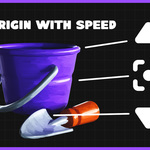
| Quick Origin Change (Radial Menu) | One-click origin repositioning from the pie menu |
| Set Origin to Geometry | Moves origin to the object's geometric center |
| Set Origin to 3D Cursor | Moves origin to current cursor position |
| Set Origin to Top of Selection | Moves origin to the top of each object's own bounding box |
| Set Origin to Bottom of Selection | Moves origin to the bottom of each object's own bounding box |
Modifier Stack
| Tool | What it does |
|---|---|
| Add Modifiers (Radial Menu) | One-click modifier add with default settings, no configuration |
| Add Mirror | Adds a Mirror modifier |
| — Set Axis | Choose mirror axis (X/Y/Z) |
| — Select Target | Pick an object to mirror across |
| Add Solidify | Adds a Solidify modifier |
| Add Bevel | Adds a Bevel modifier |
| Add Subdivision Surface | Adds a Subdiv modifier |
| Build Smart Stack | Adds a pre-ordered combination of modifiers in one click |
Supports Mesh and Curve objects. Modifiers that don't apply to a given object type are skipped.
Misc
| Tool | What it does |
|---|---|
| Check Silhouette (Radial Menu) | Quick toggle for silhouette check from the pie menu |
| Toggle Silhouette Checker | Displays your object as a flat black silhouette to check readability |
| Change Passepartout Opacity | Adjusts the camera view dimming outside frame bounds |
| Toggle Render Alert Sound | Plays a sound when render completes, even if Blender is in the background |
Object Type Support
All operators support every object type by default. Restrictions only apply where Blender itself requires it — e.g. geometry-based origin tools need actual mesh/curve data, modifier tools are scoped to Mesh/Curve because modifiers don't apply elsewhere.
Support
Bug or feature request → [email protected]
-
$4.99
SweetButtons Pro tool
-
$14.99
Full SweetButtons tool + multi-seat license for team & studio use
 Included
Includes 12 months of
- Support from Whimsy Tools
- Product updates
Extend this product’s Support Period +12 months: 100% of product price
Have questions before purchasing?
Login to message
| Sales | 30+ |
| Published | about 2 months ago |
| Blender Version | 5.0 - 5.2 |
| Extension Type | N/A |
| License | GPL |