Upright Piano "Syncopator F-Edition"
 Mountaineer Mediaworks


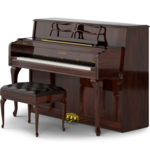
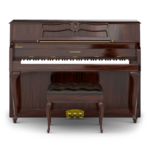
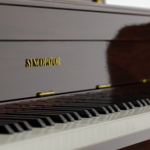
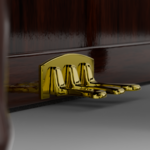
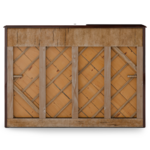

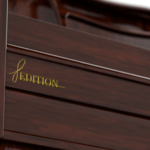
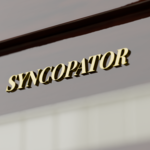
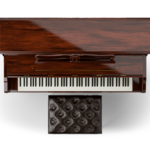
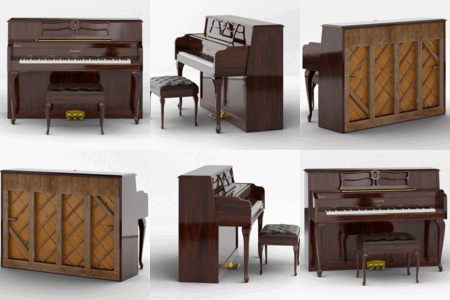
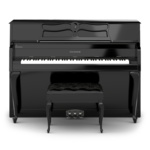
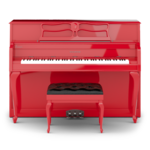
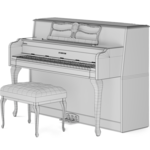

Syncopator f-Edition
Here are a few details that will help you set up and use the files correctly.
The included ZIP archive contains several folders with textures and 3D model files.
Contents
- upright_piano_demo.blend
- upright_piano_rigged.blend
- upright_piano_static.blend
- textures
- PNG files of base material
- extras
- PNG files of extra materials
- 4k PNG files of base material
Textures
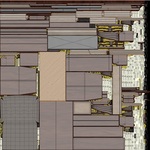
The "textures" folder contains all base textures of the model at 1024x1024 resolution.
The "extras" folder includes bonus textures and style variations, such as:
- Black and red lacquer versions of the wooden piano
- A 4k wooden texture for higher-resolution rendering
All textures are standard image files and can be replaced or edited freely.
Details
"upright_piano_rigged.blend"
- Contains all 3D components of the piano (keys, fallboard, pedals, music rack, and main body) rigged with an armature for animation and posing.
- Use this version if you’d like to animate the keys, pedals, or lid.
"upright_piano_demo.blend"
- Includes the same rig as above, plus sample animations such as:
- The fallboard opening
- Keys moving as if played by an invisible pianist
- For copyright reasons, the accompanying music is not included in this download.
- The demonstration animation is synchronized to "Clair de Lune" by Claude Debussy (public domain composition).
"upright_piano_static.blend"
- A simplified version containing separate 3D objects without any rigging — ideal for still renders or easy scene integration.
- If you’d like to merge everything into one mesh:
- Select the piano body (make it the active object)
- Press A to select all parts
- Press Ctrl + J to join them into a single object
Subdivision Ready
All parts of this piano model are cleanly modeled and subdivision ready.
You can safely apply a Subdivision Surface modifier to increase smoothness and detail without breaking the shape or shading.
Tips
If you want to add the same modifiers to all objects at once, you can do the following:
- Add the desired modifiers to one object.
- Make that object the active object.
- Press A to select all other objects in the scene.
- Press Ctrl + L and choose "Copy Modifiers."
This will copy the modifiers from the active object to all selected objects, replacing any existing modifiers on them with the new ones.
Naming Conventions
The included files follow a consistent and industry-standard naming scheme:
| Prefix/ Suffix | Meaning |
| SM_ | Static Mesh |
| M_ | Mateiral |
| T_ | Texture |
| _C | Base Color |
| _R | Roughness |
| _M | Metallic |
| _NGL | Normal OpenGL |
| _NDX | Normal DirectX |
| _O | Opacity |
| _H | Height |
| _A | Ambient Occlusion |
Usage
This piano model is an original creation and does not represent any real-world brand or product.
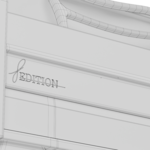
The fictional brand "Syncopator" and the model name "f-Edition" are entirely made up by me.
The model and all included assets are royalty-free for personal or commercial use.
No attribution is required, but it is always appreciated.
If you have any questions about this model, feel free to reach out, I’d love to hear from you.
Have questions about this product?
Login to message
| Published | 11 months ago |
| Blender Version | 4.5 |
| Render Engine Used | Cycles, Eevee |
| Misc Data | Uvs-Unwrapped, Rigged, Animated, Normal-Mapped, Textured |
| License | Royalty Free |

Discover more products like this
classical-music Instrument theater Mozart keyboard analog piano concert