 Artemis3D


Where can I get help?
Full documentation is available at luxa3d.com/docs/synthra. For questions and community support, join the Luxa Discord: discord.gg/ewVWztvztz
Do I get future updates?
Yes. All updates to the version you purchased are free. Check the Changelog section in the documentation for what's new in each release.
I moved a manual camera after rendering. Do I need to re-render everything?
No. Click "Render Manual Cameras Only" Synthra remembers which frame index each manual camera belongs to, overwrites only that image, and updates transforms.json in-place. The rest of your render is untouched.
Can I add cameras manually to specific spots?
Yes. The "Add Camera Here" button places a camera aligned to your current viewport view. Manual cameras are included in the full batch render and can also be re-rendered independently with "Render Manual Cameras Only" useful when you want to patch a specific area without re-running everything.
How long does a full render take?
It depends on your render engine, resolution, and sample count. With EEVEE at low samples (enough for Gaussian Splatting photorealism is not required), a 128-camera batch typically takes 10–30 minutes. Use the Fast Render button to test a single frame and estimate timing before committing to the full batch.
Can I use it for interior spaces like rooms and apartments?
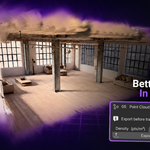
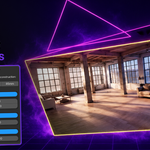
Yes. Indoor mode is specifically designed for interiors. You draw a Capture Volume box around the space and Synthra places cameras inside at floor level, pointing outward. Collision detection removes any cameras that would clip inside furniture or walls.
How many cameras does a typical capture need?
For objects: 64–128 cameras (Normal or High preset) gives excellent results. For rooms and interiors: Synthra places cameras automatically based on the room size, typically 80–200 stations depending on the space. You can always add manual cameras afterward to fill in missing angles.
Which Blender version does it support?
Synthra requires Blender +4.2 It has been tested on Blender 5.0.
Do I need a powerful GPU?
A CUDA-capable NVIDIA GPU with at least 6 GB VRAM is recommended for Gaussian Splatting training. Synthra itself runs on CPU it only controls Blender's render engine. You can render with Cycles or EEVEE using whatever hardware you have; training in Postshot or Nerfstudio is where the GPU matters.
What software does the output work with?
Synthra exports files ready for Postshot, RealityCapture, and Nerfstudio. You select your target trainer before rendering and Synthra adjusts the coordinate system and JSON format automatically.
What is Synthra and what does it do?
Synthra automates the most tedious part of Gaussian Splatting: setting up hundreds of cameras and rendering them one by one. You choose a mode (sphere, indoor, path, cluster), click Render, and Synthra handles everything camera placement, batch rendering, and exporting the transforms.json and points3d.ply files your trainer needs. No scripting, no manual setup.
 Included
Includes 12 months of
- Support from Artemis3D
- Product updates
Extend this product’s Support Period +12 months: 50% of product price
Have questions before purchasing?
Login to message
| Blender Extension Compatible | Yes |
| Sales | 20+ |
| Dev Fund Contributor | |
| Published | 6 months ago |
| Blender Version | 4.2 - 5.1 |
| Extension Type | Add-on |
| Render Engine Used | Cycles, Eevee |
| License | GPL |
Discover more products like this
3d-scanning animation rendering games Synthra Interaction realitycapture ai gaussian splatting gaussian camera rig photogrammetry nerf batch render multi-view