Tab Sorter – Organize N-Panel Sidebar Tabs
 Lilia Ellis
Can I use it together with another tab manager add-on?
Please use one sidebar tab manager at a time. Two of them would rearrange the same panels and may conflict.
Why doesn’t an add-on get its own folder in a group?
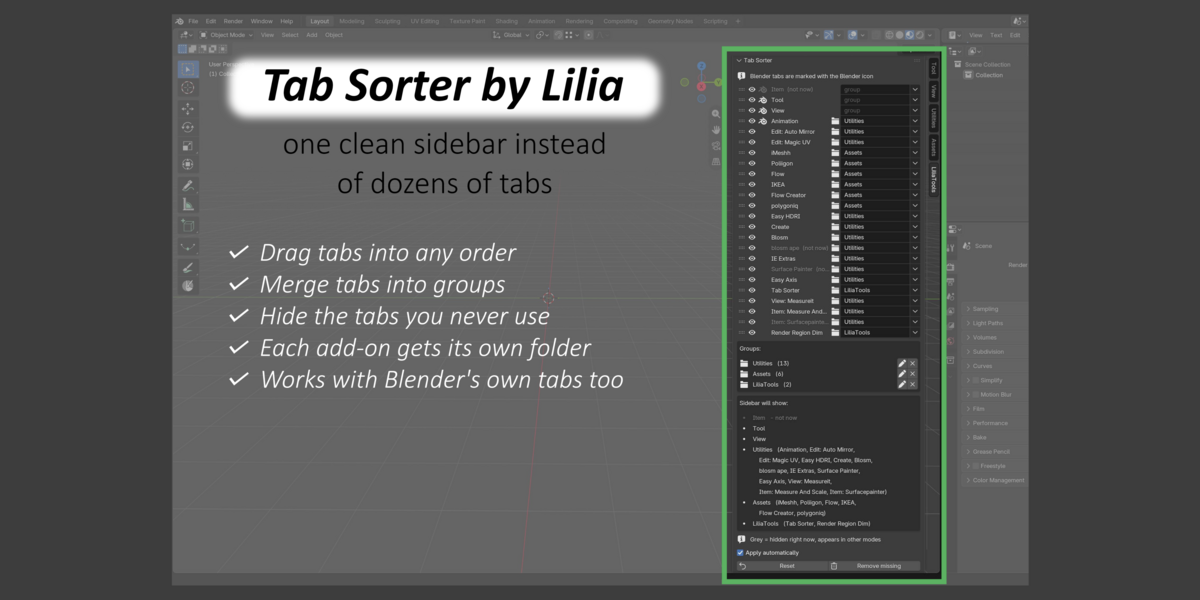
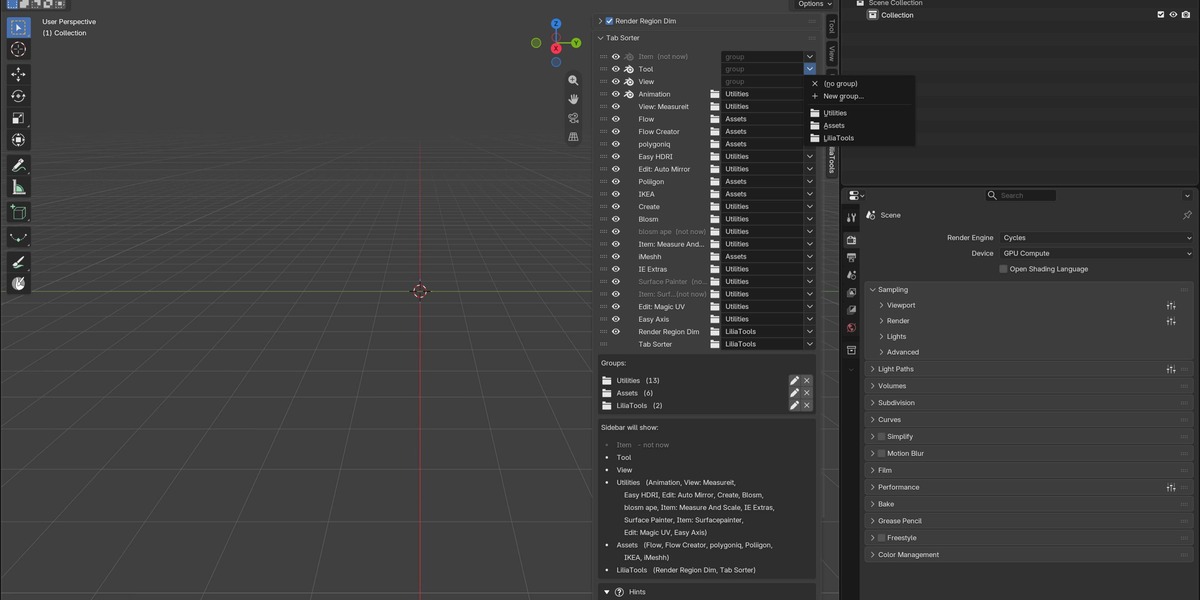
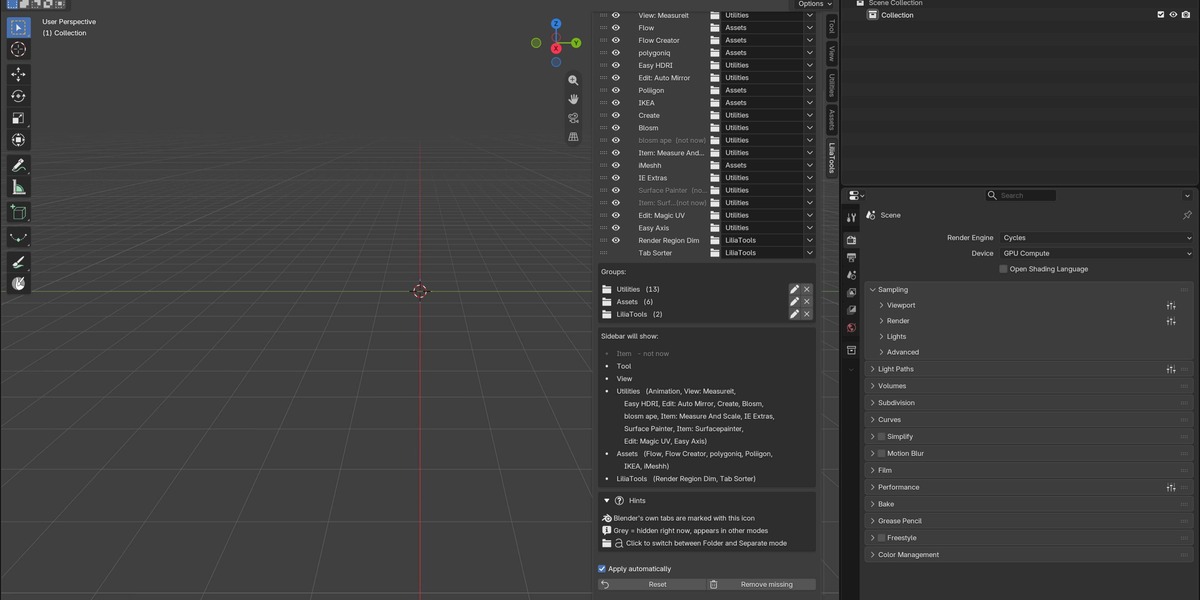
A folder is made only when the add-on shows two or more panels at the moment. If you prefer no folders at all, click the folder icon in its row to switch to Separate mode.
Why is a tab shown in grey or marked “not now”?
Its add-on shows panels only in certain situations, for example in Edit Mode or with a specific object selected. You can still group, hide and reorder it.
Why can’t I move the Item tab?
The Transform panel in the Item tab is built into Blender’s core and cannot be re-registered by any add-on, so the Item tab always stays first.
Will I lose my setup when I update?
No, as long as you install the new version over the old one. Uninstalling removes your tab order and groups, so don’t uninstall before updating.
Does Tab Sorter change files of my other add-ons?
No. It only changes how the tabs are arranged while Blender is running. Disable Tab Sorter or press Reset, and every tab goes back to where it was.
 Included
Includes 12 months of
- Support from Lilia Ellis
- Product updates
Extend this product’s Support Period +12 months: 50% of product price
Have questions before purchasing?
Login to message
| Blender Extension Compatible | Yes |
| Published | 38 minutes ago |
| Blender Version | 4.2 - 5.3 |
| Extension Type | Add-on |
| License | GPL |
Discover more products like this
n-panel Addon Management tabs Workflow ui Sidebar Tab Manager organizer interface Declutter productivity