Tactical Sniper Rifle - Aaa Game-Ready Asset & Tutorial
 reyhane_3d


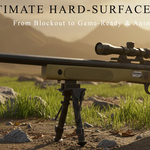
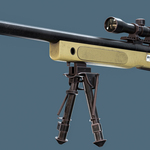
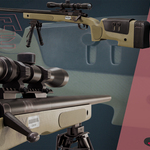
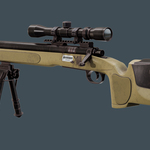
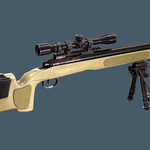
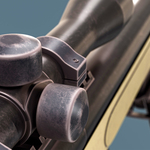
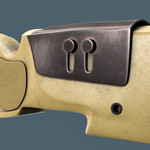
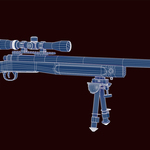
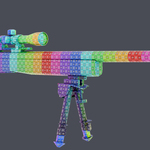
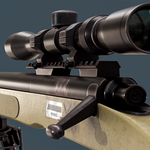
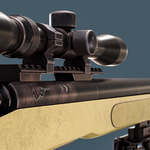
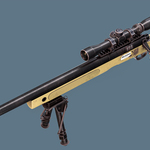
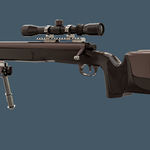
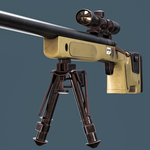
# Tactical Sniper Rifle - Setup & Technical Documentation
Thank you for purchasing "The Marksman's Precision" Tactical Sniper Rifle asset! This documentation provides a complete guide on folder organization, engine integration, texture setups, and tutorial instructions.
---
### 1. File & Directory Structure
Your download package is organized as follows:
Tactical_Sniper_Rifle/
├── LowPoly_Mesh/ -> Optimized FBX & OBJ formats (37,368 Tris)
├── HighPoly_Mesh/ -> Source high-poly mesh (3.87M Tris) for custom bakes
├── Blender_Scene/ -> Pre-configured .blend file with studio setup
├── Textures/
│ ├── UDIM_Blender_Marmoset/ -> 4K UDIM PBR maps (Individual channels)
│ └── UDIM_UE5_Optimized/ -> 4K UDIM UE5 packed maps (AO/Roughness/Metallic)
├── References/ -> Curated reference folder used in production
└── Tutorial/ -> Full 9h 29m video course (Optional Pack)
---
### 2. Software & Engine Integration Guide
#### A. Blender Setup
1. Open the `.blend` file inside the `Blender_Scene/` folder.
2. Materials and lighting are pre-linked and ready for immediate rendering in Cycles or Eevee.
3. If texture paths are broken after moving files, go to `File > External Data > Find Missing Files` and point to the `Textures/` directory.
#### B. Unreal Engine 5 Setup
1. Import the `.fbx` mesh from the `LowPoly_Mesh/` folder into your UE5 content browser.
2. Ensure **Import Normals** is set to "Import Normals and Tangents".
3. Use the dedicated textures from `Textures/UDIM_UE5_Optimized/`.
4. Create a Material in UE5 and plug in the packed channels (Red = Ambient Occlusion, Green = Roughness, Blue = Metallic).
---
### 3. UDIM Texture Information
This asset utilizes industry-standard **UDIMs** to ensure maximum Texel Density across all gun components (receiver, barrel, scope, stock).
* **Blender / Marmoset Set:** Contains separate BaseColor, Metallic, Roughness, Normal (OpenGL & DirectX), and AO maps.
* **UE5 Set:** Pre-packed maps specifically calibrated for Unreal Engine’s material editor pipeline.
---
### 4. Tutorial Instructions (If Bundle Purchased)
* **Format:** High-definition, silent screen-recorded workflow with visible keyboard shortcuts and mouse clicks on screen.
* **Recommended Learning Flow:** Follow sequentially through the folders: Modeling → Retopology → UV Unwrapping → Baking → Texturing → Rendering.
-
$7.99
This variant “Game-ready | Optimized topology | PBR 4K”
-
$9.99
This variant contains Highpoly 3d model and 4k textures.
-
$14.99
This variant contains Highpoly 3d model and 4k textures. This variant contains Lowpoly and Highpoly 3d model and 4k textures.
-
$19.99
this variant contains tutorial videos and refrences
-
$24.99
“Best value – Save more than 40%”
 Included
Includes 12 months of
- Support from reyhane_3d
- Product updates
Extend this product’s Support Period +12 months: 50% of product price
Have questions before purchasing?
Login to message
| Published | 2 months ago |
| Blender Version | 4.2 - 5.0 |
| Render Engine Used | Cycles, Eevee |
| Misc Data | Uvs-Unwrapped, Animated, Low-High-Resolution, Normal-Mapped, Textured |
| License | Royalty Free |
Discover more products like this
PBR military Gun sniper rifle game ready tutorial weapon hard surface udim Unreal Engine low poly tactical