 POWERBLOW



TakeItPosy is an add-on that helps you create character poses more easily.
No prior setup is required—simply your rig.
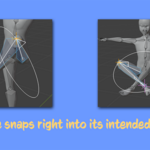
It fits your target perfectly, including joint positions, no corrections needed.
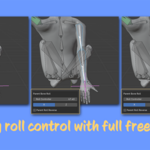
Bone rolls can be freely adjusted for precise control.
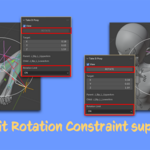
The add-on also respects bone rotation limit constraints (note: local bone space and other limitations apply).
This tool provides fast posing by rotating two bones. It does not lock the bones to a fixed position like IK.
Wanna pose? Take It Posy!
Every pose shown in this video was created using this addon and another addon from POWERBLOW.
- Go to Edit -> Preferences -> Add-ons.
- Click Install… and select the ZIP file.
- Enable the add-on.
- Root bone support.
- Mouse control for target movement in the 3D View.
- Target snap action to the selected bone tail.
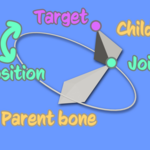
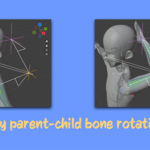
- Precisely control the rotation of two parent-child bones in Pose Mode without complicated setup.
- Align the position and orientation of parent and child bones exactly after rotation.
- Maintain rotations according to rotation limit constraints (Rotation Limits "On" - default).
- Rotate bones using only axis values, ignoring the order of rotation limit constraints (Rotation Limits "On no order").
- Rotate bones ignoring rotation limit constraints entirely (Rotation Limits "Off").
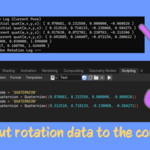
- Output rotation values from the rest pose and the current pose to the console, for use in scripts or automation.
- Select the target armature.
- Switch to POSE mode.
- In the Sidebar, open the TakeItPosy tab and enable the View checkbox.
- In the 3D View, select two bones in a parent–child relationship.
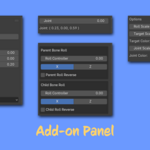
- Adjust the Target position in the add-on panel.
- Adjust the Joint (0-360) and each Roll Controller (-180 to 180), then click the Rotate button.
- If precise control is needed, check the rotation values in the Console.
- When not using the add-on, disable the View checkbox.
- Supported Blender versions: 4.2, 4.5, 5.0, 5.1, 5.2 (Older versions are not guaranteed to work.)
- Operating System: Windows 10 / 11 (64bit)
- CPU: x86_64(Intel / AMD)
- ARM64 Windows (e.g. Snapdragon)
- macOS (Intel and Apple Silicon M1/M2/M3)
- Linux
-
Please note that this feature only rotates two bones.
It does not function as an IK system that holds a bone at a specific location.
The result always follows the movement of the armature and its parent bones. - Parent-child bones must be connected to function correctly (the tail of the parent bone must match the head of the child bone).
- This add-on works with bone local rotations.
- Only two selected bones (parent and child) are supported.
- Armature scale must be 1; ; all bones from the selected bones to the root must also have scale 1.
-
Rotation Limits Options (for selected bones, default: On):
- On — Follow the rotation limit constraints. (default)
- On no order — Follow the constraints but ignore the order of axes; The add-on overwrites the constraint’s axis order.
- Off — Ignore rotation limit constraints entirely; The add-on overwrites constraints from On to Off.
-
Rotation Limit Constraints:
- For bones with a Rotation Limit constraint, If Min and Max for an axis are both set to 0, rotation will be limited to a plane.
Set at least a small range (e.g., –10 to +10) to allow some movement. - Rotation limits may include an error of about ±3°, so limits may occasionally be slightly exceeded.
- For bones with a Rotation Limit constraint, If Min and Max for an axis are both set to 0, rotation will be limited to a plane.
-
Armature Scale:
- Some special rigs may not work. The following rigs have been tested:
- Sky by Blender Studio
- VRM
- MIXAMO rigs (scale must be applied; use Blender's Apply Scale)
- Some special rigs may not work. The following rigs have been tested:
-
Other Limitations:
- If the Dependency Graph modifies bone rotation (e.g., keyframes, IK, Copy Rotation), the add-on may not rotate bones correctly.
- For special or custom rigs, it is recommended to use a standard rig as a proxy and copy rotations as needed.
- GPU drivers, virtual environments, or external factors causing display/performance issues are not supported.
- Always check rotation values in the console when precise control is required.
-
Ver. 1.1.3
Performance improvements -
Ver. 1.1.2
Added root bone support
Added mouse control for target movement in the 3D View
Added a target snap action to the selected bone tail
Minor fixes to GPU shader drawing -
Ver. 1.0.0
Initial release
This add-on is licensed under the MIT License.
Full license text is included in LICENSE.txt in the add-on ZIP.
- Next LTS version support planned — Support for the next Long-Term Support (LTS) version is planned.
- Advanced version in development — A higher-tier version with additional features is being developed.
- Support info — POWERBLOW Support
This add-on is provided "as is". The author is not responsible for any damage, data loss, or unexpected behavior caused by its use. Use at your own risk.