 De Martin



Stop wasting hours modeling terrain meshes by hand!
Terrain Engine Pro is an interactive terrain generator designed to optimize the workflow for architectural visualization, site planning, and environment modeling directly inside Blender.
Anyone working with topography and plot developments knows how frustrating it is to create a clean mesh from 2D boundaries (Splines). Manually connecting vertices, doing retopology, or using improvised modifiers results in terrible geometry and drains hours from your project timeline.
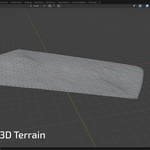
We solved this with pure math. Terrain Engine reads your curves and uses advanced Delaunay Triangulation and IDW (Inverse Distance Weighting) Interpolation algorithms to create precise topographic surfaces with just 1 click.
Key Features:
Live Preview: Edit your original curve and watch the 3D terrain mesh adapt and update in real-time.
Delaunay & IDW Algorithms: Ensures an even, mathematically accurate polygon distribution across the surface.
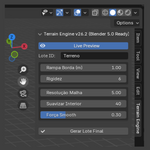
Total Control via N-Panel: Adjust the grid resolution (Grid Spacing), internal smoothing (Relax Force), and edge stiffness directly in the 3D Viewport sidebar.
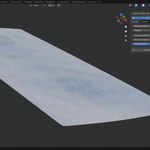
Clean Topology: The final output is an optimized mesh with "Shade Smooth" already applied, ready for textures, grass scatter, or further modifiers.
Blender 4.0 & 5.0 Ready: Modern, lightweight code built strictly following the latest Blender API standards. No crashes, no headaches.
How to Use:
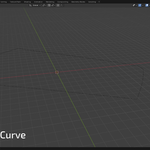
Select the 2D Curve (Spline) that defines your terrain boundary.
Open the "Terrain Engine" panel in the 3D Viewport sidebar (N).
Enable "Live Preview" and tweak the mesh settings to your liking.
Click "Generate Final Plot" to consolidate your 3D mesh. You're done!
