 De Martin



Terrain Engine Pro - Official Documentation
Welcome to the Terrain Engine Pro! This add-on is designed to be as intuitive as possible, generating complex Delaunay and IDW topographies with just a few clicks.
1. Installation
Download the
.zipfile provided after purchase.In Blender, go to Edit > Preferences > Add-ons.
Click Install... at the top right, locate your downloaded
.zipfile, and click Install Add-on.Check the box next to Mesh: Terrain Engine (Interactive) to enable it.
2. Quick Start Guide
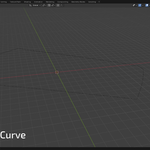
Add a Curve to your scene (
Shift + A> Curve > Bezier/Circle/Nurbs) and draw the boundary of your terrain. Make sure it is flat (2D) or has the specific elevation points you need on the vertices.Open the 3D Viewport Sidebar by pressing
Non your keyboard.Click on the Terrain Engine tab.
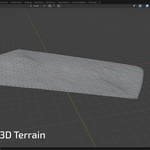
With your curve selected, toggle the Live Preview button. The add-on will immediately generate a preview mesh.
Adjust the parameters (explained below) to refine the mesh density and smoothness.
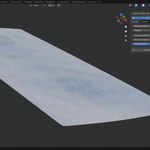
Once you are happy with the result, click Gerar Lote Final (Generate Final Plot) to bake the terrain into a standard, editable 3D Mesh.
3. Parameters Guide (N-Panel)
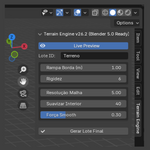
Live Preview: Toggles the real-time generation of the terrain. If your curve has too many points and is lagging your viewport, turn this off while editing the curve.
Lote ID (Plot ID): Sets the base name for the generated mesh objects in your Outliner.
Rampa Borda (Edge Subdivision): Controls the distance between vertices along the original curve. Lower values create a denser, more accurate border.
Rigidez (Stiffness/Neighbors): Controls the IDW (Inverse Distance Weighting) interpolation. It defines how many neighboring points influence the height of a specific vertex. Higher values create smoother slopes.
Resolução Malha (Grid Spacing): Controls the overall density of the internal Delaunay triangles. Warning: Setting this value too low on very large curves may cause performance drops.
Suavizar Interior (Relax Iterations): Defines how many smoothing passes are applied to the inner vertices of the terrain.
Força Smooth (Relax Force): The strength (0.0 to 1.0) of the smoothing passes.
4. Important Notes
The add-on requires a Curve object to work. It will not work if you select a standard Mesh.
For the best results, ensure your curve has a continuous path without overlapping intersections.

Discover more products like this
topography modeling environment Generator Workflow terrain delaunay architecture procedural landscape ArchViz spline