Text Optimizer
 Raelin Assets





Why is the bevel limited to one segment?
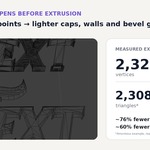
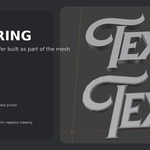
Text Optimizer is designed for lightweight production geometry. The front bevel uses one topology-aware contour ring to create a controlled chamfer without adding several smoothing loops.
Can I use the optimized mesh with Geometry Nodes?
Yes. Assign the _Optimized Mesh manually to the required Object input. Preview updates reuse the same Object and Mesh datablock, so the reference remains connected.
Can it handle overlapping or intersecting letters?
Yes. Intersecting glyphs are resolved as filled 2D geometry before the final mesh is built. Internal overlap edges are removed while outer contours, holes and disconnected islands are reconstructed.
Does it support Geometry Offset?
Yes. Positive and negative Blender Text Geometry Offset are evaluated before optimization, overlap union and bevel generation. Set Offset on the original Text object and create or update the optimized result normally.
Does Text Optimizer modify or convert my original Text object?
No. The original Blender Text remains fully editable. Text Optimizer creates a separate _Optimized Mesh and updates that mesh in place whenever you press Update Optimized Preview.
Have questions about this product?
Login to message
| Blender Extension Compatible | Yes |
| Published | about 2 months ago |
| Blender Version | 4.5 - 5.2 |
| Extension Type | Add-on |
| Render Engine Used | Cycles |
| License | GPL |
Discover more products like this
geometry nodes bevel mesh optimization realtime game ready modeling low poly font typography text 3D text optimization