 Shahzaib A.


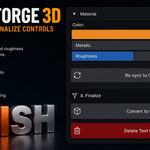
TextForge 3D
Create beautiful 3D typography without the repetitive setup.
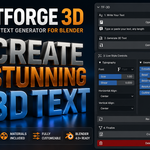
TextForge 3D is a Blender add-on that streamlines the entire process of creating and customizing 3D text. Instead of manually adding text objects and digging through multiple property panels, everything lives in a clean interface in the 3D Viewport's N-Panel.
Generate text instantly, adjust its appearance in real time, and convert it into a fully editable mesh when your design is complete.
Type it. Tweak it. Convert it.
From a line of text to a finished 3D mesh without leaving the N-Panel.
Features
|
Instant 3D text Generate 3D text straight from the N-Panel in one click. |
|
Live editing Every change updates in the viewport in real time. |
|
Multi-line text Build titles and logos with as many lines as you need. |
|
Built-in Principled BSDF material A ready-to-use material is applied automatically. |
|
One-click mesh conversion Turn finished text into a fully editable mesh. |
|
Re-sync with existing text objects Load an existing text object's settings back into the panel. |
|
Non-destructive workflow Keep adjusting until the design is right, then convert. |
Controls
|
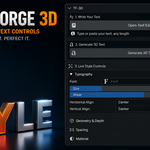
Typography controls ▸ Font Size ▸ Shear (Italic) ▸ Horizontal Alignment ▸ Vertical Alignment |
|
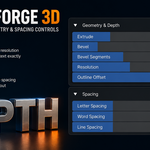
Geometry controls ▸ Extrude Depth ▸ Bevel Depth ▸ Bevel Segments ▸ Resolution ▸ Offset |
|
Spacing controls ▸ Letter Spacing ▸ Word Spacing ▸ Line Spacing |
|
Material customization ▸ Base Color ▸ Metallic ▸ Roughness |
Perfect for
Logo creationMotion graphicsTitle sequencesProduct visualization3D typographyBrandingSocial media graphicsGame assets3D printing preparation
Workflow
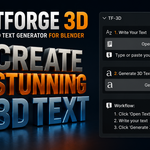
| 1 Enter your desired text. |
| 2 Click Generate 3D Text. |
| 3 Customize typography, geometry, spacing and materials with live updates. |
| 4 Convert to an editable mesh when finished. |
Compatibility
Blender 5.0+
Cinematic titles, product logos, branding or stylized typography: TextForge 3D removes the repetitive setup so you can focus on design.